

What is a self hosted project management software: 2026 overview
%201.png)
Updated:
February 28, 2026
Self-hosted project management software allows teams to run their project management platform on their own infrastructure instead of relying on external SaaS providers. This approach gives organizations full control over data, security policies, integrations, and customization. In this guide, we’ll explain how self-hosted project management tools work and explore several popular platforms worth considering.
- Taiga – agile product teams that want a lightweight and intuitive workflow.
- OpenProject – organizations that require structured planning, governance, and compliance features.
- Redmine – engineering teams looking for a highly customizable open-source environment.
- Focalboard (Mattermost Boards) – teams that prefer visual collaboration and simple Kanban-style planning.
- Plane – modern developer teams and startups that want a contemporary issue-tracking experience.
- UI Bakery AI – teams building custom internal dashboards, automation tools, and workflow extensions around their project management data.
What is a self hosted project management software?
A self-hosted project management software is a platform that you install and run on your own infrastructure instead of relying on a vendor’s cloud. The application, database, and user data live on servers that your team controls – whether on-premise, private cloud, or dedicated hosting.
Unlike traditional SaaS tools, self-hosted systems give organizations full ownership over security policies, integrations, customization, and performance tuning. Teams can adapt workflows to match internal processes instead of changing processes to fit a fixed product. This makes them especially attractive for companies with strict compliance requirements, internal tooling needs, or highly customized project lifecycles.
From a technical perspective, these platforms typically include:
- Task and issue tracking.
- Collaboration tools.
- Reporting and dashboards.
- APIs or plugin ecosystems.
- Role-based access control.
Many teams evaluating the best self hosted project management software are motivated by privacy concerns, cost predictability at scale, or the ability to extend the platform with internal tools.
Why companies choose project management software self hosted
Organizations don’t always move away from SaaS because of features – often it’s about control. Key advantages include:
- Data ownership and compliance. Sensitive project data stays inside company infrastructure, which can simplify regulatory requirements.
- Deep customization. Self-hosted platforms are usually more flexible, especially when combined with plugins or direct database access.
- Integration with internal systems. Teams can connect their project environment with internal analytics, AI workflows, or operational dashboards.
- Long-term cost predictability. Instead of per-seat SaaS pricing, companies can scale based on infrastructure costs.
However, there are tradeoffs:
- Requires DevOps expertise.
- Updates and maintenance are your responsibility.
- Initial setup may be more complex.
Because of this, many teams combine self-hosted tools with internal builders or AI-driven automation to streamline workflows.
Popular examples of self-hosted tools
Below are several widely used platforms, including options that qualify as open source self hosted project management software and each suited to different team needs.
1. Taiga
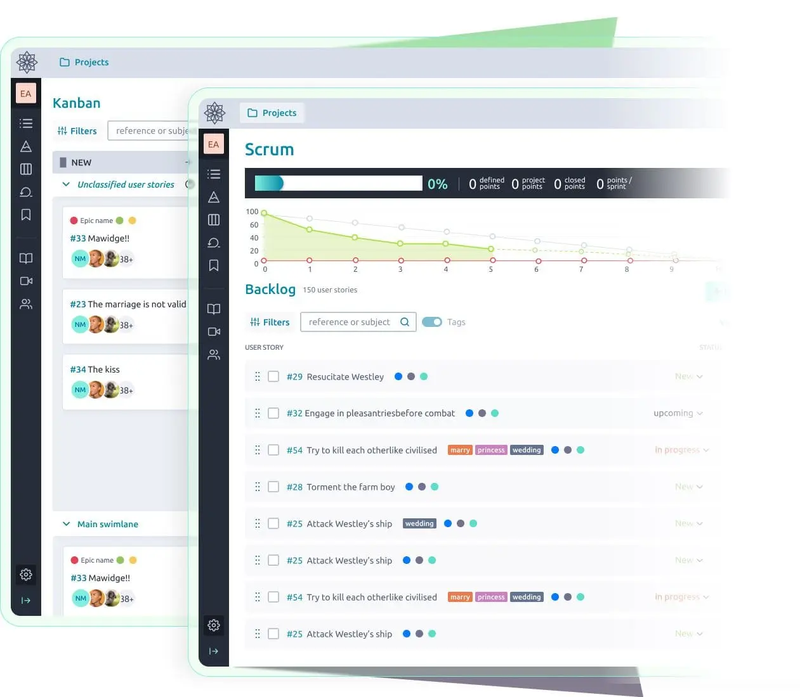
Taiga – open-source project management platform built specifically for agile teams that prefer clarity over heavy enterprise complexity. It combines Scrum and Kanban workflows with a minimal interface that helps teams focus on delivery rather than configuration.
Many startups and product teams choose Taiga because it balances flexibility with simplicity while still supporting advanced planning concepts like epics and backlog prioritization. Since it’s fully self-hostable, organizations can adapt it to internal workflows without relying on external SaaS infrastructure.
Key strengths:
- Clean interface with strong agile workflow support.
- Active open-source community.
- Easy Docker deployment.
Key features:
- User stories and sprint boards.
- Issue tracking.
- Wiki and documentation.
- REST API for integrations.
Taiga works well for product teams that want lightweight structure without heavy enterprise complexity.
2. OpenProject
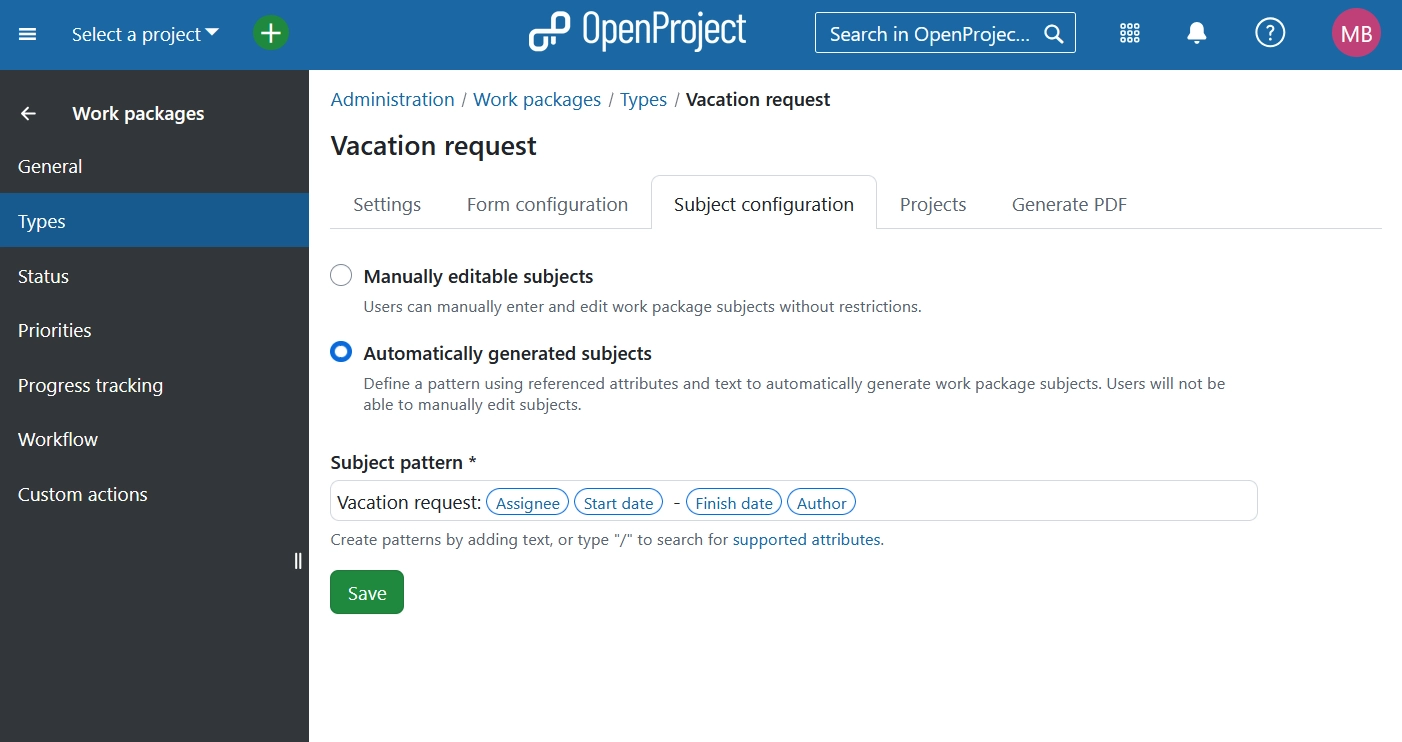
OpenProject – is a mature, enterprise-oriented platform designed for organizations that require structured planning, governance, and detailed reporting. Unlike lightweight tools, it supports both traditional project management methodologies and agile workflows, making it suitable for mixed teams.
Its strong permission system and compliance-ready architecture make it popular among industries with strict operational requirements. Companies often choose OpenProject when they need long-term roadmap planning combined with on-premise control.
Key strengths:
- Strong compliance and permission model.
- Hybrid project planning (Gantt + agile).
- Extensive reporting capabilities.
Key features:
- Time tracking and cost control.
- Work packages and roadmaps.
- On-premise installation options.
- Integration with development workflows.
Teams looking for advanced governance and reporting often gravitate toward OpenProject.
3. Redmine
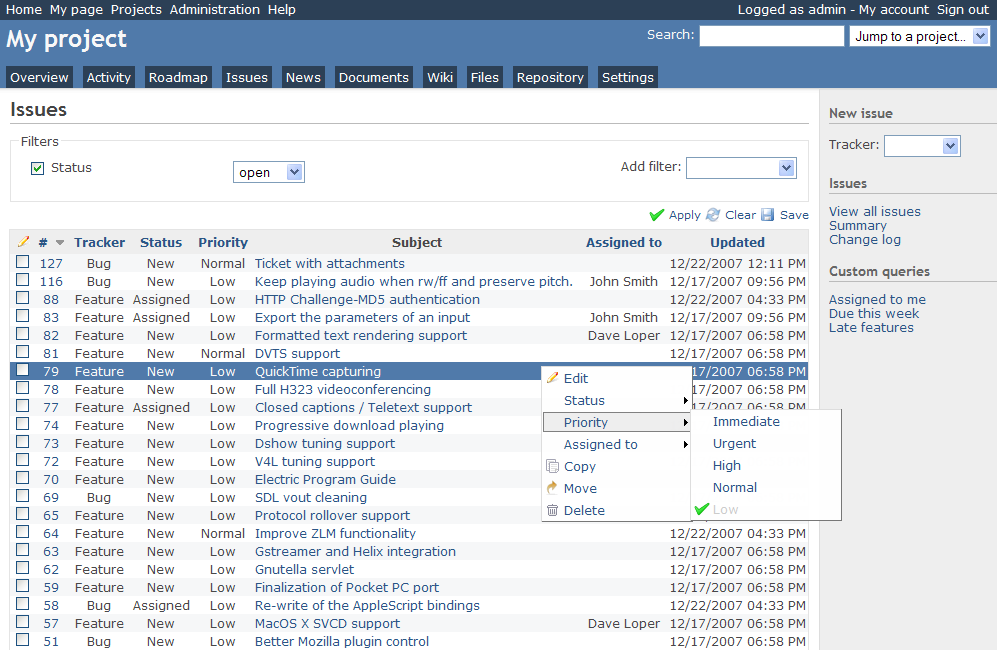
Redmine is a long-standing open-source project management system known for its flexibility and extensibility. Built on Ruby on Rails, it provides a solid foundation that teams can adapt through plugins, themes, and custom integrations.
While its interface feels more traditional compared to modern SaaS tools, many engineering teams appreciate the level of control it offers. Redmine works especially well for organizations that want a customizable environment without vendor lock-in.
Key strengths:
- Highly configurable structure.
- Large plugin ecosystem.
- Lightweight core.
Key features:
- Issue tracking and milestones.
- Role-based permissions.
- Wiki and forums.
- Multi-project support.
Redmine is popular among engineering teams that prefer open systems that they can shape themselves.
4. Focalboard (Mattermost Boards)
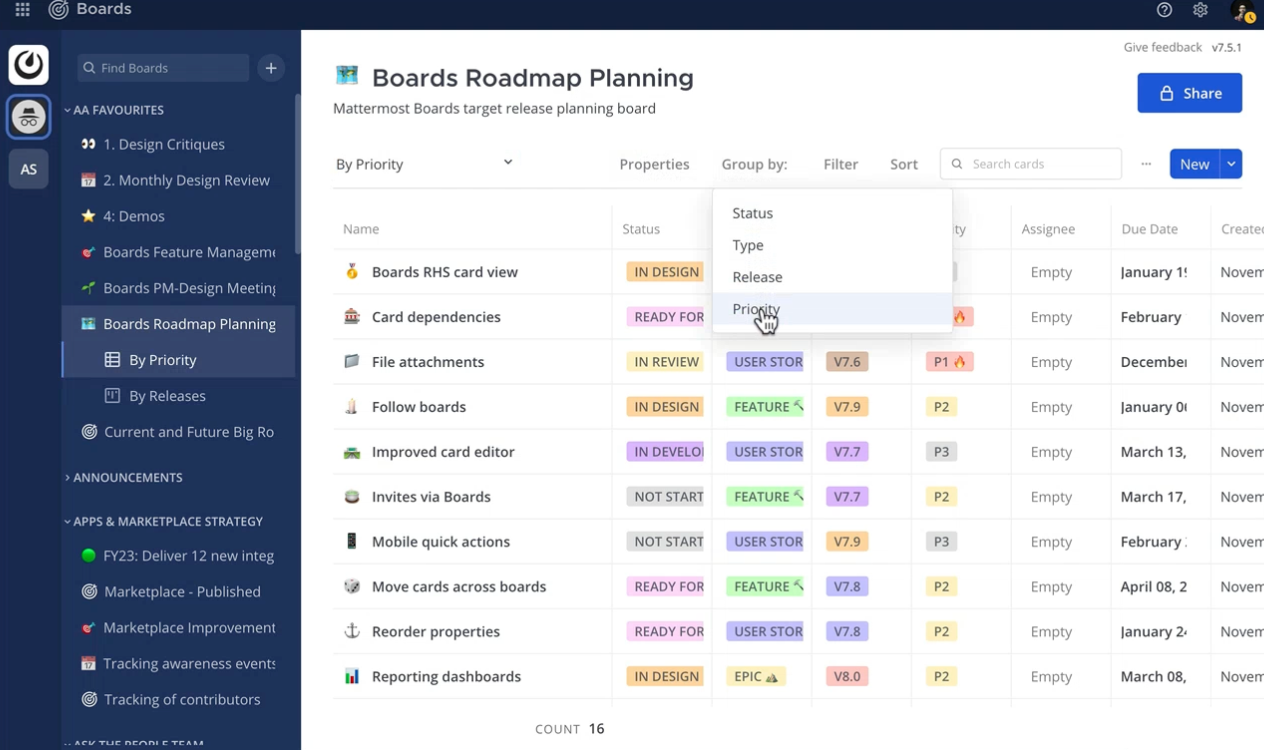
Focalboard is a collaborative planning tool that originated as an open-source alternative to visual task management platforms. It focuses on simplicity and real-time collaboration, offering boards that resemble modern productivity apps while remaining deployable on private infrastructure.
As part of the Mattermost ecosystem, it integrates naturally with team communication workflows, which makes it appealing to engineering-focused organizations. Teams looking for a lightweight, modern UI without heavy setup often consider Focalboard as a starting point.
Key strengths:
- Clean, Notion-like UI.
- Tight integration with Mattermost chat.
- Simple deployment process.
Key features:
- Kanban boards.
- Templates for workflows.
- Self-hosted server options.
- Lightweight architecture.
It’s a good fit for teams already using Mattermost for communication.
5. Plane
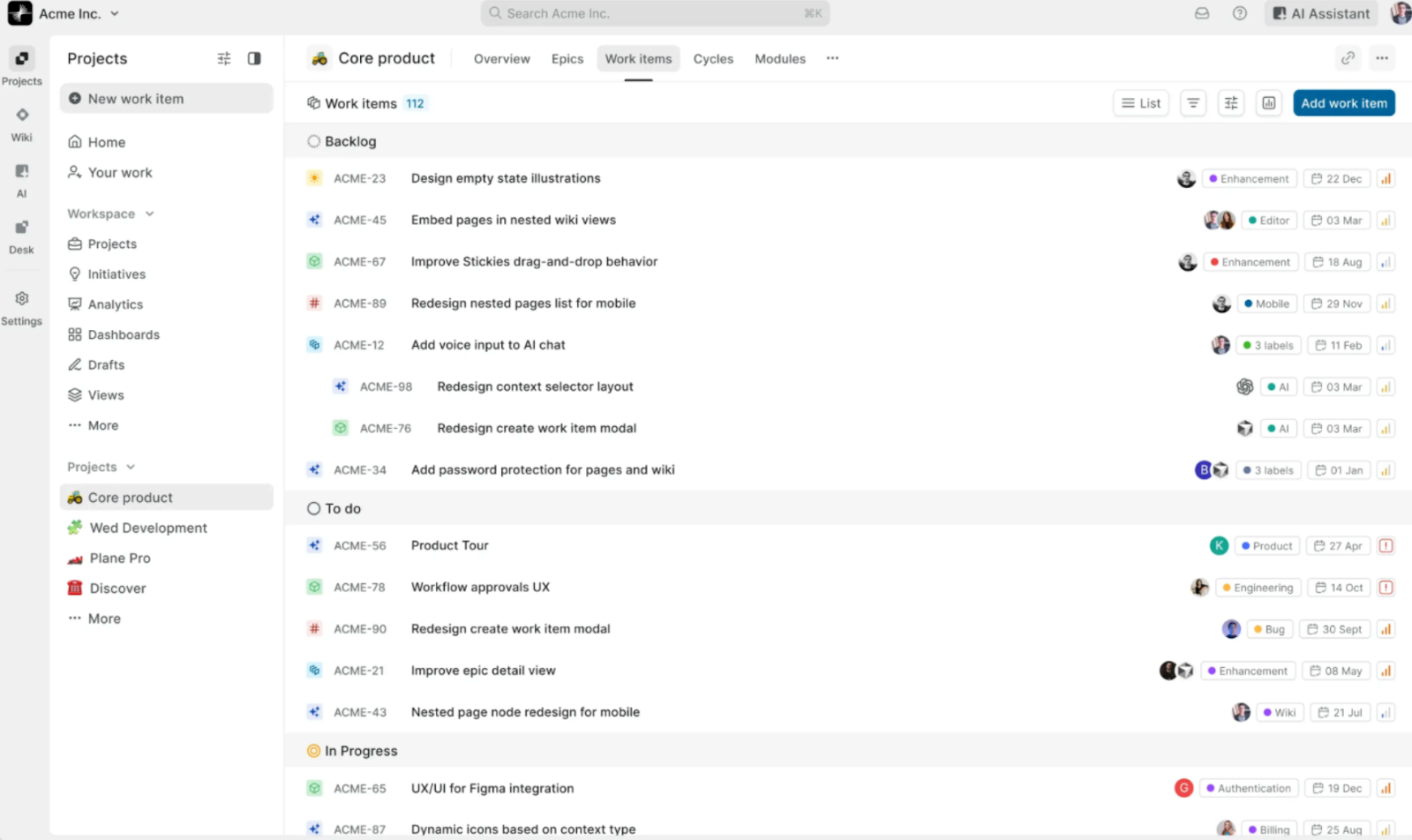
Plane is a newer generation open-source project management platform inspired by modern developer tools. Its design emphasizes speed, collaboration, and a familiar experience for teams accustomed to tools like Linear or Jira alternatives.
Despite its modern UX, Plane remains fully self-hostable and developer-friendly, offering APIs and extensibility for custom workflows. Many teams adopt it when they want a contemporary interface without sacrificing control over deployment and data.
Key strengths:
- Modern UX similar to Linear or Jira alternatives.
- Developer-friendly API.
- Fast growing ecosystem.
Key features:
- Issue tracking with rich metadata.
- Roadmaps and analytics.
- Custom workflows.
- Collaborative editing.
Plane is gaining traction among startups that want a modern experience without vendor lock-in.
Where UI Bakery fits into this ecosystem
While UI Bakery is not a traditional project management platform, its AI app generator can complement or extend self-hosted setups in practical ways.
Teams often reach limitations when they need custom dashboards, internal workflows, or operational views that standard tools don’t provide. Instead of modifying the core platform, companies can build internal interfaces on top of their data.
For example:
- Creating reporting dashboards that combine project data with financial metrics.
- Building admin panels for task automation or approval workflows.
- Designing custom backlog views connected to APIs or databases.
- Generating internal tools through AI prompts instead of manual coding.
Because UI Bakery connects directly to databases, REST APIs, and services, it can act as a flexible layer around project management systems, especially when teams want internal tooling without maintaining another full application stack.
This approach is often useful when organizations want to keep their primary system self-hosted but still experiment with AI-driven interfaces or automation.
Quick comparison of self-hosted project management tools
Best self hosted project management software: how we evaluated the tools
Choosing the best self hosted project management software depends heavily on how your team works, what level of control you need over infrastructure, and how much customization your workflows require. Some platforms focus on agile development and lightweight collaboration, while others are designed for enterprise governance, compliance, and long-term project planning.
To make the comparison useful, we evaluated each tool based on the practical criteria teams usually consider when moving to project management software self hosted environments.
The platforms in this list were assessed using the following factors:
- Self-hosting flexibility – whether the platform supports on-premise or private cloud deployment and how easy it is to install and maintain.
- Workflow capabilities – support for agile boards, issue tracking, roadmaps, and hybrid project management approaches.
- Customization and integrations – availability of APIs, plugins, and the ability to adapt the system to internal processes.
- Community and ecosystem – maturity of the project, documentation quality, and active community support.
- Operational usability – how easy it is for teams to adopt, scale, and maintain the system over time.
How to choose the right platform
When comparing options, consider the following criteria:
- Team size and technical skills. Some tools require more setup and maintenance than others.
- Workflow complexity. If you need advanced reporting or governance, enterprise-oriented platforms may be better suited.
- Integration needs. Check API support and extension capabilities early, especially if you plan to connect analytics or AI tools.
- Deployment flexibility. Look for containerized deployment, upgrade paths, and documentation quality.
Choosing the right tool isn’t only about features – it’s about how well the platform fits into your broader engineering ecosystem.
Final thoughts
Self-hosted project management platforms are becoming increasingly relevant as organizations seek more control over data, customization, and operational workflows. Tools like OpenProject, Redmine, Taiga, Plane, and Focalboard demonstrate that teams no longer have to rely solely on centralized SaaS products to manage complex projects.
At the same time, the ecosystem around these tools is evolving. Instead of replacing core platforms, many teams extend them with internal dashboards, automation layers, and AI-generated interfaces built on top of their existing data. Solutions like UI Bakery AI App Generator fit into this approach by helping teams create custom internal tools, reporting layers, or workflow extensions around their self-hosted environments rather than acting as a project management system itself.
This hybrid approach, combining reliable self-hosted foundations with flexible AI tooling allows organizations to keep control while still moving quickly. Ultimately, the right choice depends on your infrastructure maturity, workflow complexity, and how much customization your team truly needs.
Next step
Planning a HIPAA-sensitive internal app?
Use the checklist above to map data flow, roles, audit events, vendors, and deployment decisions before the first production workflow ships.
Healthcare operations example
Action Behavior Centers scaled internal operations across clinics with UI Bakery
For a real operational example, review UI Bakery customer stories and healthcare operations patterns.
5,000+users supported in the customer story
400+clinics mentioned in the case study





"The UI Bakery platform offers a cost-effective approach to creating applications. With UI Bakery, you can achieve your app development goals without breaking the bank."

"Before switching to UI Bakery we developed a number of apps within the Retool system. The Retool system was good but ultimately did not have the flexibility and feature sets that we required."
Check the Story