
6 Database App Builders for 2026: Tools to Turn Data Into Real Apps

Updated:
January 25, 2026
In 2026, database app builders have split into two groups: tools that integrate with the database and ship interfaces + automations on top, and tools that sit on top of existing databases (Postgres/MySQL/SQL Server, etc.) and help you build production-grade internal apps quickly.
If you’re choosing a database app builder today, the decision usually comes down to:
- Where should your data live (built-in tables vs. your existing DB)?
- Who is building (ops team vs. IT vs. developers)?
- How serious is the app (lightweight portal vs. long-lived internal system with RBAC, audit logs, and environments)?
Below are six strong options for 2026, with what they are, best features, pros/cons, and who they’re for.
1. Airtable (AI-native database + app layer)
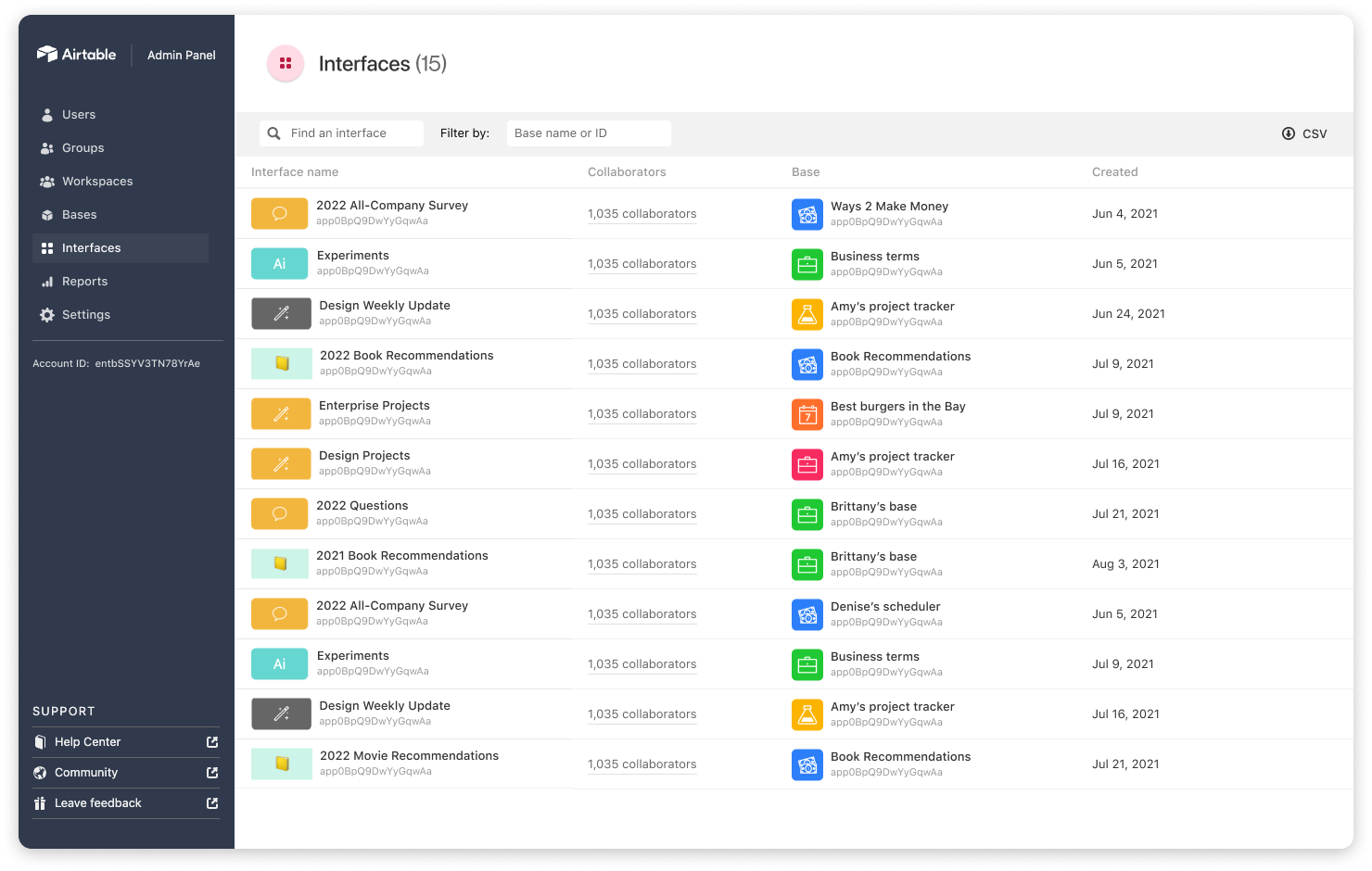
Airtable is positioned as an AI-native platform for building apps on top of structured data, essentially upgrading spreadsheets into relational tables with interfaces, automations, and governance.
Key strengths
- Fastest path from “table” to usable internal tool screens (views, forms, interface pages).
Strong collaboration model for business teams (ops, marketing, finance). - Growing AI app building/agents, positioning, and workflows around data.
Key features
- Built-in database tables + views.
- Interface designer for internal apps/portals.
- Automations, permissions/governance controls.
Pros
- Extremely approachable for non-engineers.
- Great ecosystem of templates and “business-ready” patterns.
- Good for rapid iteration when requirements keep changing.
Cons
- Not a drop-in replacement for a real production DB in more complex systems.
- Cost and scaling considerations as records/users/automation volume grow.
- Custom UX and deep logic can feel constrained compared to developer-centric builders.
Best for: ops/data teams who want an easy database creator experience and need to ship internal workflows fast, without owning infrastructure.
2. UI Bakery (AI app builder on top of your database)
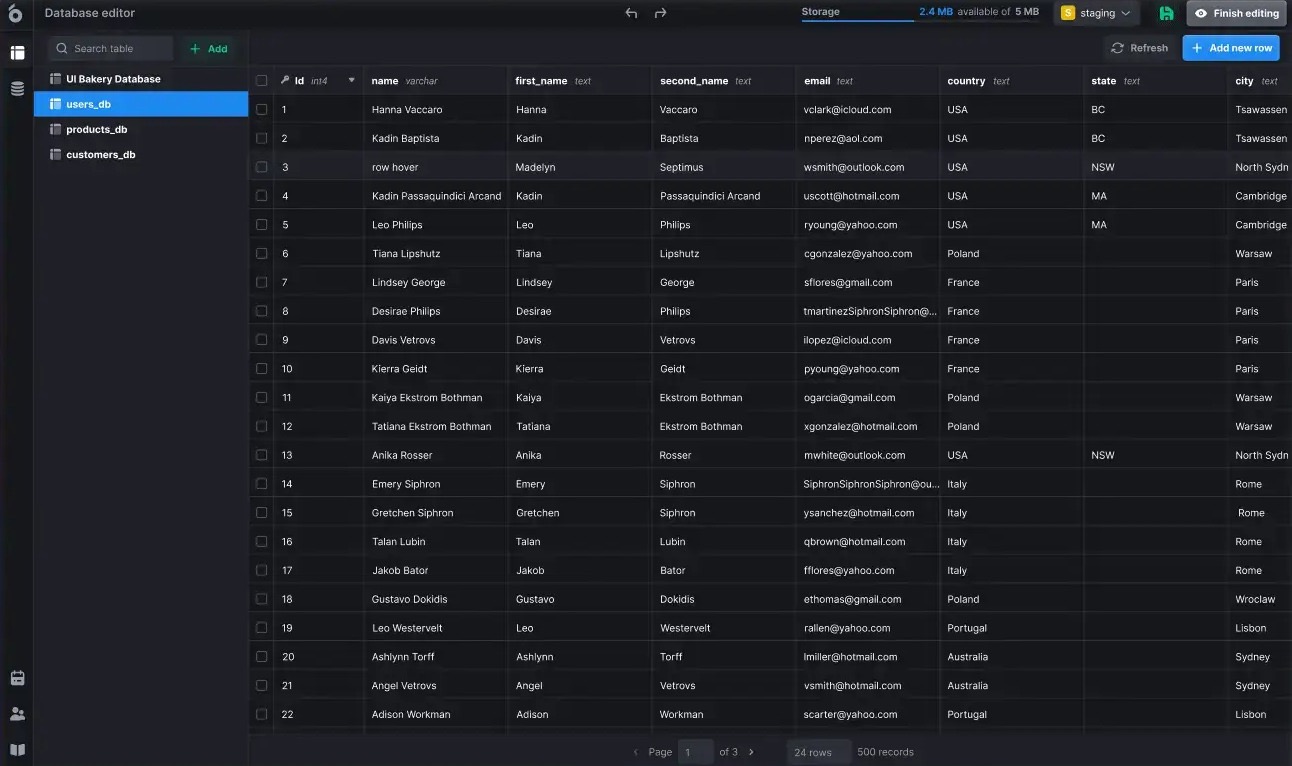
UI Bakery is an AI app generator focused on building internal tools, admin panels, dashboards, and CRUD apps directly on top of real data sources, with AI to speed up scaffolding and iteration (UI + logic + queries).
Key strengths
- Built for real internal systems: dashboards, role-based access, multi-page apps, and maintainable logic.
- Works well when your data lives in production databases/APIs (instead of being copied into a new tool).
- Strong balance: visual building for speed + code where needed.
Key features
- Text-to-app generation.
- Database/API connectivity and reusable actions.
- Versioning/releases + one-click deployment options.
Pros
- Great for long-lived internal tools, not just prototypes.
- Let’s teams move fast without giving up developer control.
- Good for teams that want to build fast and keep improving the app.
Cons
- Optimized for building real apps rather than spreadsheet-style workflows.
- Most value if you already have proper data sources.
Best for: product/ops teams with technical support/developers who need a scalable database application builder for internal tools.
3. Google AppSheet (no-code apps tightly aligned with Google/enterprise workflows)
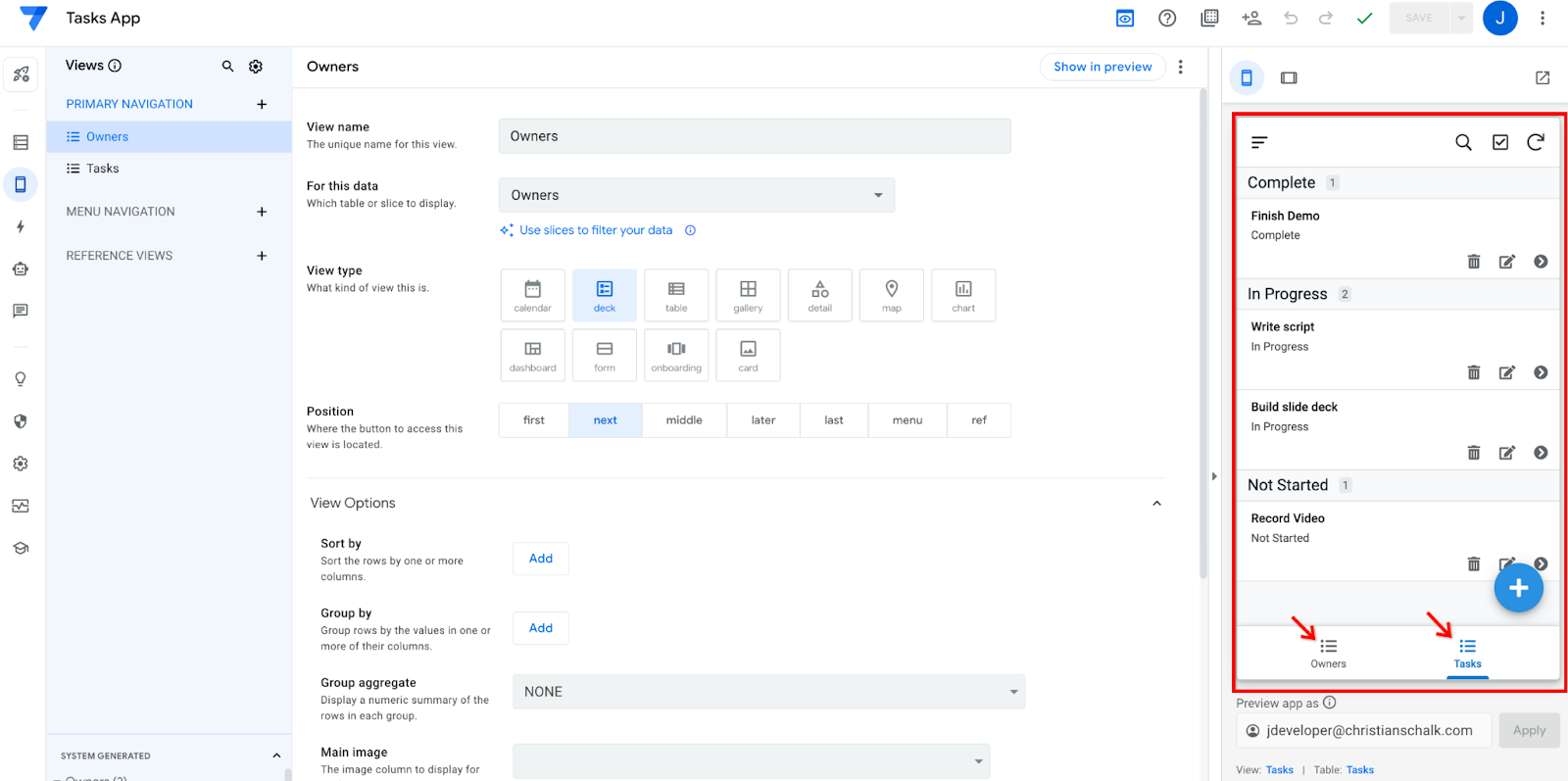
AppSheet is Google’s no-code platform for building mobile and web apps from spreadsheets and databases. It is mainly used for internal workflows like data collection, admin-friendly governance, approvals, and field operations. The platform focuses on structure, automation, and governance rather than custom UI design.
Key strengths
- Excellent for field workflows, forms, barcode scanning, locations, signatures, and photos.
- Natural fit for organizations standardized on Google Workspace.
- Structured governance and admin controls are a big focus.
Key features
- Rich data capture (barcode/location/signature/photo).
- Built-in database option + connections to common data sources.
- App distribution and integrations into Google surfaces.
Pros
- Very strong for operational data collection and lightweight process apps.
- Simplifies setup and approval for IT teams.
- Mature automation patterns for business users.
Cons
- Custom UI/UX flexibility is more limited than full web app builders.
- More complex relational apps can become tricky to model and maintain.
Best for: enterprises and operations teams building a simple database app for field teams, approvals, audits, and structured data capture.
4. Softr (no-code portals and web apps on top of many data sources, with AI)
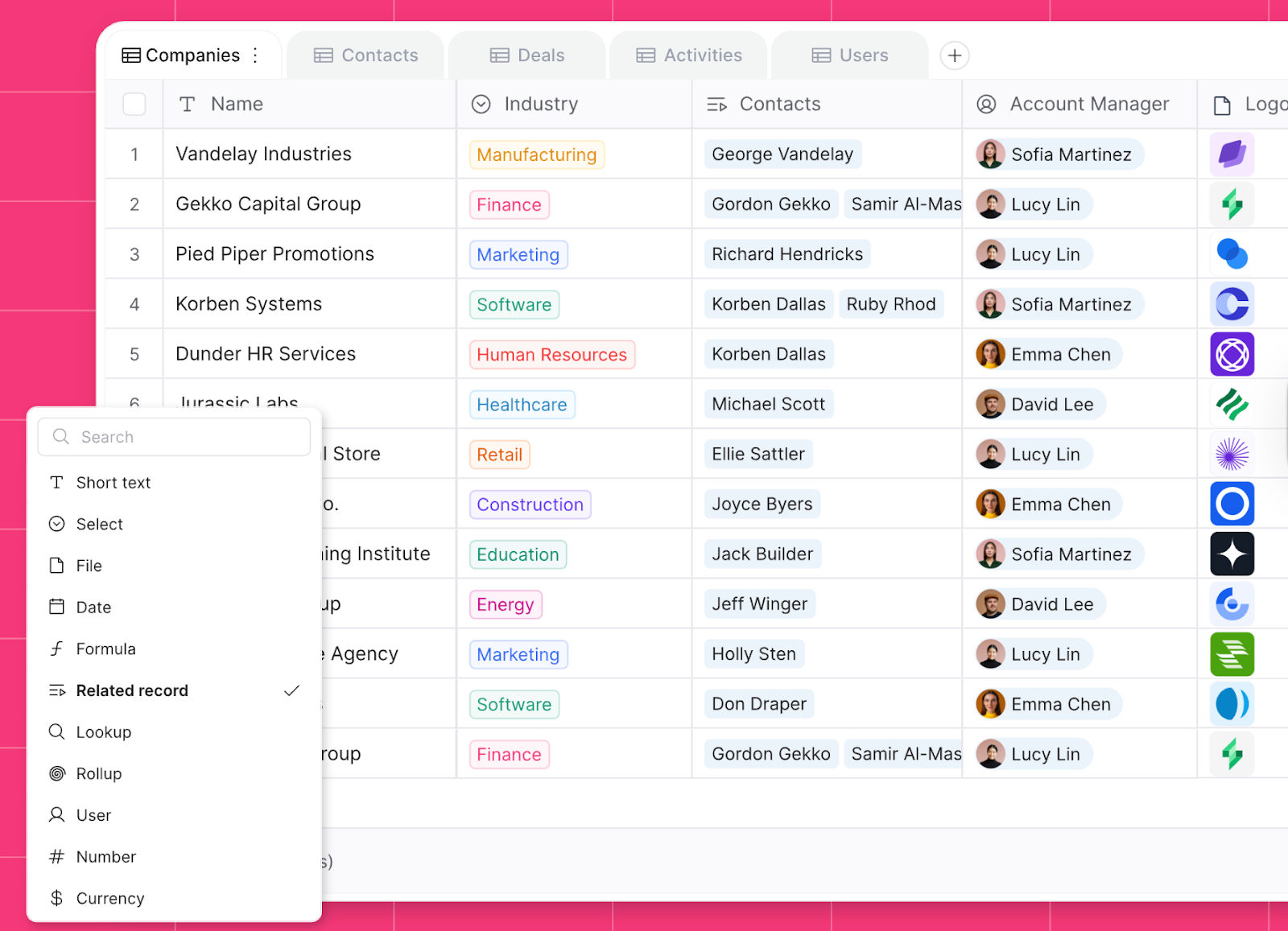
Softr is a no-code app builder for client portals, internal tools, and web apps that connects to popular data sources, including Airtable, Google Sheets, and SQL databases. It has leaned into AI-assisted building and broader database support.
Key strengths
- Best-in-class for portals: customer-facing CRUD + authentication + member areas.
- Broad connector story across business data sources.
- Strong templates and fast time-to-value.
Key features
- Portal building blocks, lists/tables/forms, permissions, and login flows.
- Works across multiple backends and business data tools.
- AI building assistance and faster setup flows.
Pros
- Very fast for client portals and lightweight internal apps.
- Easy to ship polished web experiences without front-end engineering.
- Good “business builder” ergonomics.
Cons
- For complex internal systems (deep RBAC, auditing, complex workflows), you may outgrow it.
- Heavy customization can require workarounds depending on the use case.
Best for: teams shipping portals and simple apps where speed + clean UI matter more than deep internal-tool complexity.
5. Glide (fast business apps from tables, increasingly “app-like”)
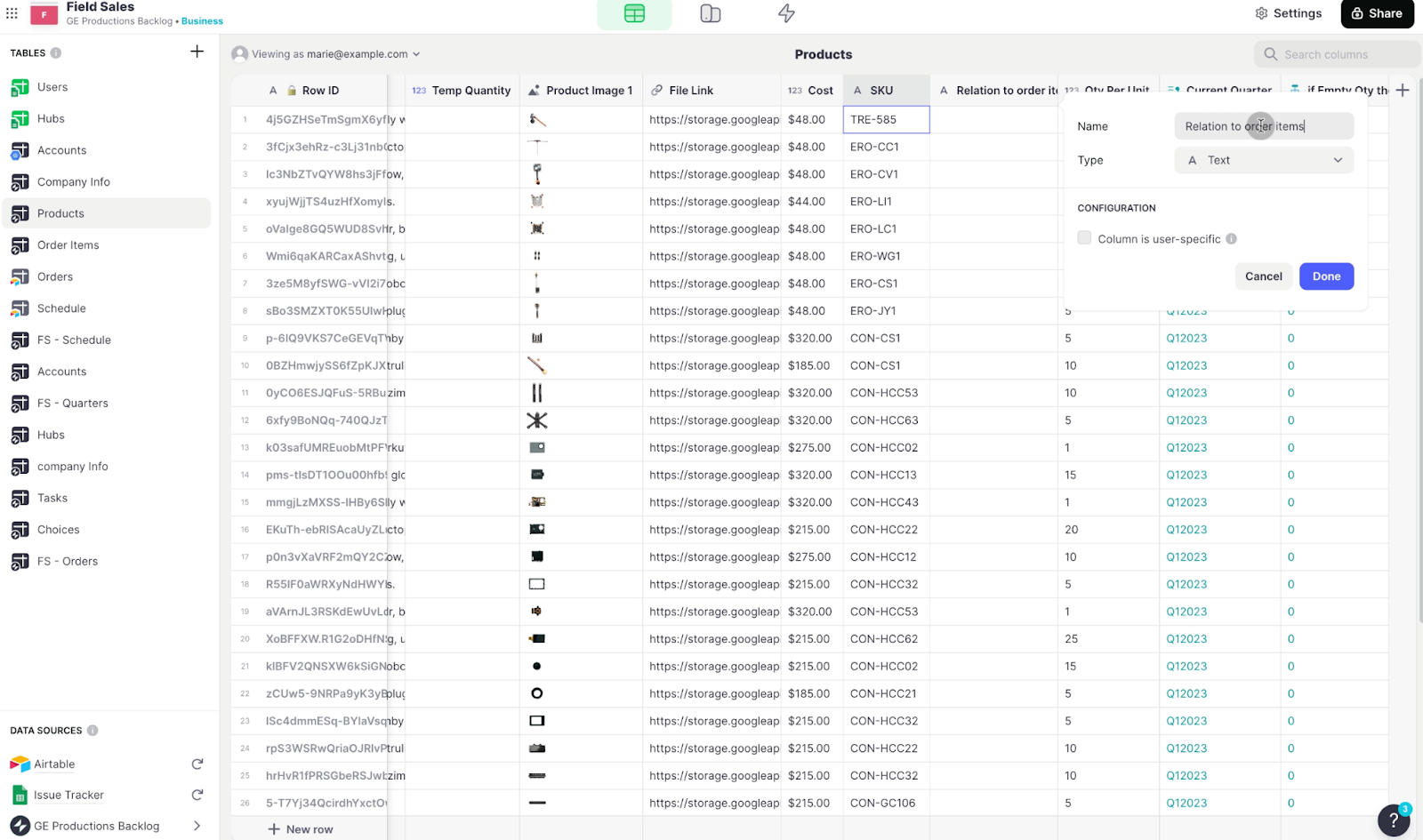
Glide is a no-code builder known for turning tables into functional business apps quickly, aimed at teams that want to launch tools without a full engineering cycle. It markets building AI-powered apps without coding and has clear tiered pricing.
Key strengths
- Extremely fast to go from data to working app UX.
- Great for small teams that need a tool now (inventory, checklists, trackers).
- Simple sharing and collaboration patterns.
Key features
- Data-to-app building workflow.
- App templates and common components for business tools.
- Team-friendly deployment model and plan tiers.
Pros
- One of the quickest ways to launch an internal tool.
- Low learning curve – let’s teams build and release apps quickly.
- Great for lightweight workflows.
Cons
- Complex permission models and enterprise governance can be limiting, depending on the plan/needs.
- Less ideal for “systems of record” with heavy compliance requirements.
Best for: small teams that need an easy database creator feel for internal tools and want to ship fast.
6. Budibase (open-source low-code internal tools + optional self-hosting)
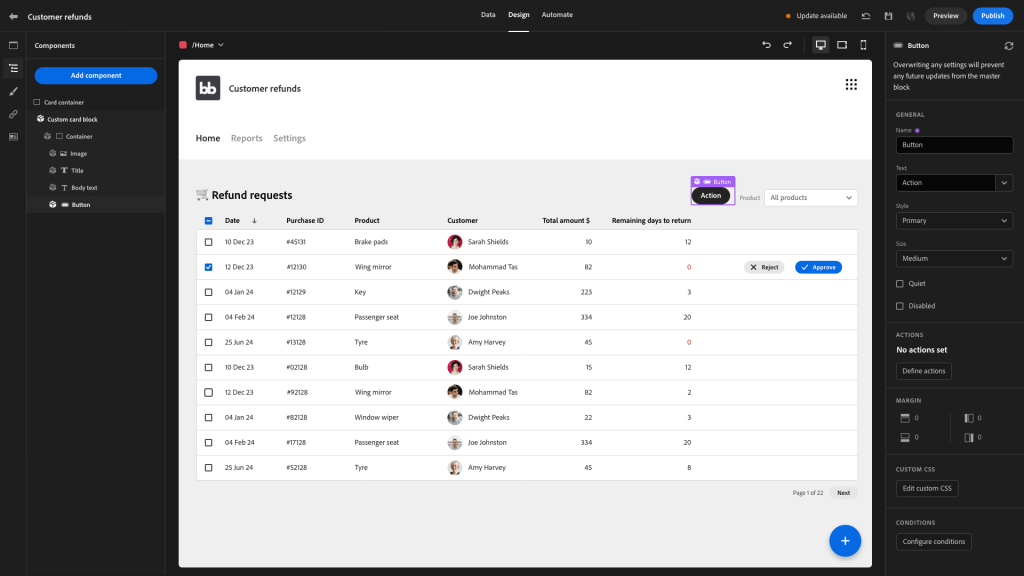
Budibase is an open-source low-code platform for building internal tools and workflows, designed to connect to multiple data sources and support self-hosted deployment. Teams often use it for internal admin apps and data management tools.
Key strengths
- Open-source + self-hosting appeal (control, customization, and compliance).
- Strong for CRUD internal tools and workflow automations.
- Good middle ground for technical teams that want extensibility.
Key features
- Visual app builder + auto-generated CRUD screens.
- Database integrations, REST API support.
- Role-based access and self-hosting options.
Pros
- Ownership and transparency benefits (open-source).
- Fits companies with stricter deployment requirements.
- Good for internal admin apps with repeatable patterns.
Cons
- UX polish and advanced front-end customization can be tougher than “pure” web builders.
- You may need more technical ownership than with fully managed SaaS tools.
Best for: technical teams who want a web database application builder without coding.
Quick decision guide: how to choose a database app builder
In practice, the best database application builder is the one that matches your data location, and governance needs and who will maintain the app after the first version ships.
- Airtable – if your app is primarily “data + collaboration + lightweight interfaces.”
- UI Bakery – if you’re building long-lived internal tools on real databases with low-code speed + AI assistance.
- AppSheet – if you need data capture + workflows in Google-centric or enterprise environments.
- Softr – if your main output is portals and clean web experiences over business data sources.
- Glide – if speed and simplicity beat everything else.
- Budibase – if open-source/self-hosting and internal CRUD workflows are core.
FAQ
Which tool is best if my data is already in Postgres/MySQL?
UI Bakery, Softr, and Budibase are commonly chosen when you want to build directly on existing databases and APIs rather than migrating data into a new “base” first.
Which option is most approachable for non-technical teams?
Airtable and Glide are typically the fastest for non-technical users to pick up because they start from table-first workflows and templates.
Which tool is strongest for field data capture (barcodes, signatures, location)?
AppSheet stands out for structured data collection features like barcodes, location capture, signatures, and photos.
Which tools work well for customer/client portals (login + pages + CRUD)?
Softr is a common pick for portals built on top of Airtable/Sheets/SQL-style sources, especially when you want a polished web UI quickly.
If I need open-source or self-hosting, what should I look at first?
Budibase is explicitly positioned as open-source and friendly to self-managed deployments, which can matter for compliance and infrastructure control.
Next step
Planning a HIPAA-sensitive internal app?
Use the checklist above to map data flow, roles, audit events, vendors, and deployment decisions before the first production workflow ships.
Healthcare operations example
Action Behavior Centers scaled internal operations across clinics with UI Bakery
For a real operational example, review UI Bakery customer stories and healthcare operations patterns.
5,000+users supported in the customer story
400+clinics mentioned in the case study



"The UI Bakery platform offers a cost-effective approach to creating applications. With UI Bakery, you can achieve your app development goals without breaking the bank."

"Before switching to UI Bakery we developed a number of apps within the Retool system. The Retool system was good but ultimately did not have the flexibility and feature sets that we required."
Check the Story