Deployment and operations
Self-hosted deployment options for your own infrastructure
The standard setup uses Docker or Docker Compose on a customer-managed Linux server. UI Bakery also documents paths for Azure, AWS, Google Cloud, DigitalOcean, and Kubernetes.
Docker-based setup
Use the installation script or the documented Docker Compose path.
Cloud infrastructure
Run the platform on customer-managed virtual machines with your network policy.
Kubernetes
Use the documented cluster configuration and plan production capacity.
Deployment support and product features can vary by plan and environment. Review the installation documentation and self-hosted pricing before rollout.
How self-hosted UI Bakery works
1Deploy
Install UI Bakery in the approved environment and confirm infrastructure requirements.
2Configure
Set network routes, credentials, secrets, identity, and application access policies.
3Connect
Connect private databases, internal APIs, and approved external services.
4Build and operate
Publish internal apps, then manage monitoring, backups, updates, and rollback.
Self-hosted application architecture
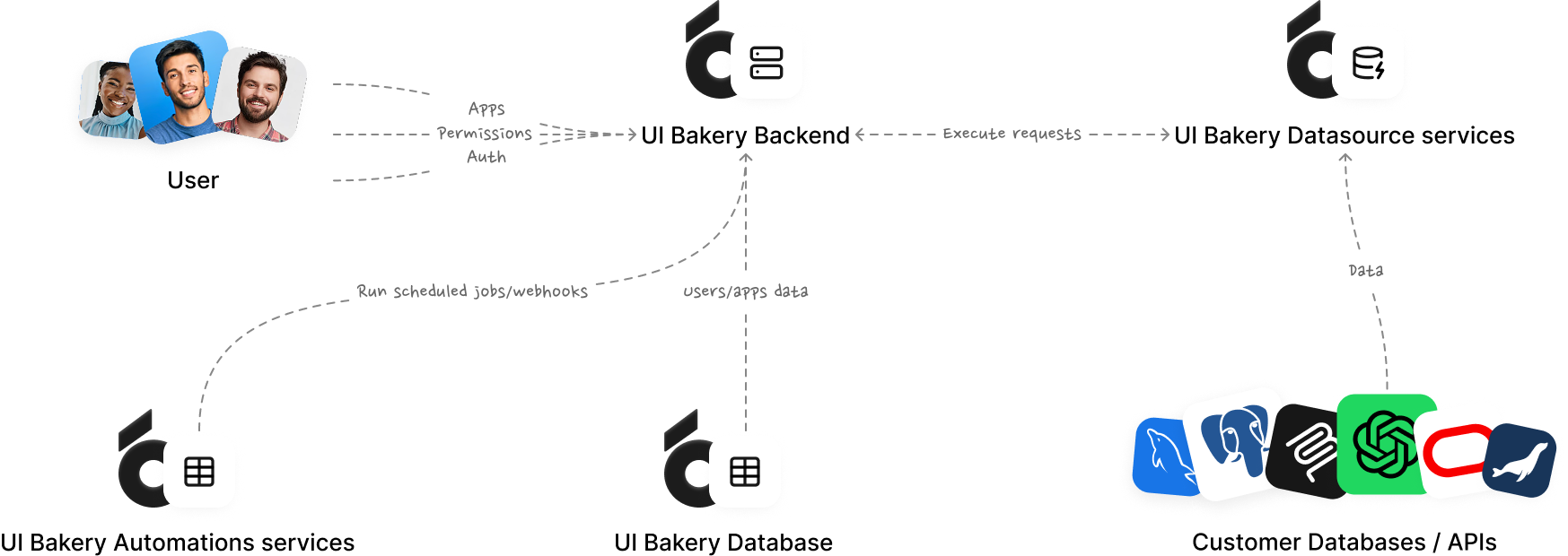
The UI Bakery builder and application runtime run inside the environment your team operates. Identity, data sources, network routes, and external connections are configured as part of that environment.
Users and identityInternal users and your identity provider
→
UI BakeryBuilder, app runtime, workflows, and access controls
→
Private systemsDatabases, internal APIs, and approved services
Your private infrastructure boundary. Optional AI providers, MCP servers, and external APIs may sit outside this boundary.
Build internal apps on your own infrastructure
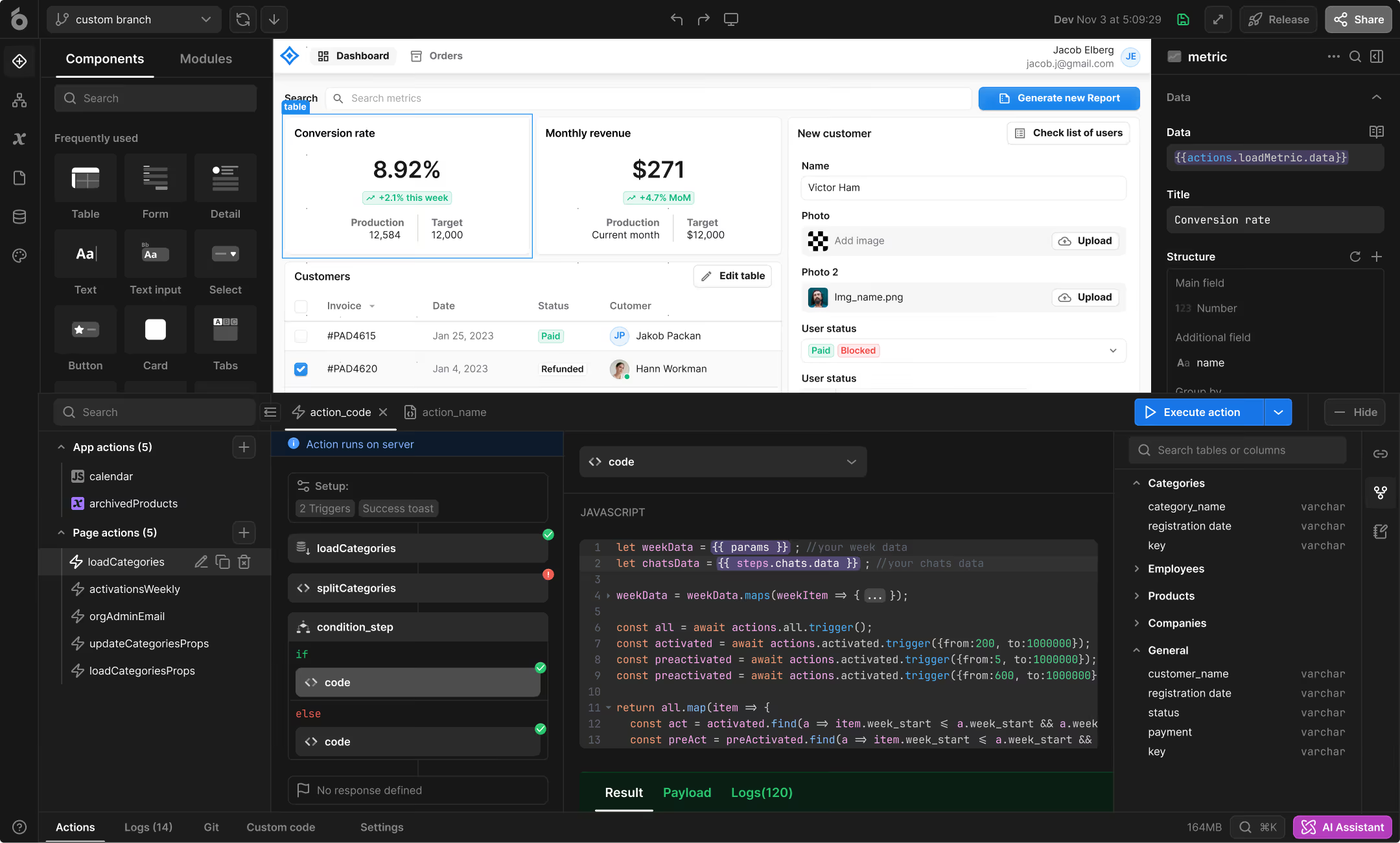
Use UI Bakery as an internal app builder for data-driven business apps close to private systems.
Admin panels and CRUD apps
Manage records, inventory, configuration, and operational data.
Dashboards and data tools
Search, validate, edit, and report on connected business data.
Approvals and operations portals
Route requests, review exceptions, manage queues, and trigger automations.
Connect internal apps to private data sources
Self-hosted UI Bakery can connect to private databases, internal APIs, REST services, and approved SaaS systems reachable through routes your team configures. Customer-controlled credentials and network policies determine what each connection can reach. Explore supported databases and APIs and validate least-privilege access.
Self-hosted app builder capabilities
Data and logic
Queries, API connections, transformations, custom code, and automations.
Access controls
Users, groups, RBAC, permissions, MFA, and audit logs where available.
Support
Support and implementation options depend on the selected plan.
Control deployment, updates, and operations
Your organization manages the hosting environment, network routes, credentials, identity, updates, monitoring, backups, and incidents. UI Bakery provides the platform, deployment package, releases, documentation, and plan-based support. This can support infrastructure or data-control requirements, but compliance still depends on the full system and operating process.
When to choose self-hosted UI Bakery
Self-hosted is a strong fit when
- Private databases or APIs should remain inside an approved network.
- Applications must run in customer-managed infrastructure.
- Security or procurement teams require deployment and update control.
- Your platform team can own monitoring, backups, and incident response.
UI Bakery Cloud may fit better when
- The team wants minimal infrastructure work.
- UI Bakery should manage platform operations.
- Private deployment is not required.
- The goal is to validate a workflow quickly.
UI Bakery Cloud vs self-hosted deployment
| Evaluation area | UI Bakery Cloud | Self-hosted UI Bakery |
|---|
| Infrastructure ownership | UI Bakery operates the platform infrastructure. | Your team operates the selected infrastructure. |
| Private-network access | Data sources must be reachable through an approved hosted connection. | Apps can use private routes available inside your environment. |
| Updates | UI Bakery manages platform updates. | Your team plans, tests, and schedules updates. |
| Monitoring and backups | Managed as part of the hosted service. | Configured and operated by your team. |
What UI Bakery provides and what your team manages
| Area | UI Bakery provides | Your team configures or operates |
|---|
| Deployment | Container packages, releases, and setup guidance | Servers, cloud account, installation, DNS, HTTPS, and firewall policy |
| Data access | Connectors and app-building tools for databases and APIs | Credentials, routes, permissions, and data policy |
| Identity | SSO and application access capabilities where included | Identity-provider setup, groups, roles, and access reviews |
| Operations | Product releases, documentation, and plan-based support | Monitoring, backups, testing, rollback, and incident response |
| Compliance | Product controls and documentation inputs | Final scope, risk assessment, policies, evidence, and legal review |
Self-hosted production readiness checklist
Infrastructure
- Supported Linux environment
- Capacity for expected workloads
- HTTPS, DNS, and production database
- Secure secret storage
Network and identity
- Routes to databases and APIs
- Firewall and outbound requirements
- SSO, roles, groups, and MFA
- Credential ownership and rotation
Operations
- Monitoring and alerts
- Backups and recovery testing
- Update testing and rollback
- Incident and access-review ownership
The installation guide lists Ubuntu 18.04 or above, 2 vCPUs, 4 GiB memory, 20 GiB storage, sudo access, and access to required resources. Review the production recommendations.
AI, MCP, and external-service data flows
Self-hosting does not mean every connected service processes data locally. For AI, model-provider keys, MCP, external APIs, cloud workspaces, and licensing services, document outbound connections and data flows. Bring-your-own AI provider keys are listed for the Enterprise self-hosted plan; confirm availability before making residency or compliance commitments.
Real internal apps built with UI Bakery
400+ clinics and 5,000+ usersAction Behavior Centers
Centralized apps replaced disconnected spreadsheet workflows. Confirm the deployment model separately.
100+ internal appsQualifirst
Qualifirst replaced fragmented spreadsheet processes with self-hosted UI Bakery apps.
Self-hosted UI Bakery FAQ
What is a self-hosted low-code platform?
It is an application-building platform that runs in infrastructure operated by the customer. With UI Bakery, teams use the visual builder, data connections, actions, and custom code to create internal apps while managing the hosting environment and deployment process.
Where can UI Bakery be deployed?
UI Bakery documents Docker and Docker Compose deployment on a customer-managed Linux server, plus deployment paths for Azure, AWS, Google Cloud, DigitalOcean, and Kubernetes. Review the current setup documentation for supported versions and environment requirements.
What internal apps can teams build?
Teams can build admin panels, dashboards, CRUD applications, approval workflows, operations portals, data-management tools, and other internal business apps connected to existing databases and APIs.
Can UI Bakery connect to databases and APIs inside a private network?
Yes, when the self-hosted instance can reach those systems through routes and credentials configured by your team. The exact access boundary depends on your network architecture and data-source permissions.
How are identity and access managed?
UI Bakery supports application roles, permissions, and self-hosted SSO configuration. Documentation covers SAML and OpenID Connect/OAuth 2.0 setups, while availability of specific controls can depend on the selected plan.
Do developers need to write code?
Not for every screen or workflow. Teams can assemble interfaces visually and configure data actions, then add JavaScript, SQL, or other custom logic when the application requires more control.
Who manages updates, backups, and monitoring?
In a self-hosted deployment, your team plans and operates platform updates, monitoring, backups, recovery tests, and rollback. UI Bakery provides product releases, deployment documentation, and the support included with your plan.