

Best No-Code Database Software in 2026: 10 Tools Compared

Updated:
June 18, 2026
No-code database software lets teams create, manage, and connect structured data without SQL or backend development. Instead of relying on developers to build every table, form, admin panel, and workflow from scratch, teams can use visual tools to organize records, define relationships, manage permissions, and build apps on top of business data.
The best no-code database tools now go beyond “spreadsheet with extra views.” They combine databases, forms, permissions, automation, integrations, APIs, and app-building features, making them useful for internal tools, CRMs, portals, operations dashboards, inventory systems, and approval workflows.
What is no-code database software?
No-code database software is a visual platform for creating and managing structured data without writing SQL or backend code. It usually provides a spreadsheet-like interface, field types, relational links, forms, views, permissions, APIs, and sometimes an app builder.
For small teams, a no-code database can replace a spreadsheet database that has become too fragile. For larger teams, it can become the foundation for internal tools, dashboards, customer portals, approval flows, and workflow apps.
A good no-code database builder should help you answer questions like:
- Where should our business data live?
- Who can view, edit, approve, or export it?
- Can we link records across tables?
- Can we build forms, dashboards, or apps on top of the data?
- Can we connect it to Google Sheets, Airtable, SQL databases, APIs, or internal systems?
- Can we export or self-host the data if needed?
Best no-code database software at a glance
How we evaluated these no-code database tools
This comparison focuses on tools that help non-developers or semi-technical teams manage structured data without building a backend from scratch.
We evaluated each tool based on:
- Data model: Does it support structured records, field types, linked records, lookups, or relational data?
- Spreadsheet migration: Can teams import CSVs, Airtable bases, or Google Sheets-style data?
- Permissions: Can admins control who can view, edit, approve, or manage records?
- Interfaces: Can users build forms, dashboards, portals, internal apps, or admin panels?
- Automation: Can the tool trigger workflows, scheduled tasks, notifications, or updates?
- Integrations and APIs: Can it connect to other databases, SaaS tools, APIs, or automation platforms?
- Scalability: Are there record, row, storage, API, or user limits that matter as usage grows?
- Data ownership: Can teams export data, connect external databases, or self-host?
- Deployment model: Is it cloud-only, self-hosted, open-source, or enterprise-ready?
- Pricing model: Is pricing based on seats, editors, records, app users, developers, or flat usage?
10 best no-code database tools in 2026
1. UI Bakery
Best for: Teams that need their database to become an internal business app.
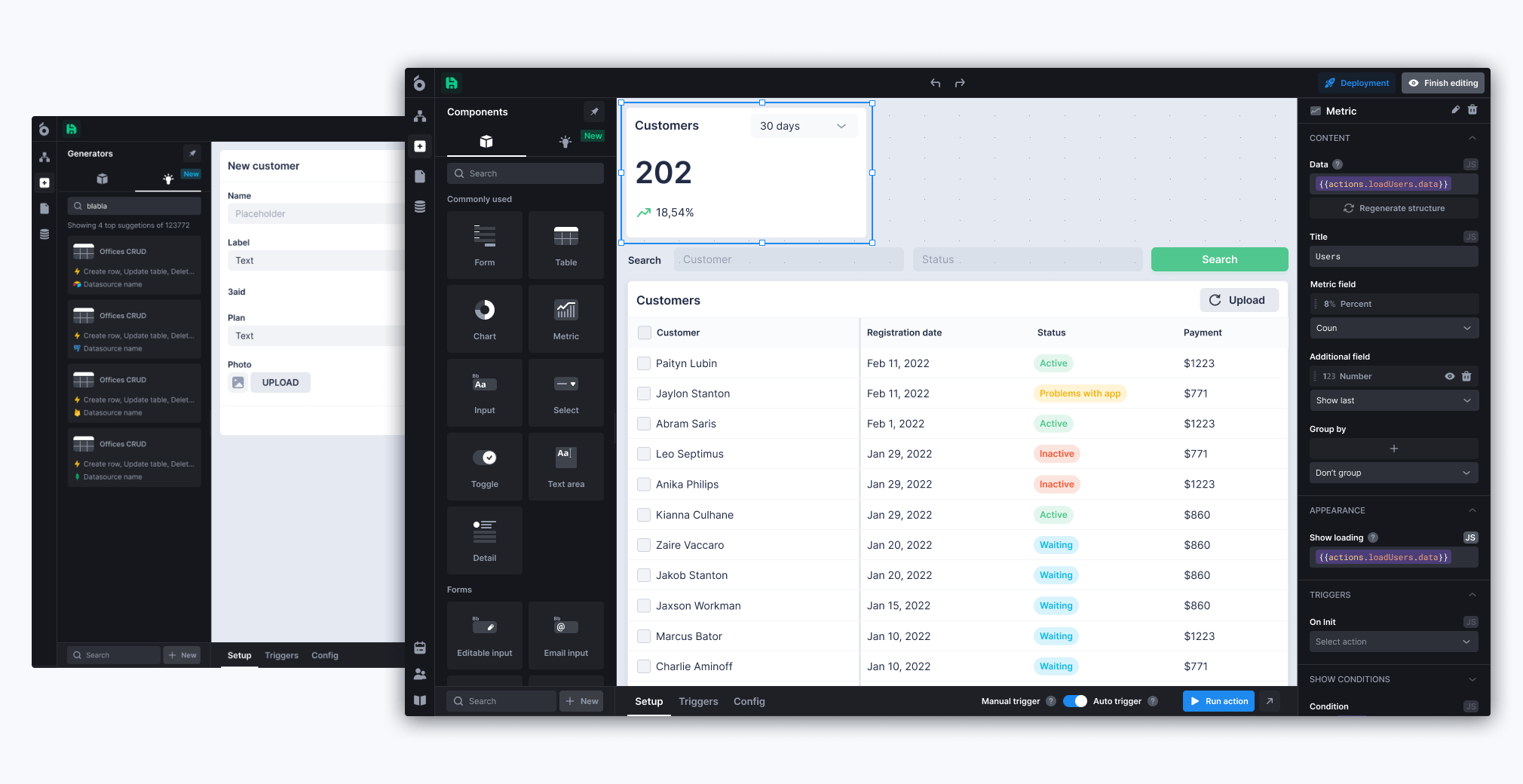
UI Bakery is not just a no-code database tool. It is strongest when you need to build internal tools, dashboards, admin panels, CRMs, approval workflows, and operational apps on top of structured data.
UI Bakery includes a hosted PostgreSQL database that teams can manage visually, including tables, columns, primary keys, foreign keys, sorting, filtering, and inline editing. It also lets teams build drag-and-drop apps on top of that database or connect to external sources such as PostgreSQL, MySQL, Microsoft SQL Server, MongoDB, Google Sheets, Airtable, Supabase, APIs, and other services.
Key features
- Hosted PostgreSQL database
- Visual database structure and data editor
- Drag-and-drop internal app builder
- SQL and API-based actions
- Role-based access control
- Automations, scheduled jobs, and webhooks
- Cloud and self-hosted deployment
- 45+ native connectors
Pros
UI Bakery is a strong fit when the database is only the starting point. Teams can create the data structure, connect other data sources, build interfaces, add workflows, and deploy an internal tool without handing everything to engineering.
It also works well for teams that already have data in SQL databases, Google Sheets, Airtable, APIs, or third-party systems and need a secure app layer on top.
Cons
UI Bakery may be more than you need if all you want is a simple spreadsheet-like database for a small team. Its biggest value appears when you need apps, dashboards, workflows, permissions, and integrations around the data.
The hosted UI Bakery database currently has a 5GB per-workspace limit, while on-premise instances are not subject to that same size limitation.
Pricing snapshot
UI Bakery has a free plan. Paid cloud plans are developer-seat based, with Builder listed at $20 per developer/month billed annually or $25 monthly, Team at $35 per developer/month billed annually or $40 monthly, and Enterprise as custom pricing. Self-hosted deployment is also available.
When to choose UI Bakery
Choose UI Bakery when your no-code database needs to become an internal business app: a CRM, inventory dashboard, support admin panel, approval tool, finance workflow, or operational dashboard.
When to avoid UI Bakery
Avoid UI Bakery if you only need a personal database, a basic spreadsheet replacement, or a lightweight wiki-style workspace.
2. Airtable
Best for: Teams that want a flexible spreadsheet-database hybrid with strong collaboration.
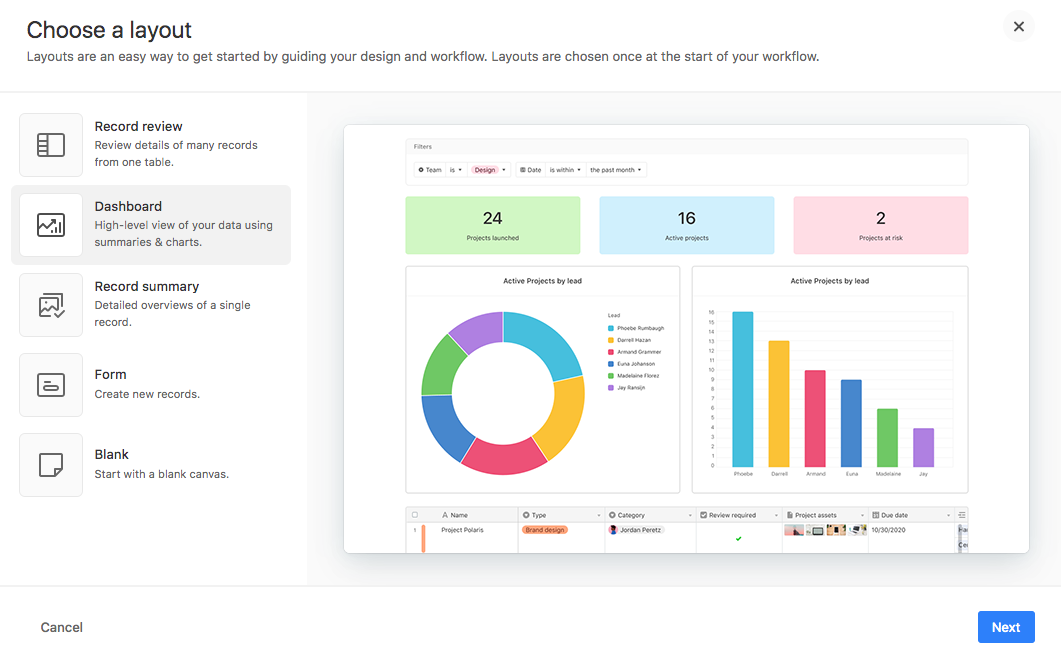
Airtable is one of the most familiar no-code database tools because it feels like a spreadsheet but adds field types, linked records, views, forms, automations, extensions, and interfaces.
It is a good fit for marketing calendars, product roadmaps, content operations, lightweight CRMs, project trackers, and team workflows. Airtable’s Interface Designer helps teams create more controlled front-end experiences for users who should not work directly inside the underlying base. Airtable’s Team plan includes features such as automations, extensions, forms, Interface Designer, Timeline, Gantt, and Calendar views.
Key features
- Spreadsheet-style bases
- Linked records and lookups
- Grid, Kanban, calendar, timeline, gallery, and Gantt views
- Forms
- Interface Designer
- Automations
- Extensions
- Permissions and collaborator roles
Pros
Airtable is easy to adopt because it keeps the familiar spreadsheet experience while adding database structure. It has a large template ecosystem and works well for cross-functional teams that need a flexible source of truth.
Cons
Airtable can become expensive as more people need edit access. It also has record and API limits by plan, so larger operational systems may eventually need a more scalable database or app layer.
Pricing snapshot
Airtable has a Free plan with 1,000 records per base. The Team plan is $24 per collaborator/month billed monthly or $20 billed annually and includes 50,000 records per base. The Business plan is $54 per collaborator/month billed monthly or $45 billed annually and includes 125,000 records per base.
When to choose Airtable
Choose Airtable when your team wants a flexible, collaborative database that feels close to a spreadsheet but supports linked records, interfaces, and automations.
When to avoid Airtable
Avoid Airtable if your main concerns are self-hosting, large-scale data ownership, strict backend control, or keeping editor-seat costs low.
3. Baserow
Best for: Teams that want an open-source no-code database with cloud and self-hosted options.
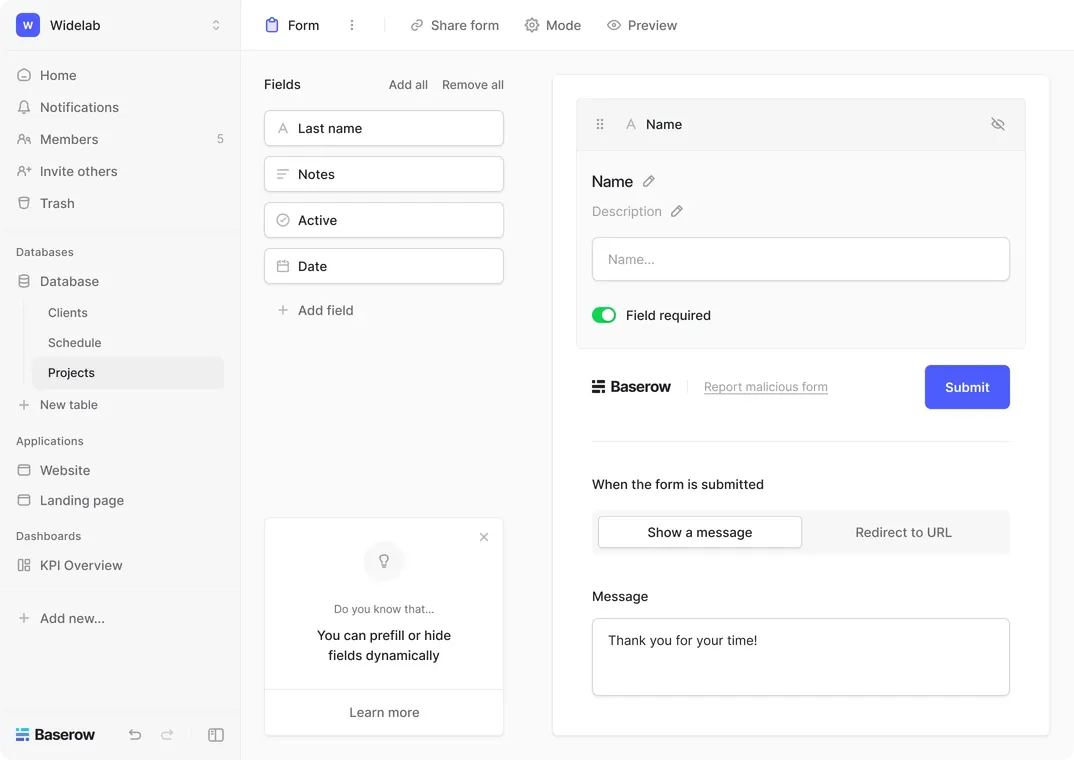
Baserow is an open-source no-code database and application builder. It is often considered an Airtable alternative for teams that want more control, self-hosting, API-first architecture, and open-source flexibility. Baserow describes itself as an open-source Airtable alternative with cloud and self-hosted deployments, API-first design, and an application builder.
Key features
- Spreadsheet-like database UI
- Relational tables
- Forms and multiple views
- API-first architecture
- Application builder
- Cloud and self-hosted deployments
- Role-based permissions on higher tiers
- Compliance options for larger teams
Pros
Baserow is useful for teams that like the Airtable-style experience but want open-source software, self-hosting, and more control over infrastructure and data ownership.
It is also a good fit when developers may later extend the system with APIs or plugins.
Cons
Baserow may require more setup and administration than a fully managed spreadsheet database, especially if self-hosted. Some advanced permission, governance, or scale features sit on higher plans.
Pricing snapshot
Baserow has a Free cloud plan with unlimited databases, 3,000 rows per workspace, and 2GB storage. Premium is $10 per user/month billed yearly or $12 monthly, and Advanced is $18 per user/month billed yearly or $22 monthly. Higher tiers increase row, storage, permission, and governance limits.
When to choose Baserow
Choose Baserow when you want a no-code relational database with open-source flexibility, self-hosting, and an API-friendly architecture.
When to avoid Baserow
Avoid Baserow if your team wants the simplest possible managed tool and does not need open-source control or self-hosting.
4. NocoDB
Best for: Teams that want an Airtable-like interface on top of existing SQL databases.
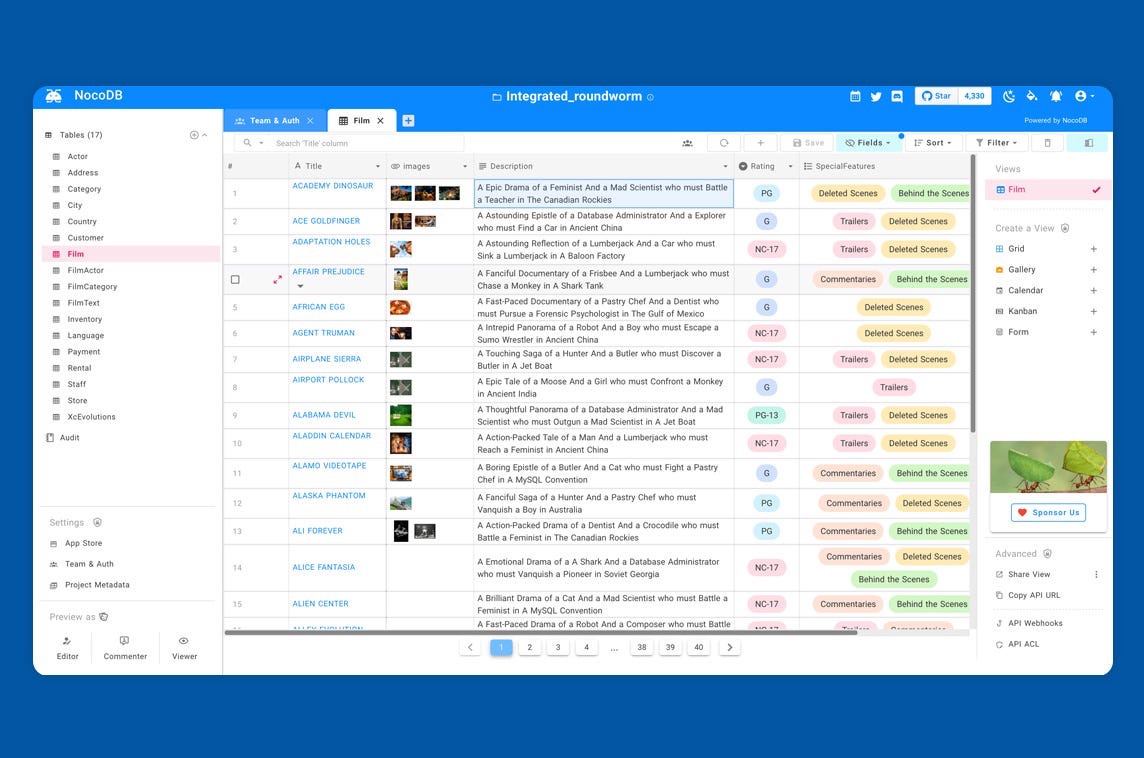
NocoDB turns relational databases such as PostgreSQL or MySQL into a no-code database interface. It gives teams spreadsheet-style views, forms, gallery and Kanban views, APIs, SQL access, and collaboration features. NocoDB describes its product as a spreadsheet-style way to create online databases from scratch or by connecting to Postgres/MySQL.
Key features
- Spreadsheet interface for SQL data
- Works with external relational databases
- Grid, form, gallery, and Kanban views
- API access
- Automations
- Cloud and self-hosted options
- Roles and permissions
- Open/fair-code community edition
Pros
NocoDB is especially useful when data already lives in a relational database and business users need a friendlier interface. It can help bridge the gap between technical database infrastructure and non-technical operations teams.
The self-hosted community version is free and includes unlimited records, storage, and seats, according to NocoDB’s pricing page.
Cons
NocoDB is more database-interface-first than full internal-app-builder-first. It is strong for managing and viewing data, but teams that need polished custom apps may still need another app layer.
Pricing snapshot
NocoDB has a Free cloud plan for up to 3 users with 1,000 records and 1GB storage. Paid cloud plans include Plus at $12 per seat/month billed annually, Business at $24 per seat/month billed annually, and Scale at $45 per seat/month billed annually. NocoDB also offers a free self-deployed Community option.
When to choose NocoDB
Choose NocoDB when you want to give non-technical users an Airtable-like interface over PostgreSQL, MySQL, or another SQL database.
When to avoid NocoDB
Avoid NocoDB if your priority is building highly customized internal apps, portals, and dashboards rather than managing database records through views.
5. Softr
Best for: Building portals and internal tools on top of no-code databases and external data sources.
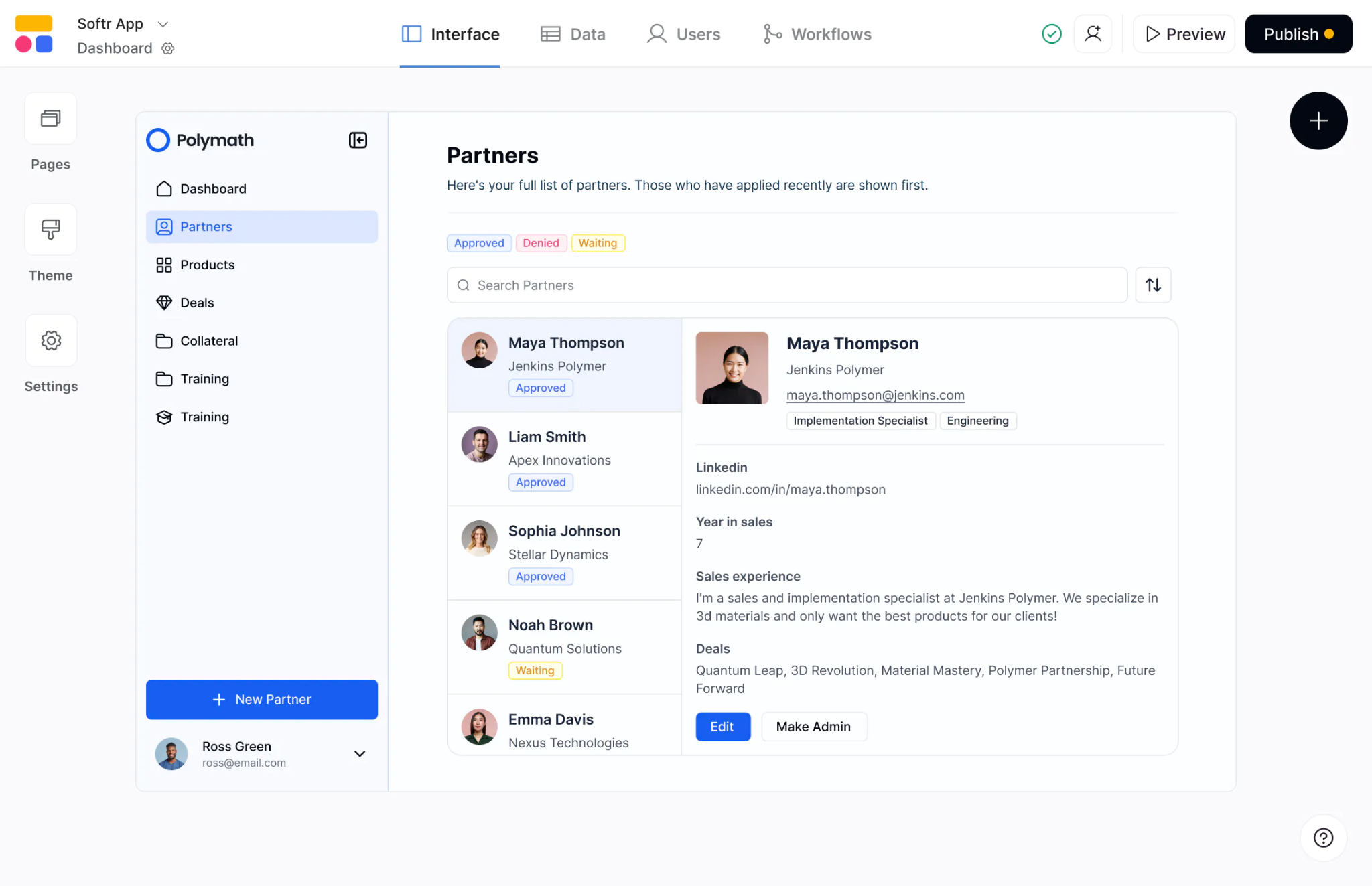
Softr is an app builder that can use Softr Databases, Airtable, Google Sheets, Notion, SmartSuite, Coda, SQL databases, Supabase, BigQuery, REST APIs, and other sources depending on the plan. It is often used for client portals, internal tools, directories, CRMs, intranets, and lightweight business apps.
Softr Databases are available on the free plan, with limits based on plan. Softr’s free plan includes up to 1,000 records per database and 5,000 records across databases.
Key features
- Built-in Softr Databases
- Visual app builder
- Portals and internal tools
- Forms
- User groups and permissions
- Workflows
- Airtable, Google Sheets, Notion, Coda, SQL, API, and other data-source support
- Custom domains on paid plans
Pros
Softr is a strong choice when you need a polished front end on top of a database. It works well for portals, directories, member dashboards, and internal tools where users should not see the raw database.
Cons
Softr is less focused on being a standalone relational database platform than tools like Airtable, Baserow, or NocoDB. For more complex backend logic, you may need to pair it with another database or backend tool.
Pricing snapshot
Softr has a Free plan. Paid plans billed yearly include Basic at $49/month, Professional at $139/month, Business at $269/month, and Enterprise custom pricing. Higher plans increase app users, database records, workflow actions, user groups, and advanced data-source support.
When to choose Softr
Choose Softr when your main goal is to create a user-facing app, portal, or internal interface on top of structured data.
When to avoid Softr
Avoid Softr if you mainly need database administration, self-hosting, or direct control over relational database infrastructure.
6. Caspio
Best for: Secure online database applications with compliance, identity management, and unlimited users.
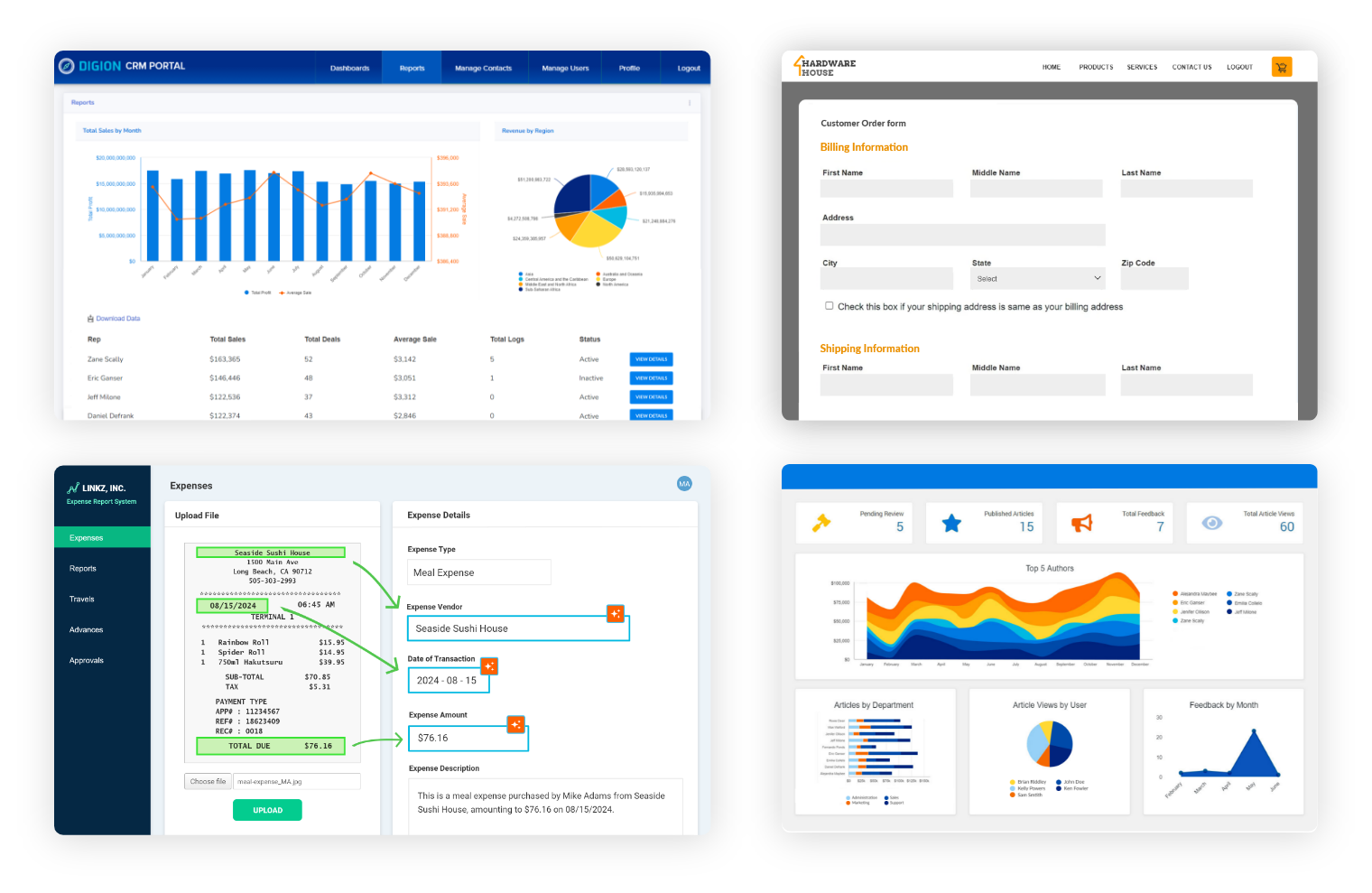
Caspio is a low-code platform for building online database applications. It combines a cloud database, visual app builder, automations, integrations, identity management, and compliance-focused features. Caspio positions itself around building web apps and automating tasks with little to no code.
Key features
- Cloud database
- Visual app builder
- Forms, reports, charts, and DataPages
- Automations and scheduled tasks
- Identity and access management
- Compliance-focused options
- Unlimited app users on every plan
- Add-on capacity for records, files, emails, API calls, and documents
Pros
Caspio is useful for business-critical database applications where compliance, identity, access control, and predictable user scaling matter.
It is also attractive for external-facing apps because every Caspio plan includes unlimited app users, with no per-user fees for people accessing deployed apps.
Cons
Caspio can feel heavier and more enterprise-oriented than simpler no-code database tools. Pricing and capacity planning may require more attention because data records, DataPages, identity management, file storage, API calls, and other resources can involve add-ons.
Pricing snapshot
Caspio offers a free trial. Its Team plan is listed at $300/month on a monthly term or $270/month on an annual term, with Business and Enterprise tiers above it. Caspio also offers add-on blocks for records, storage, identity management, API calls, document generation, and other usage.
When to choose Caspio
Choose Caspio when you need secure, scalable online database apps with unlimited users, compliance options, and structured access control.
When to avoid Caspio
Avoid Caspio if you need a lightweight, low-cost spreadsheet database for a small internal team.
7. Knack
Best for: No-code business apps with built-in database, roles, forms, and unlimited users.
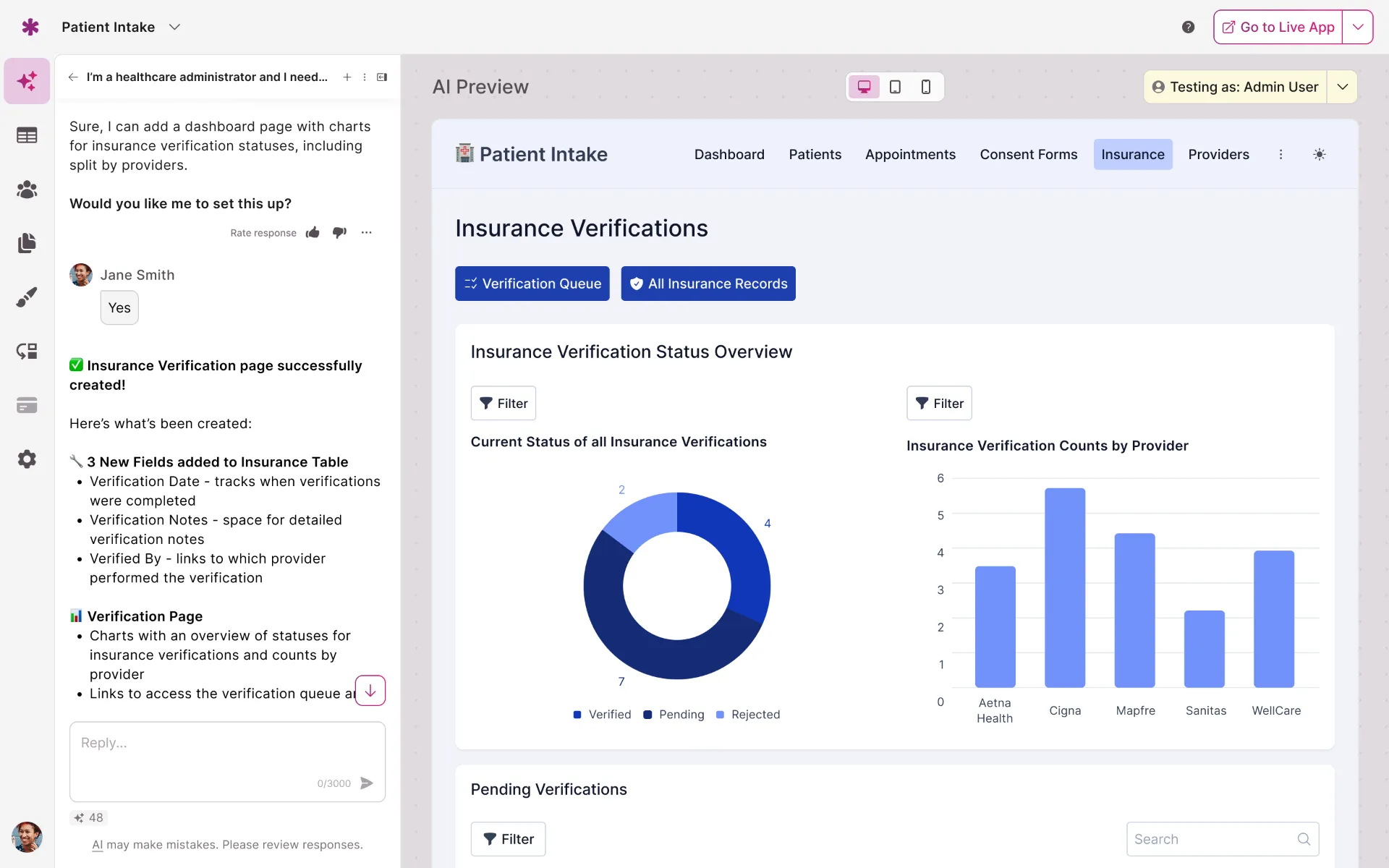
Knack is a no-code database application builder for creating custom business tools. It combines a database, app builder, user roles, forms, pages, automation, and integrations. Knack’s website highlights building databases, configuring users and roles, creating pages, and automating workflows without code.
Key features
- No-code online database
- App builder
- Forms and pages
- User roles
- Automations and integrations
- Knack API
- AI app builder
- Unlimited users and roles on plans
- Record-based plan limits
Pros
Knack is strong when you need to create database-driven business apps for many users without paying for every end user. It is often used for client portals, operations systems, directories, inventory apps, and internal workflow tools.
Cons
Knack’s pricing and capacity are tied to database record limits. Teams with large datasets should review limits carefully before using it as a central operational database.
Pricing snapshot
Knack’s Starter plan is listed at $49/month billed annually, with 20,000 database records and unlimited users/roles. Pro is $110/month billed annually with 50,000 records, and Corporate starts at $250/month billed annually with 125,000 to 2.5 million records depending on usage requirements. Enterprise is custom.
When to choose Knack
Choose Knack when you need a no-code database app with many users, forms, roles, and workflows, especially for business operations or portals.
When to avoid Knack
Avoid Knack if you need open-source deployment, self-hosting, or a developer-first SQL backend.
8. Tadabase
Best for: Custom database web apps with unlimited users and flat account pricing.
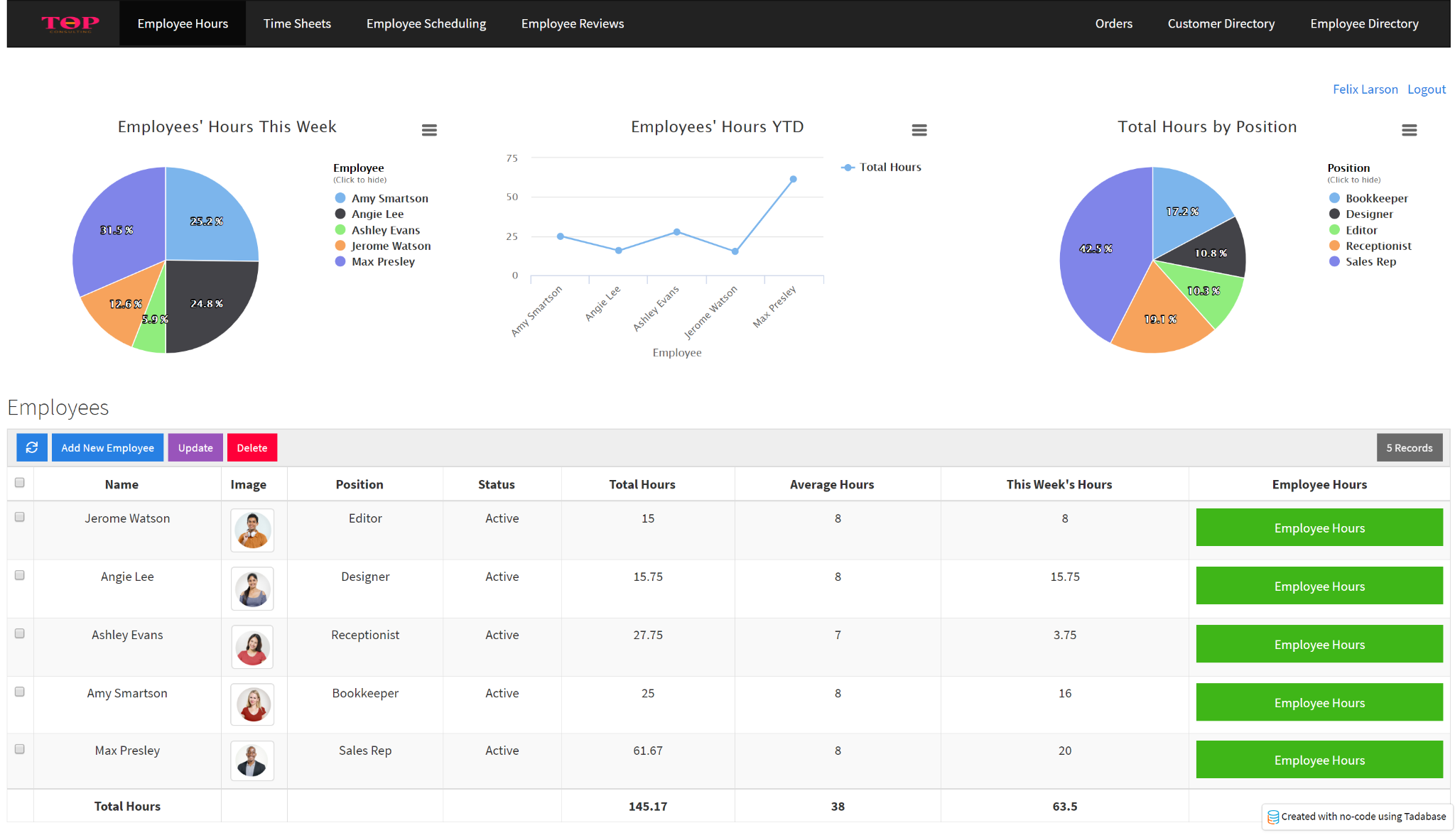
Tadabase is a no-code database and web app builder for creating custom business applications. It includes a cloud database, app builder, roles and permissions, components, automation, reporting, integrations, Databridge, REST API connections, and security features.
Tadabase uses flat account pricing rather than per-user pricing, and its pricing page emphasizes unlimited users.
Key features
- Cloud database
- Web app builder
- User roles and permissions
- Components and reporting
- Automations and scheduled tasks
- Integrations, Databridge, and REST API connections
- Row-level security
- Unlimited users
- HIPAA add-on
Pros
Tadabase is a good fit for teams building custom operational apps with many end users. It provides a more application-oriented structure than simple spreadsheet databases.
Cons
Tadabase may be more complex than necessary for teams that only need a lightweight shared database. It is also cloud-first rather than self-hosted.
Pricing snapshot
Tadabase has a 14-day free trial. Business Starter is $50/month monthly or $42/month billed annually, Growth is $125/month monthly or $105/month billed annually, Pro is $250/month monthly or $210/month billed annually, and Elite is $450/month monthly or $375/month billed annually. Plans vary by apps, records, and storage.
When to choose Tadabase
Choose Tadabase when you want to build full database web apps with unlimited users, roles, security controls, and workflow features.
When to avoid Tadabase
Avoid Tadabase if you need self-hosting, open-source control, or a very simple spreadsheet replacement.
9. Quickbase
Best for: Enterprise workflow apps and dynamic work management.
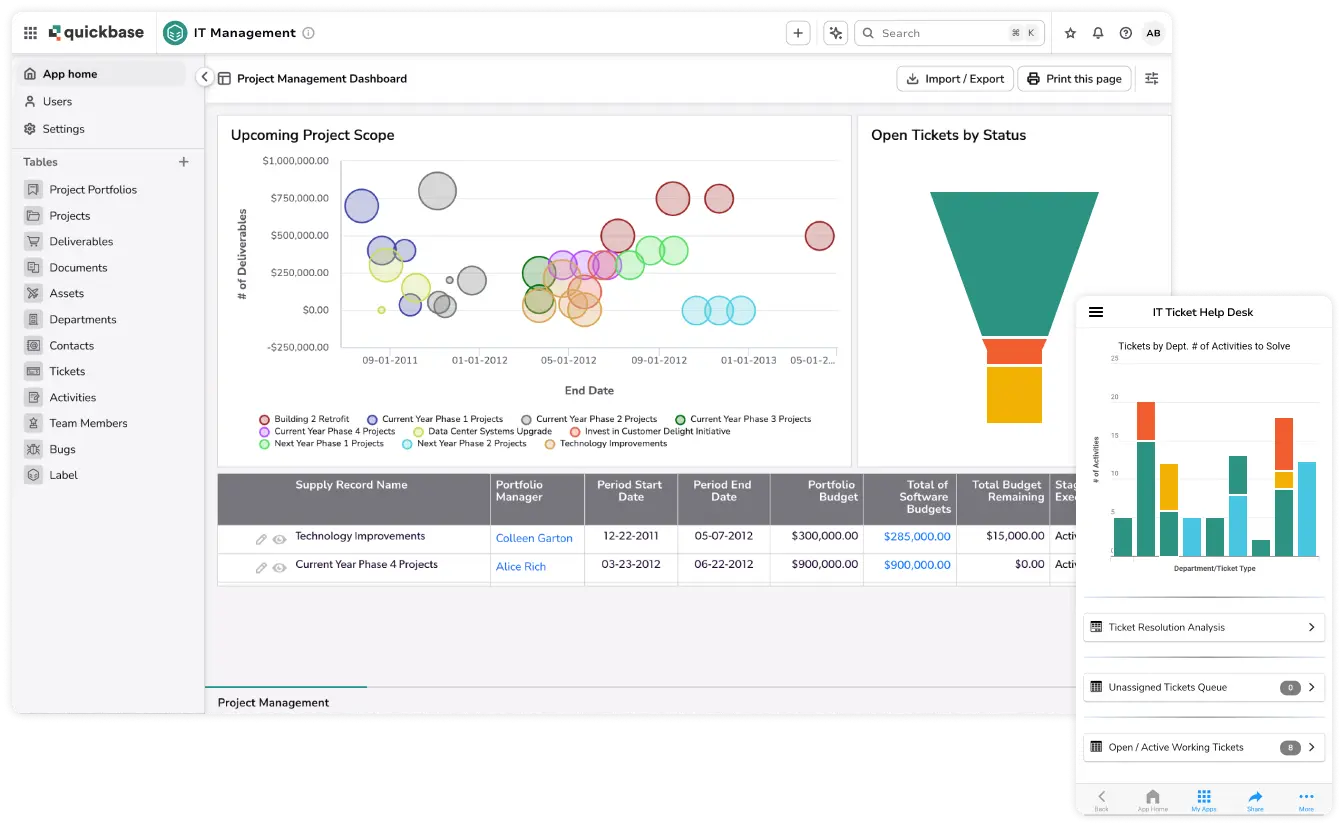
Quickbase is a low-code/no-code platform for building operational applications, workflow systems, dashboards, reports, and process tools. It is often used by larger teams that need governance, integrations, automation, security, and enterprise workflows.
Quickbase includes a visual app builder, workflow builder, app templates, dashboards, reports, Gantt charts, REST APIs, user and data security controls, audit logs, and enterprise governance features.
Key features
- Visual app builder
- Visual workflow builder
- Dashboards and reports
- Forms and data validation
- REST APIs
- Workflow automation
- Security and audit logs
- SSO and SCIM on higher plans
- Enterprise governance features
Pros
Quickbase is built for larger operational use cases where teams need structured workflows, governance, reporting, and integration with enterprise systems.
Cons
Quickbase is usually overkill for small teams looking for a simple no-code database. Its paid plans also show platform minimums, so buyers should confirm the real starting cost before committing.
Pricing snapshot
Quickbase offers a 30-day free trial. Team starts at $35 per user/month priced annually, Business starts at $55 per user/month priced annually, and Enterprise is custom. The pricing page notes that shown costs do not include platform minimums.
When to choose Quickbase
Choose Quickbase when you need enterprise-grade workflow apps, governance, reporting, and process management.
When to avoid Quickbase
Avoid Quickbase for simple spreadsheet replacement, personal databases, or small teams without enterprise workflow needs.
10. Coda
Best for: Teams that want docs, tables, formulas, and lightweight workflow apps in one workspace.
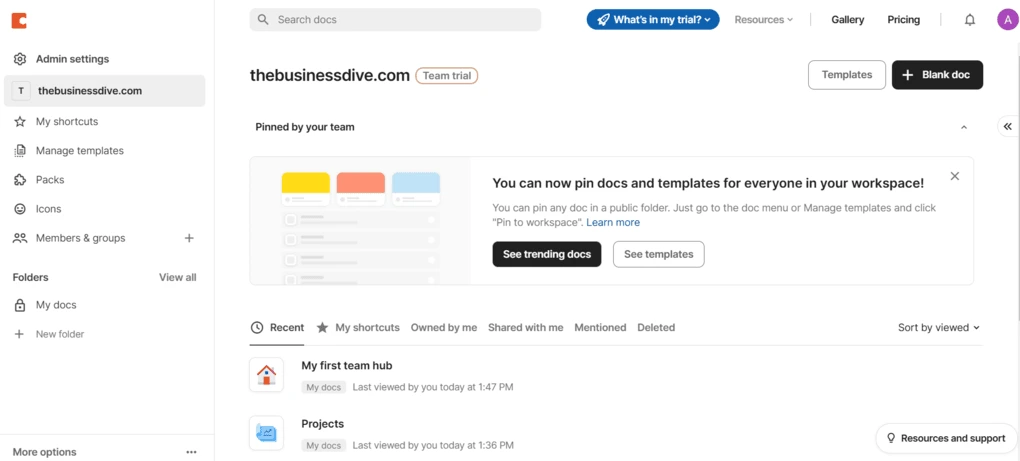
Coda blends documents, spreadsheets, databases, apps, and AI into a collaborative workspace. It is not a traditional database platform, but its tables, buttons, formulas, packs, automations, and views make it useful for lightweight workflow apps and team operating systems.
Coda’s official positioning describes it as a platform that blends the flexibility of docs, the structure of spreadsheets, the power of applications, and AI.
Key features
- Docs with structured tables
- Views, charts, forms, and buttons
- Formulas
- Automations
- Packs and integrations
- Cross-doc workflows
- Collaborative editing
- Per-Doc-Maker pricing
Pros
Coda is strong when data, process documentation, planning, and lightweight workflows need to live together. It is useful for team hubs, project trackers, decision docs, lightweight CRMs, and internal operating docs.
Its pricing can also be attractive when only a few people create docs and many others edit or view them.
Cons
Coda is not a full database backend. It is not ideal for large relational data models, strict database governance, self-hosting, or high-volume operational systems.
Pricing snapshot
Coda has a Free plan. Pro is listed at $10/month per Doc Maker and Team at $30/month per Doc Maker, with Enterprise custom pricing.
When to choose Coda
Choose Coda when you need a flexible workspace where tables, docs, workflows, and collaboration live together.
When to avoid Coda
Avoid Coda if you need a dedicated no-code relational database, external app layer, or strong backend-style data controls.
No-code database vs spreadsheet
Spreadsheets are often the first database for a small team. Google Sheets is familiar, collaborative, flexible, and easy to share. For simple tracking, it can work well as a spreadsheet database.
The problem starts when a spreadsheet becomes a system of record. Teams usually outgrow Google Sheets as a database when they need relational data, structured permissions, validation rules, audit trails, automations, API reliability, multiple user interfaces, and safer workflows.
Google has continued improving Sheets for larger files, including performance improvements and a beta program that doubles capacity from 10 million to 20 million cells for participating organizations. But that does not turn Sheets into a full relational database with app permissions, workflow logic, and database governance.
Google Sheets also has API quotas, including 300 read requests per minute per project and 60 read requests per minute per user per project. These limits matter when a spreadsheet becomes the backend for an app or automation-heavy workflow.
A good rule: use Google Sheets for early tracking, prototypes, and simple collaboration. Move to no-code database software when the spreadsheet becomes a business process.
No-code database vs traditional SQL database
A no-code database is not always a replacement for PostgreSQL, MySQL, SQL Server, or another traditional database. In many cases, it is a more accessible layer for business users. Some tools provide their own hosted database, while others connect to SQL databases and make them easier to manage.
For many teams, the best setup is not “no-code database or SQL database.” It is both: a stable SQL database for core data, plus a no-code app builder or database interface that lets teams safely work with that data.
When UI Bakery is a good fit
UI Bakery is a good fit when your database needs to become an internal business app.
That means you do not only need tables. You need a workflow around those tables: forms, dashboards, admin panels, approval screens, role-based access, custom actions, external integrations, and secure deployment.
UI Bakery works well for:
- Internal tools
- Admin panels
- Operations dashboards
- CRM-like tools
- Inventory management apps
- Support dashboards
- Finance and approval workflows
- Database management interfaces
- Apps on top of SQL databases, APIs, Airtable, or Google Sheets
UI Bakery includes a hosted PostgreSQL database, visual database management, and the ability to build drag-and-drop apps on top of the data. It can also connect to PostgreSQL, MySQL, MongoDB, Google Sheets, Airtable, Supabase, APIs, and many other sources through native integrations.
Use UI Bakery when you want to connect databases and APIs, build internal tool builders-style apps, or turn a hosted PostgreSQL database into a working business application.
Next step
Planning a HIPAA-sensitive internal app?
Use the checklist above to map data flow, roles, audit events, vendors, and deployment decisions before the first production workflow ships.
Healthcare operations example
Action Behavior Centers scaled internal operations across clinics with UI Bakery
For a real operational example, review UI Bakery customer stories and healthcare operations patterns.
5,000+users supported in the customer story
400+clinics mentioned in the case study
What is the best no-code database?
The best no-code database depends on what you are building. Airtable is strong for flexible team databases, Baserow is strong for open-source and self-hosted use cases, NocoDB is strong for SQL-backed spreadsheet interfaces, and UI Bakery is strong when the database needs to become an internal business app.
Can Google Sheets be used as a database?
Yes, Google Sheets can be used as a lightweight database for simple projects, prototypes, and small team workflows. It is not ideal as a long-term database backend when you need relational data, strict permissions, API-heavy automation, auditability, or app interfaces. Google has announced a beta for 20 million-cell Sheets, but Sheets API quotas and spreadsheet governance limits still matter for app-like use cases.
What is the difference between a no-code database and Airtable?
Airtable is one popular no-code database tool. The broader no-code database category includes Airtable, Baserow, NocoDB, UI Bakery, Knack, Tadabase, Caspio, and other tools. Some focus on spreadsheet-like databases, some focus on app building, and some focus on connecting to existing SQL databases.
Do no-code databases support relational data?
Many no-code databases support relational data through linked records, foreign keys, lookups, rollups, or SQL-backed relationships. Airtable, Baserow, NocoDB, UI Bakery’s hosted PostgreSQL database, Knack, Tadabase, and Caspio all support structured data models in different ways.
When should I move from spreadsheets to a no-code database?
Move from spreadsheets to a no-code database when your data becomes operationally important. Common signs include duplicate sheets, broken formulas, unclear ownership, too many editors, manual approvals, sensitive fields, repeated imports and exports, or a need for forms, dashboards, apps, and role-based access.
Is Supabase a no-code database?
Supabase is a developer-friendly backend platform built around PostgreSQL. It is powerful, but it is not the same category as business-user-focused no-code database software. It can pair well with no-code app builders, but it should not be positioned as a pure no-code database tool for non-technical teams.





"The UI Bakery platform offers a cost-effective approach to creating applications. With UI Bakery, you can achieve your app development goals without breaking the bank."

"Before switching to UI Bakery we developed a number of apps within the Retool system. The Retool system was good but ultimately did not have the flexibility and feature sets that we required."
Check the Story