

Best Integration Software in 2026: Tools, Platforms, and How to Choose
%201.png)
Updated:
May 11, 2026
There is no single best integration software for every team. Zapier and Make are usually better for lightweight app-to-app workflows, while Workato, Celigo, Boomi, MuleSoft, and similar platforms are better for enterprise-grade integration, governance, and orchestration.
But integration does not end when two systems are connected. Once data starts moving between CRMs, databases, ERPs, APIs, and internal services, teams often need a usable workflow layer on top: dashboards, forms, approvals, exception queues, and admin panels. That is where UI Bakery integrations fit into the stack: not as a replacement for an iPaaS, but as the interface and workflow layer teams build around connected systems.
This guide compares the best integration software tools in 2026 and explains how to choose between simple automation tools, enterprise iPaaS platforms, and internal workflow builders.
What is integration software?
Integration software helps different applications, databases, APIs, and business systems exchange data or trigger workflows between each other.
In practice, the term covers several related categories:
- App-to-app automation tools for simple workflows
- iPaaS platforms for enterprise integration, monitoring, governance, and orchestration
- API integration platforms for developer-heavy use cases
- Workflow and UI layers for teams that need people to review, approve, edit, or act on integrated data
That distinction matters. Some teams only need to sync leads from a form into a CRM. Others need governed, bidirectional integrations between ERP, finance, support, and data systems. And many teams need something else entirely: an internal app where people can work with the connected data.
The best integration software in 2026
Zapier
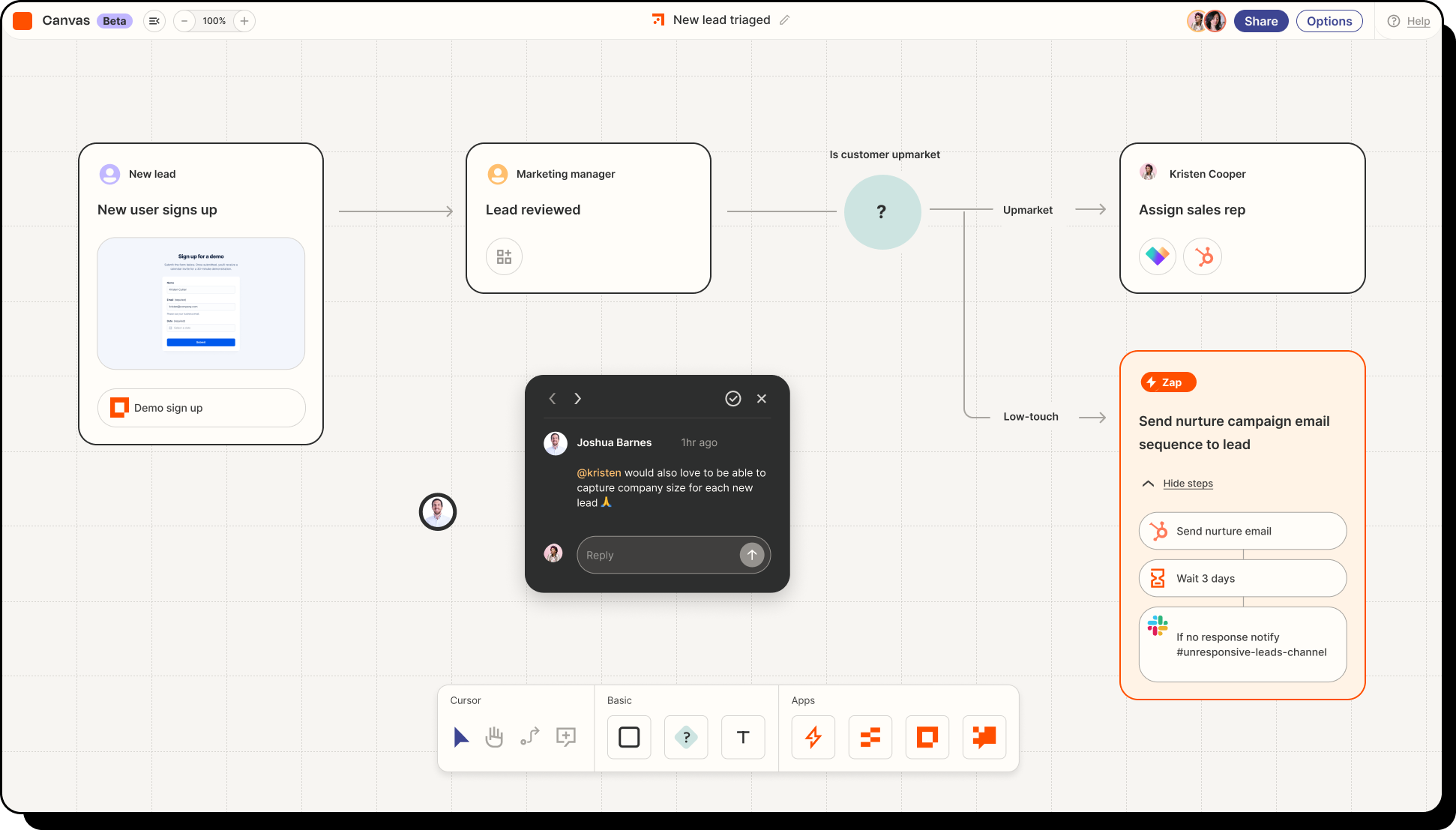
Zapier is one of the best integration software tools for fast, no-code app-to-app automation. It is a strong fit when teams need to connect common SaaS tools, automate repetitive tasks, and ship simple workflows without engineering support.
Zapier now also positions itself around AI workflows, agents, and MCP connectivity. This makes it relevant not only for traditional automation, but also for teams exploring how AI tools can interact with business apps.
Best for:
- Simple app-to-app workflows
- Marketing, sales, and ops automations
- Small teams without dedicated integration engineers
- Fast experiments and lightweight internal processes
Strengths:
- Very large app ecosystem
- Easy trigger/action model
- Low learning curve
- Strong fit for common SaaS workflows
- Growing AI automation and MCP positioning
Limitations:
Zapier is less ideal when workflows become deeply operational, require complex permissions, need custom user interfaces, or involve advanced enterprise governance. For example, Zapier can move invoice data from one system to another, but finance may still need a review queue, approval screen, and exception-handling dashboard around that data.
That is where a tool like UI Bakery can sit on top of the integrated systems.
Make
Make is a visual automation platform for teams that want more flexibility than basic trigger-action workflows. It is useful when workflows include branching, data mapping, conditions, and multi-step logic.

Best for:
- Visual workflow automation
- Multi-step operational workflows
- Teams that want more control than simple no-code automation
- Ops teams comfortable working with logic, branches, and data mapping
Strengths:
- Visual builder
- Flexible workflow structure
- Good for more advanced automations
- More transparent flow design than basic linear automation tools
Limitations:
Make is powerful for automation, but it is still not the same as a custom internal app. When users need to search records, edit data, approve exceptions, or monitor workflow state in a dedicated interface, teams may need an additional UI layer.
Example: Make can route a failed customer sync into a notification. UI Bakery can give the support or ops team a dashboard where they review failed syncs, fix records, and retry actions.
Workato
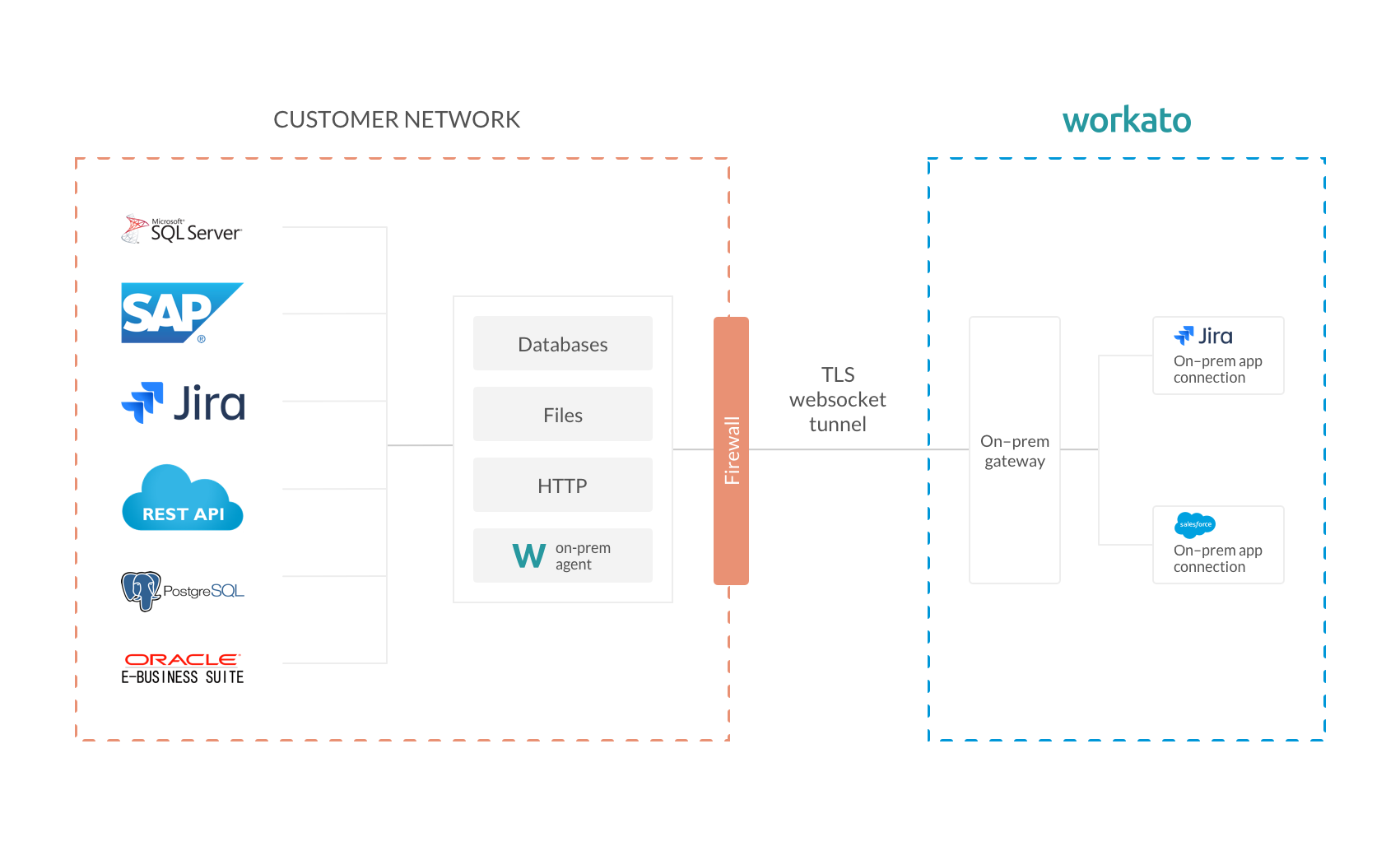
Workato is a strong integration software platform for enterprise orchestration, governance, and advanced automation. It is often a better fit when integrations are no longer side workflows, but part of core business operations.
Best for:
- Enterprise automation
- Governed integrations
- Complex cross-system workflows
- IT, RevOps, BizOps, and internal systems teams
- AI-agent connectivity with enterprise controls
Strengths:
- Strong governance model
- Enterprise orchestration
- Reusable recipes and automations
- AI/MCP readiness
- Better fit for scale than lightweight tools
Limitations:
Workato can be more than a small team needs. If your workflow is simple and stable, an app-to-app automation tool may be faster and cheaper to start with.
But when integrations become operational and growing, Workato becomes more relevant. UI Bakery can complement Workato by giving business users a control panel, approval queue, or dashboard on top of the workflows Workato orchestrates.
Boomi
Boomi is an enterprise integration platform for organizations that need broad integration, API management, data management, automation, and AI agent governance.

Best for:
- Large organizations
- Enterprise integration programs
- API and data-heavy environments
- IT-led integration strategy
- AI-agent governance and management
Strengths:
- Broad enterprise platform
- Strong integration and API positioning
- Data and automation coverage
- AI agent management direction
- Suitable for complex enterprise environments
Limitations:
Boomi can be too heavy for teams that only need simple app automation or a few internal workflows. It is usually a strategic integration platform, not a quick-fix workflow tool.
UI Bakery fits around Boomi when teams need apps on top of integrated systems: finance dashboards, operations consoles, support tooling, admin panels, or approval portals.
Celigo
Celigo is an integration platform focused on automation, iPaaS, APIs, EDI, and increasingly AI-agent workflows. It is a strong fit for companies that want integration software with operational automation built in.

Best for:
- Mid-market and enterprise automation
- Operational integration workflows
- Teams that want iPaaS plus process automation
- Businesses with ERP, ecommerce, finance, or operations-heavy systems
Strengths:
- Strong operational automation angle
- Prebuilt connectors
- Governance and auditability messaging
- AI-agent and MCP positioning
- Good fit for growing integration complexity
Limitations:
Celigo may be more platform than needed for simple one-way automations. It is best evaluated when integrations are part of a larger operational process.
UI Bakery can extend that process by giving teams a user-facing layer: review screens, exception queues, editable tables, dashboards, and role-based internal apps.
MuleSoft
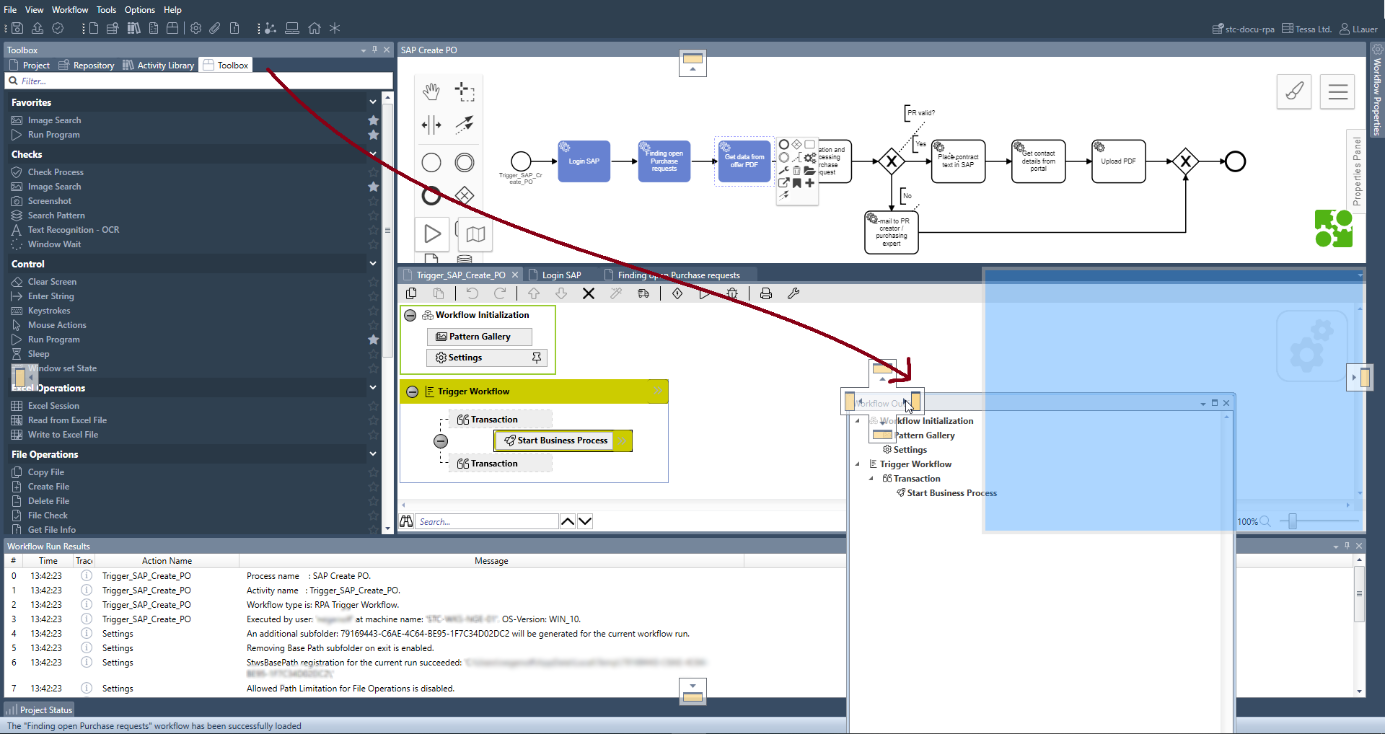
MuleSoft is a strong fit for large enterprises with API-heavy architecture, complex integration estates, and governance requirements. It is especially relevant for organizations already deep in the Salesforce ecosystem.
Best for:
- Large enterprises
- API-led integration
- Salesforce-heavy companies
- Governed low-code integration
- Complex system landscapes
Strengths:
- Strong API management heritage
- Enterprise governance
- Secure integration positioning
- Deep Salesforce ecosystem fit
- Suitable for large-scale integration strategy
Limitations:
MuleSoft is often too complex and expensive for smaller teams or lightweight internal workflows. It makes the most sense when integration is a major enterprise capability, not just a few app connections.
UI Bakery fits alongside MuleSoft when business users need internal tools on top of integrated APIs and enterprise systems.
Jitterbit
Jitterbit is an AI-powered enterprise automation and integration platform covering iPaaS, workflow automation, data orchestration, API management, EDI, and app building.

Best for:
- Mid-market and enterprise integration
- Teams that need iPaaS plus automation
- Organizations with EDI, API, and workflow requirements
- Companies that want broader platform coverage without immediately defaulting to the largest enterprise vendors
Strengths:
- Unified integration and automation platform
- iPaaS and API management
- EDI support
- Low-code app development angle
- AI-infused platform positioning
Limitations:
Jitterbit is less visible in some editorial shortlists than Zapier, Workato, Boomi, or MuleSoft. Buyers should evaluate it based on their exact connector, EDI, API, and workflow needs.
Tray.ai
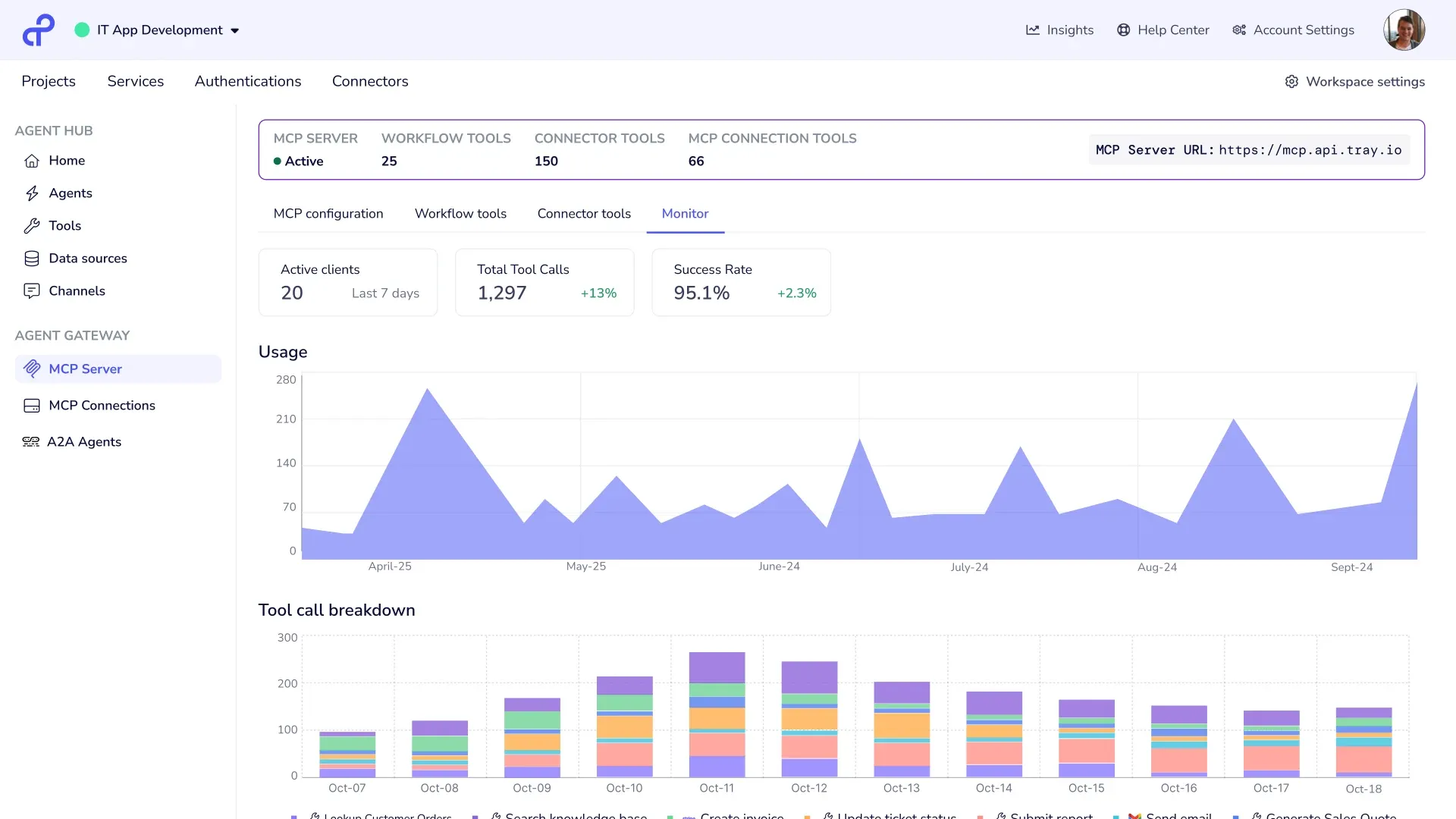
Tray.ai is a strong fit for teams evaluating integration software through an AI orchestration lens. It positions itself as an enterprise orchestration platform for data and AI, with AI agents, MCP governance, integrations, and automation in one platform.
Best for:
- Enterprise AI orchestration
- AI-ready integration strategy
- Complex automation programs
- Teams that want integration, automation, and agent governance together
Strengths:
- AI-forward positioning
- MCP governance messaging
- Enterprise orchestration
- Integration and automation platform coverage
- Strong fit for teams thinking beyond traditional iPaaS
Limitations:
Tray.ai may be more advanced than teams need if they only want simple app-to-app automation. It is better suited for companies treating integration as part of a broader AI and automation infrastructure strategy.
UI Bakery
UI Bakery is the UI and workflow layer around the integration.
Teams use UI Bakery to connect to databases, APIs, and business systems, then build internal tools, dashboards, forms, approval flows, admin panels, and operational apps on top of that data. With UI Bakery integrations, teams can connect their internal software to databases, APIs, and external services. With workflow automations, they can also run server-side workflows around connected data.
.webp)
Best for:
- Internal tools on top of integrated systems
- Approval workflows
- Operator dashboards
- Admin panels
- Exception queues
- Partner or customer-facing operational portals
- Teams that need people to act on integrated data
Strengths:
- Native database and API connectivity
- Internal app builder
- Forms, tables, dashboards, and admin panels
- Workflow automations
- HTTP API integration
- Useful layer around existing integration tools
Limitations:
UI Bakery is not the middleware layer for every enterprise integration pattern. If you need deep system-to-system orchestration, complex enterprise retries, or full iPaaS governance, you may still need an integration platform.
But once the systems are connected, UI Bakery helps teams actually use the data.
For example:
- Zapier moves the data; UI Bakery gives finance a review queue.
- Workato orchestrates systems; UI Bakery gives ops a control panel.
- Boomi connects enterprise systems; UI Bakery gives internal teams a dashboard and action layer.
- A custom API exposes the data; UI Bakery turns it into a secure internal app.
How to choose between integration tools, iPaaS platforms, and workflow layers
The best integration software depends less on the brand name and more on the job you need the tool to do.
A simple way to think about it:
- Choose app-to-app automation when the workflow is simple and stable.
- Choose enterprise integration software when the workflow is operational and growing.
- Add a UI/workflow layer when people need to review, approve, monitor, edit, or act on the integrated data.
When simple automation tools are enough
Simple automation tools are enough when the workflow is predictable, low-risk, and easy to understand.
Good examples include:
- Sending form submissions to a CRM
- Creating a Slack notification from a support ticket
- Copying lead data between marketing tools
- Updating a spreadsheet from a simple trigger
- Sending a follow-up email after a form event
In these cases, tools like Zapier or Make can be the fastest path. You do not need a heavy integration platform just to connect two common SaaS tools.
Simple automation works best when:
- The data flow is mostly one-directional
- The number of systems is small
- Failure does not create major operational risk
- There are few permission or compliance requirements
- The workflow does not need a custom user interface
The risk appears later. A workflow that starts as “just sync this record” can become a business-critical process with exceptions, approvals, ownership questions, and data quality problems. At that point, teams usually need more structure.
When you need enterprise integration software
Enterprise integration software becomes more important when workflows are not just simple and stable, but operational and growing.
You may need an iPaaS or enterprise integration platform when:
- Data needs to move bidirectionally between systems
- Multiple systems depend on the same workflow
- Failed syncs need retries, alerts, and monitoring
- Teams need audit logs and governance
- The workflow includes complex transformations
- APIs, ERPs, CRMs, finance systems, and internal services all interact
- AI agents need controlled access to business systems
- Compliance and security requirements are high
This is where tools like Workato, Boomi, Celigo, MuleSoft, Jitterbit, and Tray.ai become relevant. They are designed for scale, reliability, monitoring, permissions, and long-term maintainability.
But even enterprise integration software does not automatically solve the user experience problem.
A system can move the right data to the right place and still leave teams working in spreadsheets, inboxes, Slack threads, or admin screens that were never designed for the workflow. That is why many companies need a UI layer on top.
Where UI Bakery fits in an integration stack
UI Bakery fits after or alongside the integration layer.
It helps teams turn integrated data into usable internal software.
That can include:
- Dashboards on top of connected systems
- Approval queues for finance, procurement, HR, or operations
- Admin panels for customer, order, subscription, or account data
- Exception-handling screens for failed syncs or incomplete records
- Support tooling connected to CRM, billing, and product data
- Partner portals on top of APIs and internal databases
- Internal apps that combine database, API, and workflow data in one place
Build dashboards on top of integrated data
After data is integrated, teams often need visibility.
For example, an ops team may need a dashboard showing orders from an ecommerce platform, fulfillment status from a logistics provider, and payment data from a finance system.
The integration layer moves the data. UI Bakery turns it into a dashboard people can use.
Add approvals and exception handling
Many workflows cannot be fully automated.
Finance may need to approve invoices. Support may need to review account changes. Operations may need to resolve failed orders. Compliance teams may need to check records before a workflow continues.
UI Bakery can help teams build approval apps and exception queues around integrated systems.
Give internal or external users a usable interface
APIs and automation logs are not enough for most business users.
Teams need:
- Searchable tables
- Forms
- Filters
- Role-based views
- Buttons that trigger actions
- Status dashboards
- Review and approval screens
UI Bakery gives teams a way to build those interfaces without rebuilding the backend from scratch.
Integration software use cases
Here are common integration software use cases and where the UI/workflow layer becomes useful.
Integration software implementation best practices
A good integration software implementation should start small and scale carefully.
1. Start with one system pair
Do not begin by integrating the entire company stack.
Start with one painful workflow, such as:
- CRM to billing
- Ecommerce to ERP
- Support tool to customer database
- Invoice intake to finance approval
- Product database to admin dashboard
This keeps the first implementation easier to test, monitor, and maintain.
2. Define the source of truth
Before connecting systems, decide which system owns each record.
For example:
- CRM may own customer relationship data
- Billing may own subscription status
- ERP may own inventory
- Product database may own usage data
- Finance system may own payment state
Without a clear source of truth, integrations often create duplicate, conflicting, or stale records.
3. Plan for failure
Every integration eventually fails somewhere.
Common failure points include:
- API rate limits
- Missing fields
- Bad data
- Authentication issues
- Changed schemas
- Duplicate records
- Network timeouts
- Permission changes
Good integration software should help with retries, monitoring, logs, alerts, and ownership. But teams also need a process for handling failures when automation cannot fix them.
4. Decide who owns the workflow
Integration ownership is often unclear.
IT may own the platform. Ops may own the process. Finance may own approvals. Engineering may own APIs. Support may own customer-facing issues.
Define ownership early:
- Who monitors failures?
- Who approves changes?
- Who updates field mappings?
- Who handles exceptions?
- Who decides when automation should stop and a human should review?
5. Add a UI layer when people need to act
A workflow does not need a custom interface when everything is fully automated and low-risk.
But once people need to review, approve, edit, override, investigate, or monitor something, a UI layer becomes important.
Open source and self-hosted integration software
Some teams prefer open source integration software or self-hosted integration software because they want more control over infrastructure, credentials, data, and deployment.
This can be especially relevant for:
- Regulated industries
- Security-sensitive teams
- Companies with strict data residency requirements
- Engineering-led teams that want full control
- Organizations avoiding vendor lock-in
But self-hosting is not automatically easier or safer. It shifts responsibility to your team.
You need to manage:
- Hosting
- Updates
- Secrets
- Network access
- Monitoring
- Backups
- Permissions
- Incident response
- Long-term maintenance
The same principle applies to UI and workflow layers. Self-hosting can be useful when internal tools need to sit closer to private infrastructure, but it should be evaluated based on operational capacity, not just preference.
Integration software alternatives
Sometimes integration software is not the right answer.
The best choice depends on whether the workflow is temporary or permanent, simple or complex, internal or customer-facing, fully automated or human-reviewed.
Final recommendation
The best integration software in 2026 depends on the layer you are trying to solve.
For quick app-to-app workflows, start with Zapier or Make. For enterprise orchestration, governance, and complex system integration, evaluate Workato, Boomi, Celigo, MuleSoft, Jitterbit, or Tray.ai. For workflows where people need to review, approve, edit, monitor, or act on connected data, add a UI layer like UI Bakery.
Next step
Planning a HIPAA-sensitive internal app?
Use the checklist above to map data flow, roles, audit events, vendors, and deployment decisions before the first production workflow ships.
Healthcare operations example
Action Behavior Centers scaled internal operations across clinics with UI Bakery
For a real operational example, review UI Bakery customer stories and healthcare operations patterns.
5,000+users supported in the customer story
400+clinics mentioned in the case study
What is the difference between integration software and iPaaS?
Integration software is a broad category of tools that connect apps, APIs, databases, and business systems. iPaaS, or Integration Platform as a Service, is a more specific category of cloud-based integration platform designed for building, managing, monitoring, and governing integrations at scale.
In simple terms, all iPaaS tools are integration software, but not all integration software is full iPaaS.
What is the best integration software for small teams?
For small teams, Zapier and Make are often the best starting points. They are easier to adopt than enterprise iPaaS platforms and work well for common SaaS workflows.
Small teams should consider UI Bakery when they need more than automation: for example, an internal dashboard, approval app, admin panel, or workflow interface on top of connected systems.
When do you need enterprise integration software instead of simple automation tools?
You usually need enterprise integration software when workflows involve multiple systems, bidirectional sync, monitoring, retries, audit logs, compliance, complex transformations, or business-critical operations.
Simple automation tools are good for lightweight workflows. Enterprise integration platforms are better when the workflow becomes operational infrastructure.
Can you build internal workflows and approval apps on top of integration software?
Yes. Many teams use integration software to move data between systems, then build internal workflows and approval apps on top.
For example, an integration platform can sync invoice data from an ERP and email inbox, while UI Bakery gives finance a review screen where they approve, reject, comment, and trigger the next step.
How does UI Bakery fit with tools like Zapier, Workato, or Boomi?
UI Bakery fits as the UI and workflow layer around those tools.
Zapier, Workato, or Boomi can move and orchestrate data. UI Bakery can give teams a usable interface on top of that data: dashboards, forms, approval queues, admin panels, exception handling screens, and operational portals.





"The UI Bakery platform offers a cost-effective approach to creating applications. With UI Bakery, you can achieve your app development goals without breaking the bank."

"Before switching to UI Bakery we developed a number of apps within the Retool system. The Retool system was good but ultimately did not have the flexibility and feature sets that we required."
Check the Story