

Best Case Management Software in 2026: Tools for Operations, Support, HR, and Custom Workflows

Updated:
July 23, 2026
Case management software helps teams track and resolve complex work items, or cases, from intake to resolution. It centralizes case data, documents, tasks, assignments, approvals, communication, and reporting for workflows such as customer escalations, HR investigations, compliance reviews, internal incidents, and business requests.
Support, operations, HR, compliance, and IT teams use a case management system when work requires investigation, judgment, or collaboration across several roles. Custom case management software is usually a better fit when cases depend on company-specific forms, data sources, permissions, approval rules, or dashboards.
Quick answer: what is the best case management software?
There is no single best case management tool for every workflow.
- Zendesk and Freshdesk are best for conventional customer support cases.
- Salesforce Service Cloud is best when cases must remain connected to CRM data.
- ServiceNow is best for enterprise service management across IT and business teams.
- HR Acuity is best for employee relations and workplace investigations.
- Appian and Pega are best for complex enterprise case workflows.
- Creatio and Kissflow suit teams that want configurable low-code workflow applications.
- UI Bakery is best for custom internal case management apps connected to existing databases and APIs.
The right choice depends on the case lifecycle, required integrations, workflow complexity, security model, and implementation budget.
Best case management software: quick comparison
What is case management software?
Case management software coordinates the people, information, tasks, and decisions required to resolve a business issue. A typical case lifecycle follows this structure:
Intake → triage → assignment → investigation or work → approval or escalation → resolution → reporting and audit
A case record may contain:
- requester, customer, employee, vendor, or account details;
- structured intake data;
- tasks and owners;
- documents and evidence;
- internal notes and communication history;
- deadlines and SLA timers;
- approval and escalation decisions;
- related records from other systems;
- resolution details and audit history.
Unlike a simple task, a case may change direction as new information appears. A complaint may require a refund approval, an HR concern may become an investigation, or an operational incident may need input from engineering, security, and compliance.
Enterprise case management software supports this non-linear work across multiple teams and systems. It keeps the complete history attached to one case instead of distributing it across email, spreadsheets, and separate tools. Pega describes a case as a central record containing the tasks, documents, data, decisions, escalations, and related work needed to reach an outcome.
Common business case management workflows
Business case management software can support:
- customer complaints and escalations;
- HR concerns and investigations;
- compliance and risk reviews;
- security or operational incidents;
- refund and credit approvals;
- vendor exceptions;
- procurement requests;
- policy exceptions;
- internal service requests;
- business approval cases.
The common requirement is a controlled case lifecycle with clear ownership, access, decisions, and reporting.
Case management software vs ticketing software vs CRM vs workflow management
Case management tools overlap with ticketing, CRM, and workflow platforms, but their primary purposes differ.
Case management vs ticketing
Ticketing software is designed for requests that enter a queue, receive an owner, and move toward closure. Case management software supports a wider body of work that may include several tasks, documents, departments, decisions, and approvals.
A routine password reset is a ticket. A customer escalation involving engineering analysis, account history, compensation approval, and executive review is a case.
Case management vs CRM
A CRM organizes data around accounts, contacts, leads, and commercial relationships. Case management organizes work around an issue.
Salesforce combines the two models by linking customer cases to CRM records. A separate case management system may be more suitable when the subject is an employee, incident, supplier, compliance review, or internal request.
Case management vs workflow management
Workflow software works best when the sequence is predictable. Case workflow software is more useful when the next step depends on evidence, judgment, or an exception.
A standard purchase approval can follow a fixed workflow. A suspected fraud review cannot be fully defined before the investigation begins.
For broader automation options, see our guide to enterprise workflow management software. Teams focused primarily on decisions and sign-offs should review workflow approval software.
Best case management software in 2026
1. Salesforce Service Cloud: best for CRM-connected customer cases
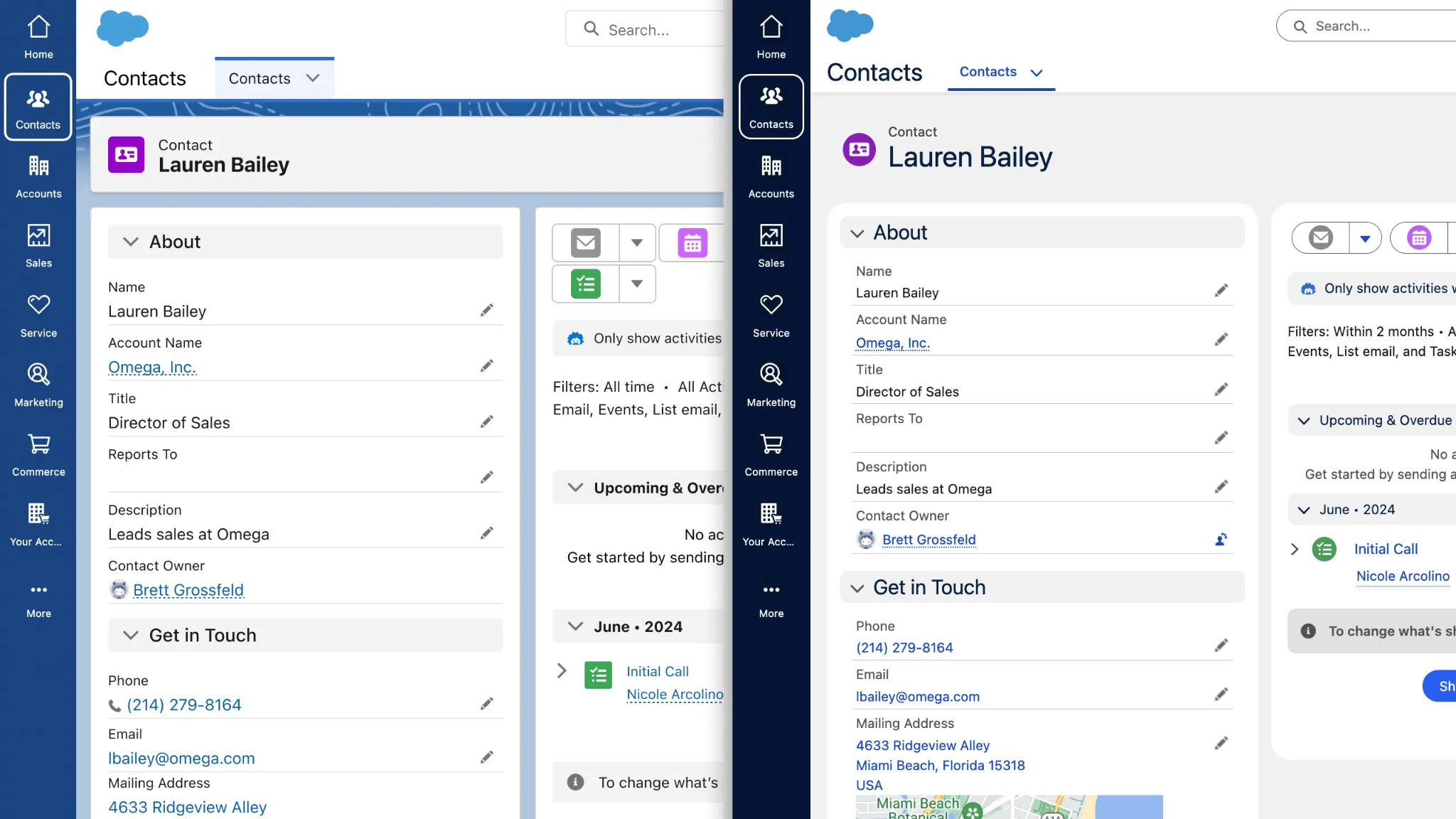
Best for: Service teams that need case data connected to accounts, contacts, products, entitlements, and sales history.
Core strengths: Salesforce provides configurable case records, routing, automation, knowledge management, customer context, reporting, and access to the wider Salesforce platform.
Limitations: Implementation and administration can be demanding. Licensing and add-ons may be excessive for a small team with a simple support workflow.
Ideal use case: A B2B company managing customer escalations that require account history, contract details, product data, and collaboration with sales or customer success.
Pricing: Salesforce lists Starter Suite at $25, Pro Suite at $100, and Enterprise at $175 per user per month. Advanced requirements may need additional products or higher plans.
2. Zendesk: best for customer support teams
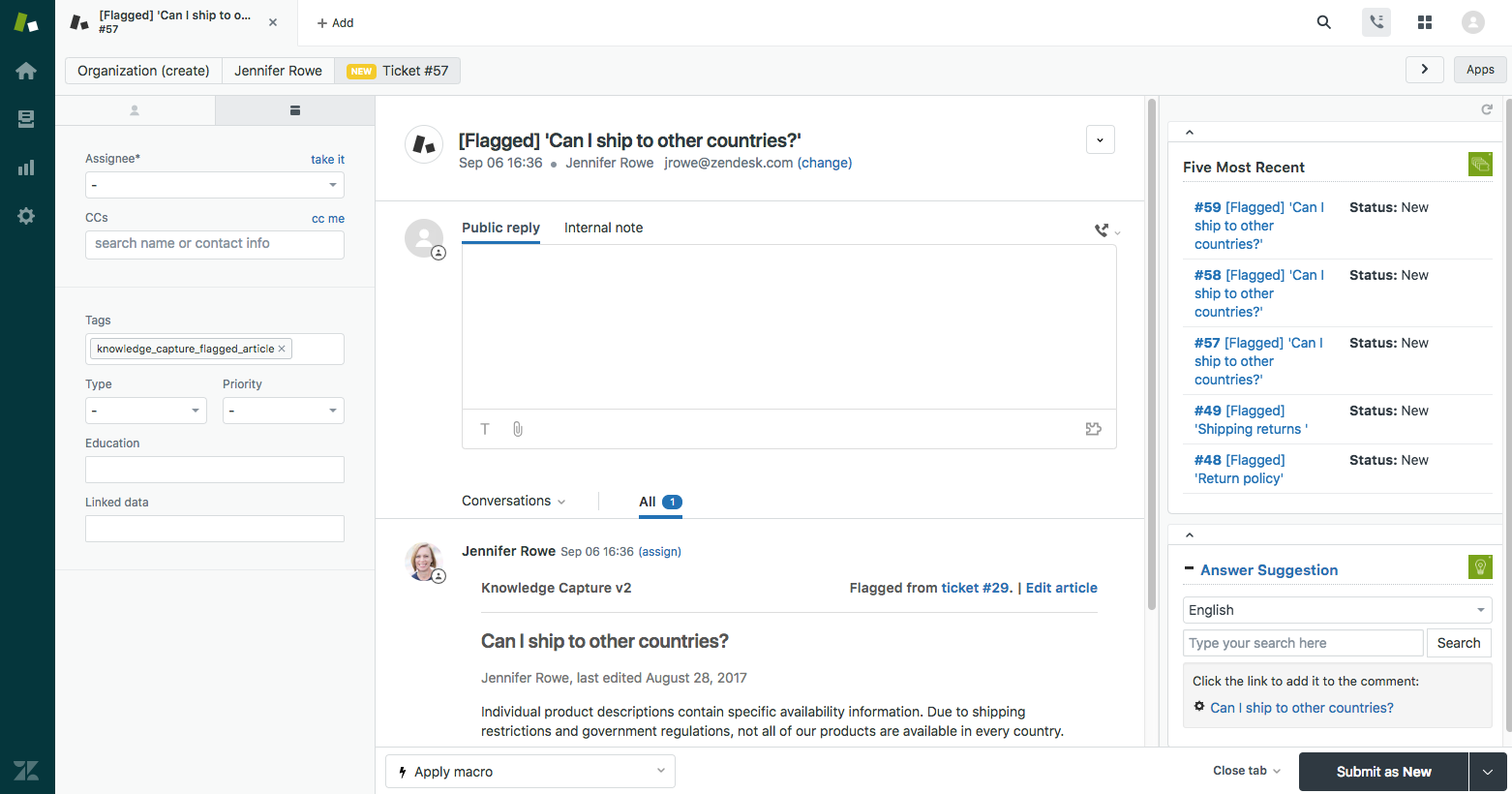
Best for: Support teams managing tickets, complaints, customer communication, SLAs, and escalations.
Core strengths: Zendesk provides email ticketing, routing, triggers, automations, customer context, shared agent workflows, and prebuilt reporting. Support Team includes core ticketing and analytics, while higher plans add broader service capabilities.
Limitations: Zendesk is designed around customer support. It is less suitable for compliance reviews, internal investigations, or workflows centered on operational database records.
Ideal use case: A support department handling a high volume of customer conversations with clear response and resolution targets.
Pricing: Support Team starts at $19 per agent per month when billed annually.
Teams that need a more specialized interface around support data can compare customer support app builders or explore UI Bakery’s custom support tools.
3. ServiceNow: best for enterprise service management
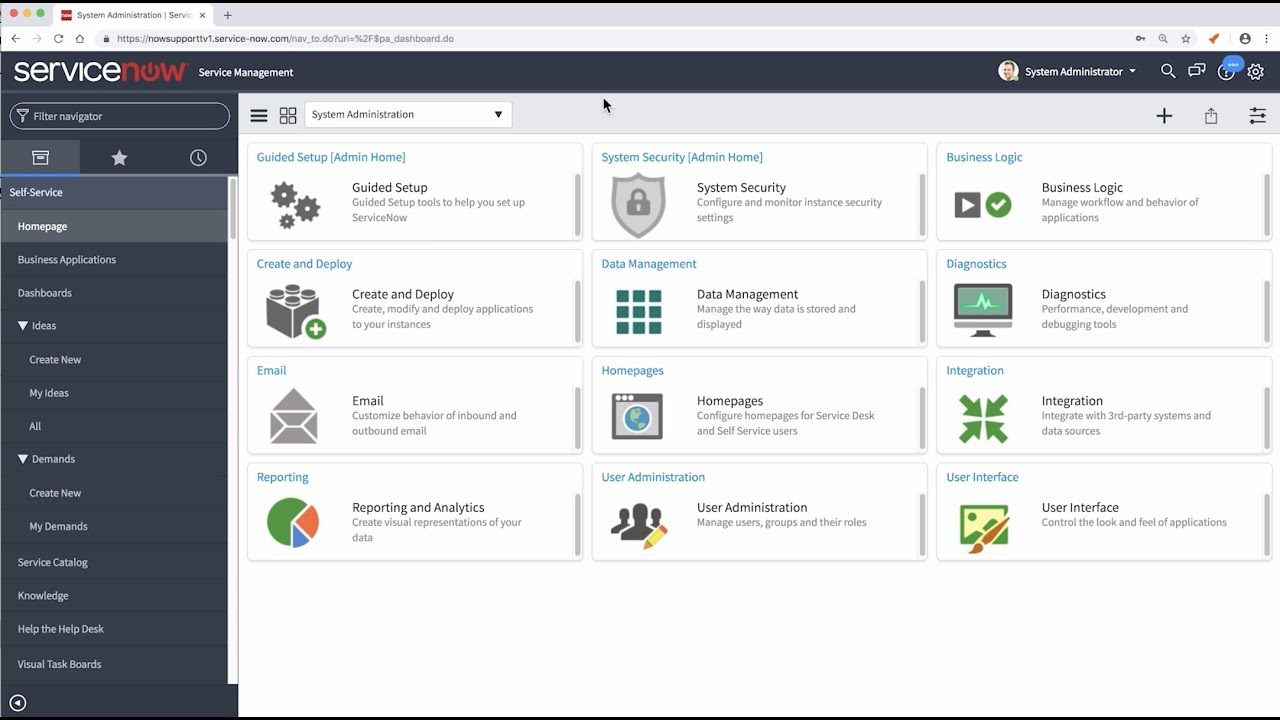
Best for: Large organizations coordinating cases across IT, customer service, security, HR, and operations.
Core strengths: ServiceNow connects people, data, and workflows on one platform. Its Customer Service Management product includes a configurable workspace, case management, self-service, knowledge management, and cross-department workflow orchestration.
Limitations: ServiceNow can require a substantial implementation, governance model, and budget. It is often too heavy for one small operations team.
Ideal use case: An enterprise where a customer or internal incident must trigger coordinated work across several departments and systems.
Pricing: ServiceNow does not publish standard CSM pricing. Plans and implementation are quoted according to the required products and scope.
4. Creatio: best for CRM-connected low-code case workflows
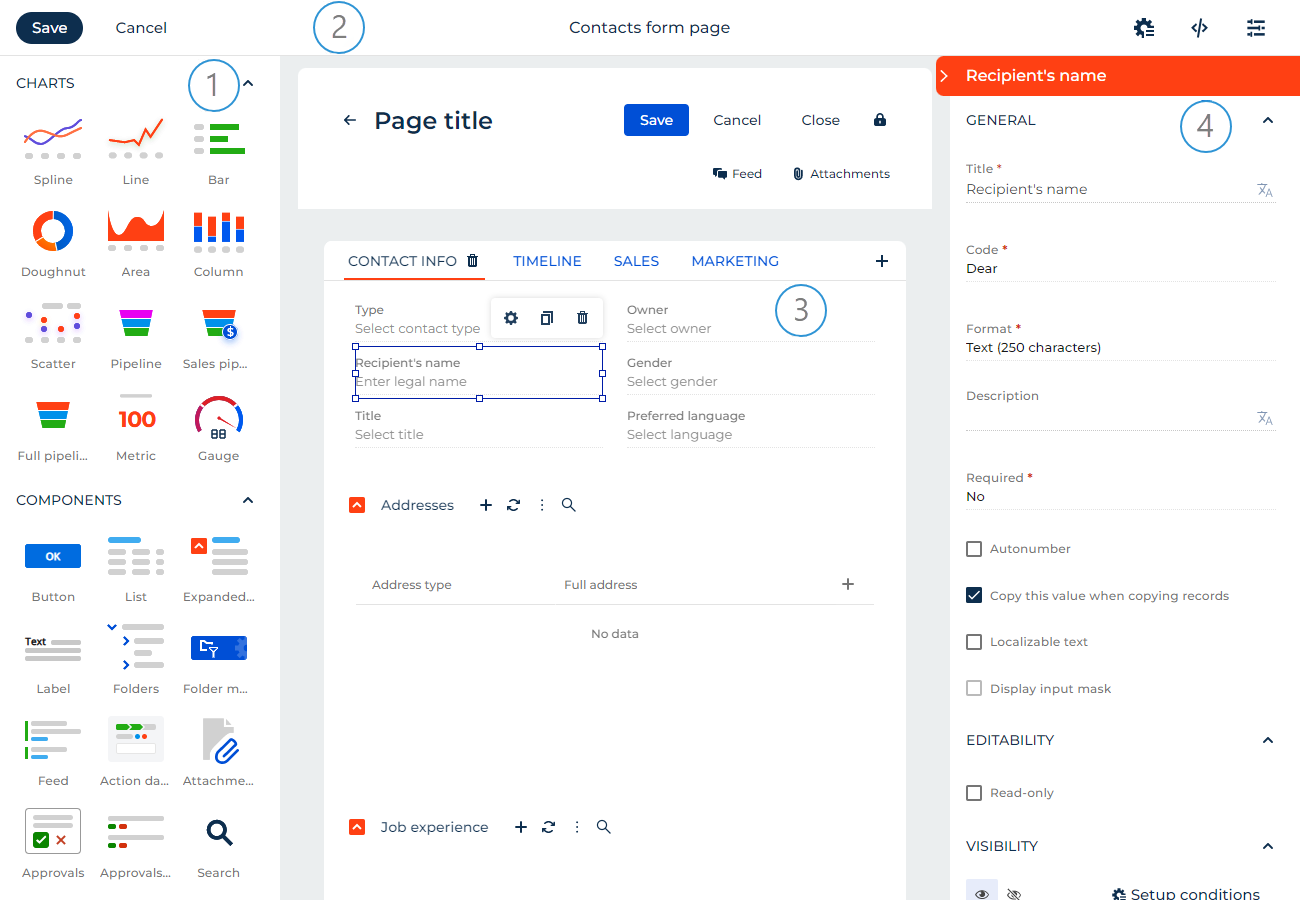
Best for: Organizations that want CRM, service management, and configurable applications on one platform.
Core strengths: Creatio combines CRM products for sales, marketing, and service with a no-code platform for custom applications and workflows.
Limitations: Teams must design and govern their case model. Implementation is more involved than adopting a focused help desk.
Ideal use case: A service organization that needs custom customer workflows while keeping cases connected to CRM data.
Pricing: Creatio uses composable product pricing. Final costs depend on the selected platform, CRM products, deployment, and support package.
5. Kissflow: best for low-code operational case workflows
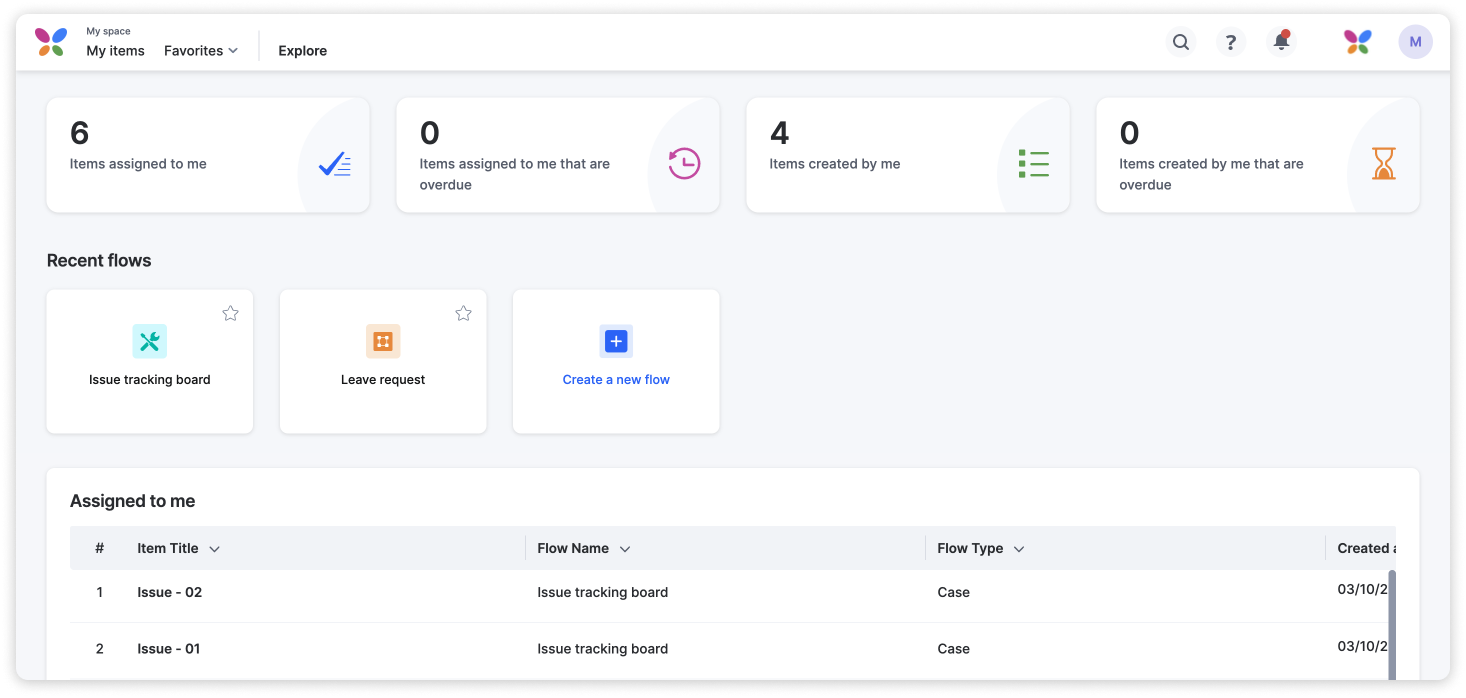
Best for: Business and IT teams building internal request, complaint, and exception workflows.
Core strengths: Kissflow combines workflow automation, low-code application development, integrations, governance, and case management capabilities.
Limitations: It is not a specialized support, HR, or investigation suite. Teams must configure the data structure, stages, permissions, and reporting.
Ideal use case: An operations team replacing email and spreadsheets with structured forms, case stages, assignments, and dashboards.
Pricing: Kissflow directs buyers to contact sales for pricing.
6. Appian: best for complex enterprise case workflows
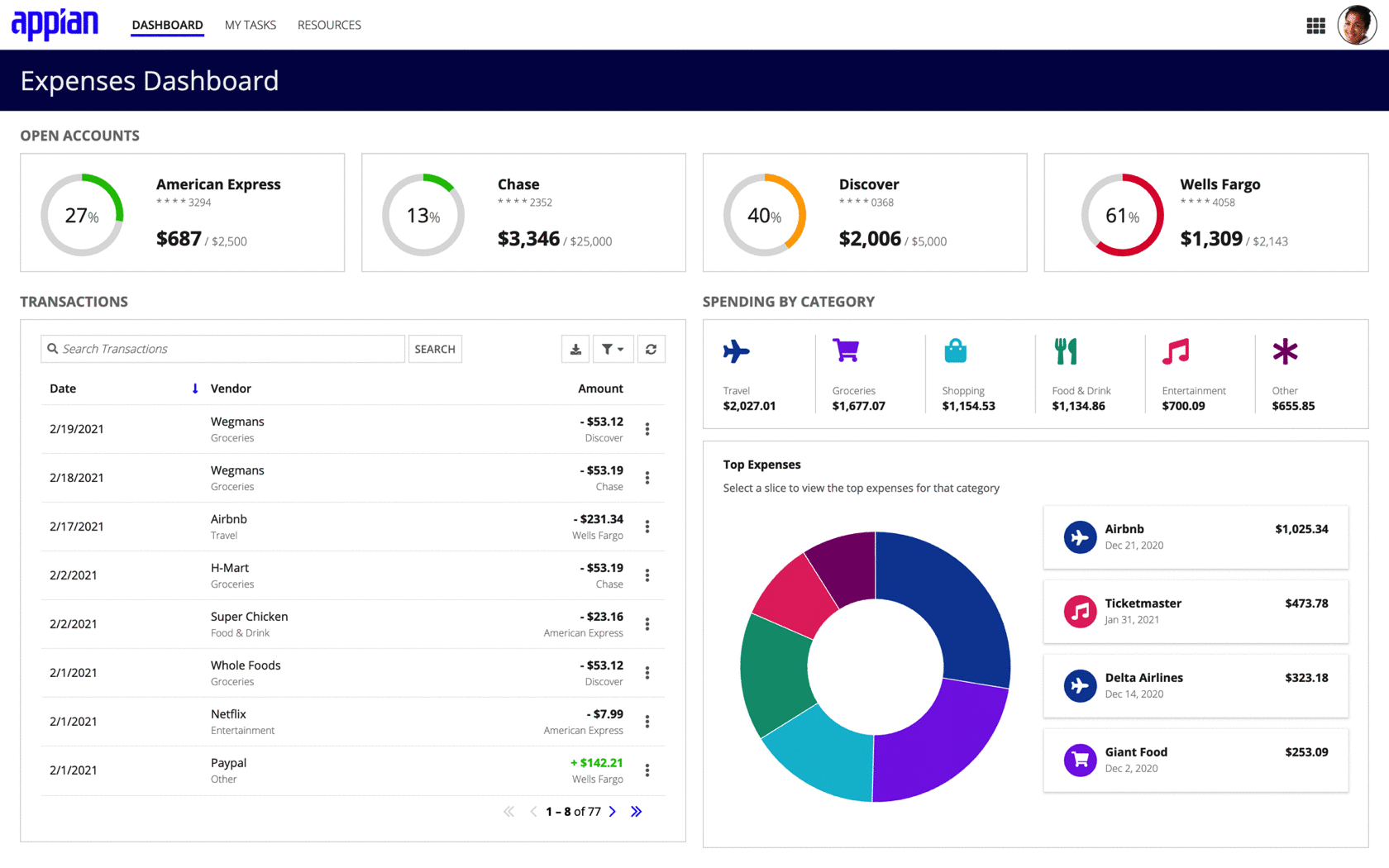
Best for: Enterprises managing high-value or regulated cases across several systems.
Core strengths: Appian combines low-code development, data fabric, integrations, automation, and Case Management Studio. The studio is designed for modular applications that manage complex casework and exception handling.
Limitations: Appian requires platform governance, trained developers, and an enterprise implementation budget.
Ideal use case: A compliance investigation that combines customer records, documents, automated checks, human reviewers, and formal approvals.
Pricing: Appian offers Standard, Advanced, and Premium tiers priced per user, per month, per application. Final pricing requires vendor consultation.
7. Pega: best for large-scale intelligent case management
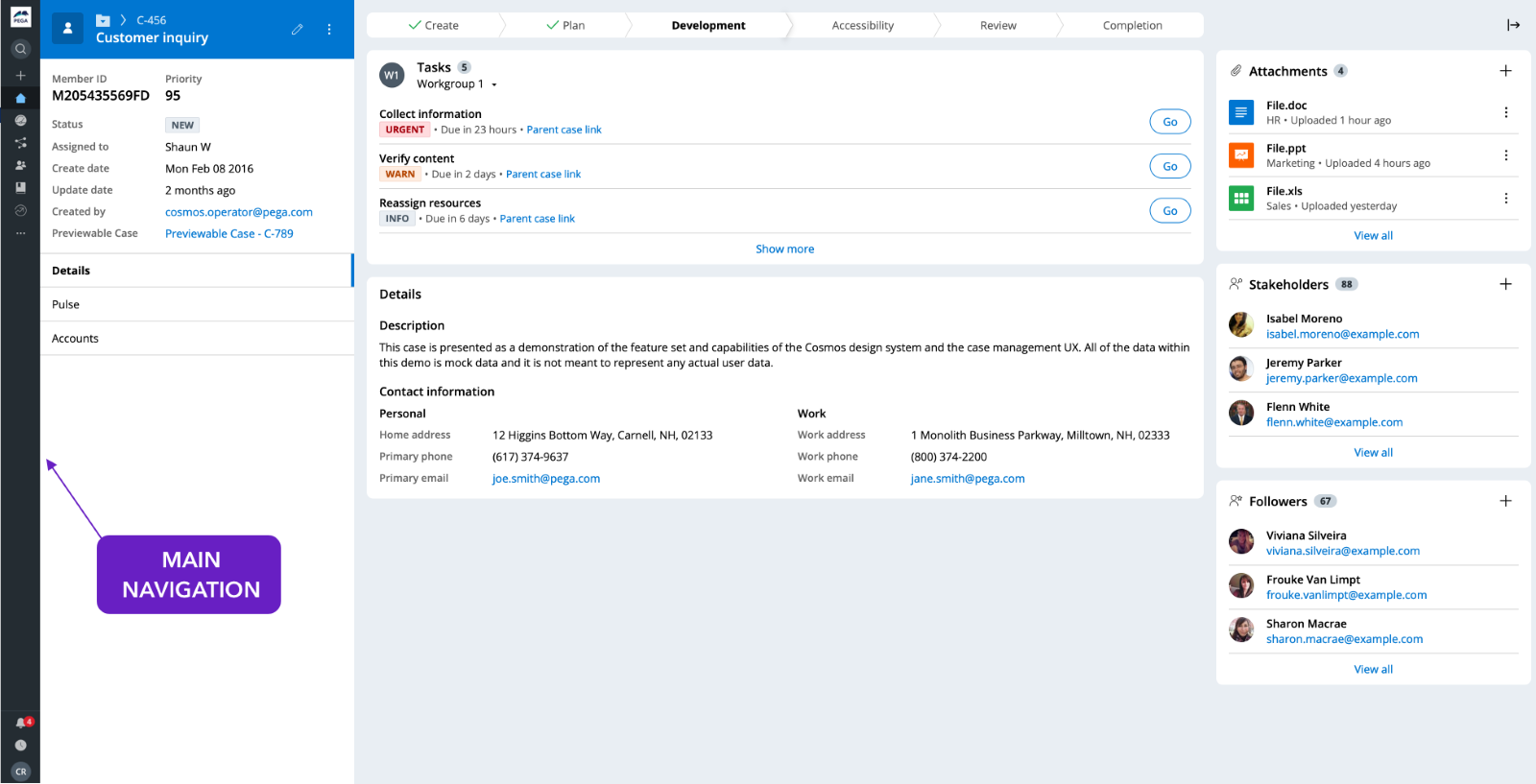
Best for: Large regulated organizations running complex, decision-heavy workflows.
Core strengths: Pega manages cases as complete bodies of work containing data, tasks, documents, decisions, escalations, subprocesses, and related cases. It also supports exceptions that cannot be handled by a fixed process.
Limitations: Pega usually requires specialist expertise, strong governance, and a significant implementation program.
Ideal use case: A bank, insurer, telecom provider, or public organization handling high-volume cases with complex rules and compliance requirements.
Pricing: Pega does not publish standard case management pricing. Licensing and implementation are quoted directly.
8. Freshdesk: best for SMB customer support cases
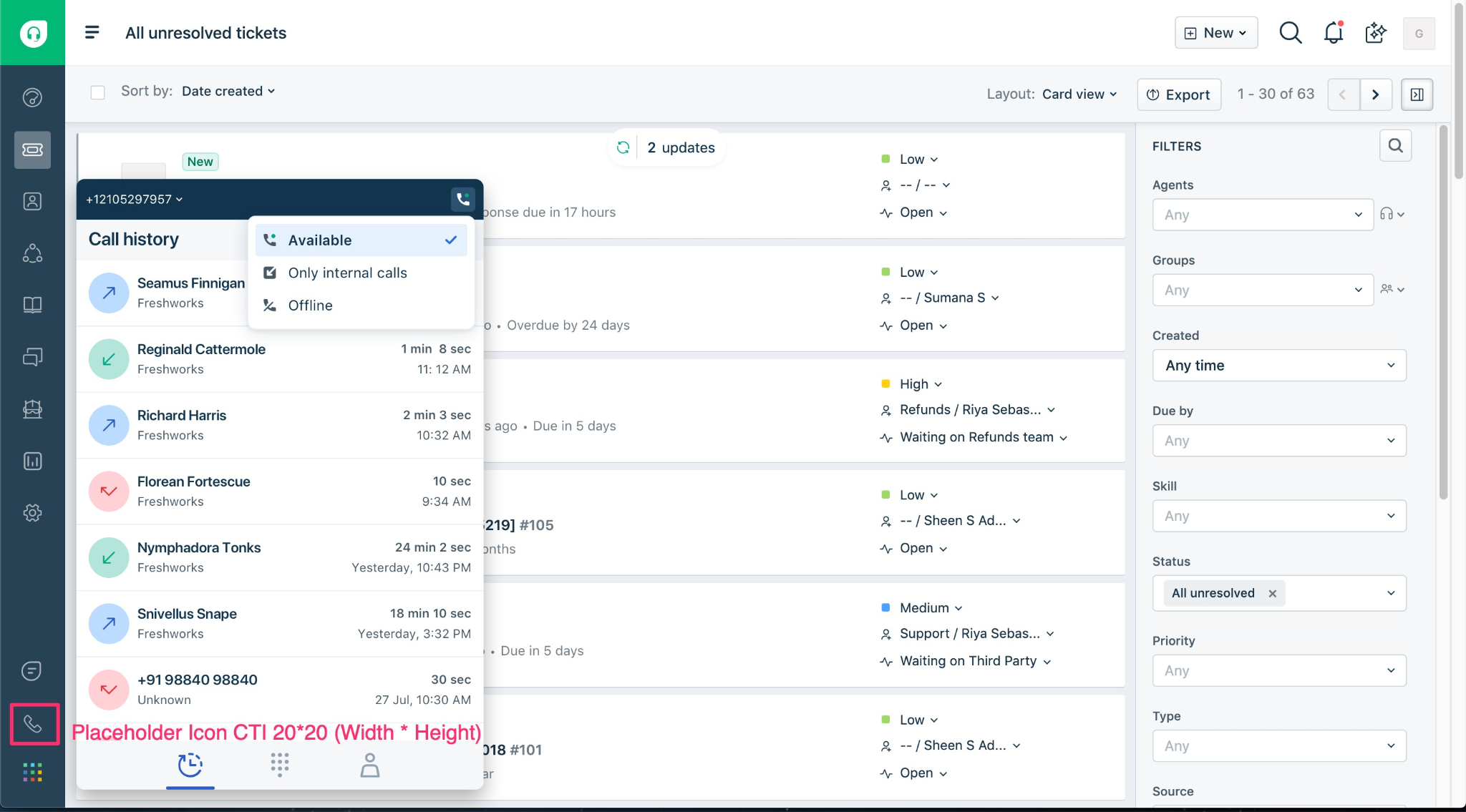
Best for: Small and midsize support teams moving beyond a shared inbox.
Core strengths: Freshdesk provides email ticketing, agent assignment, escalation handling, support reporting, and AI-assisted service options in a product that is generally easier to adopt than an enterprise case suite.
Limitations: It is not designed for complex investigations, cross-department business approvals, or custom operational data models.
Ideal use case: A growing SaaS or ecommerce team that needs organized customer queues, ownership, and basic performance reporting.
Pricing: Freshdesk starts at $19 per agent per month when billed annually.
9. HR Acuity: best for HR investigations and employee relations
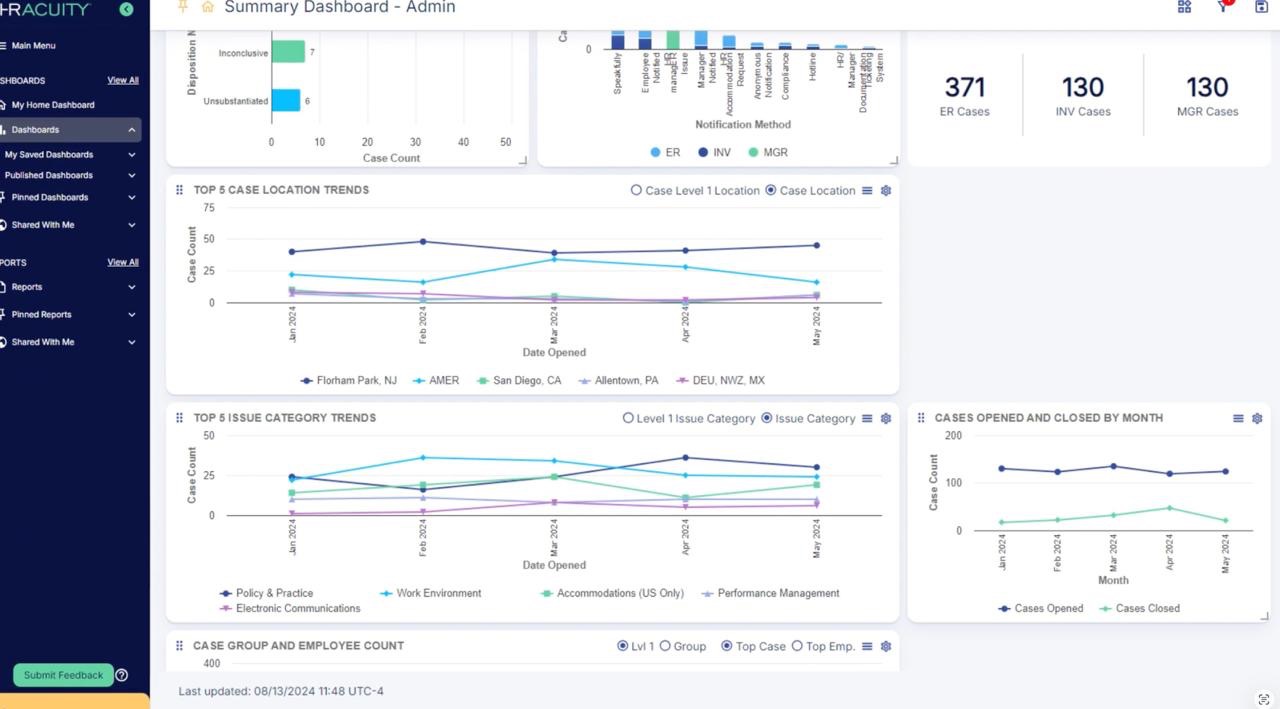
Best for: HR and employee relations teams handling sensitive workplace cases.
Core strengths: HR Acuity is purpose-built for HR case management and workplace investigations from intake through follow-up. It includes case documentation, analytics, integrations, workplace reporting, accommodations, and grievance workflows.
Limitations: Its specialization makes it unsuitable for customer support, IT incidents, procurement, or general operations requests.
Ideal use case: An employee relations team managing complaints, investigations, outcomes, and trend reporting across a large workforce.
Pricing: HR Acuity does not publish standard prices and provides tailored demonstrations and quotes.
10. UI Bakery: best for custom internal case management apps
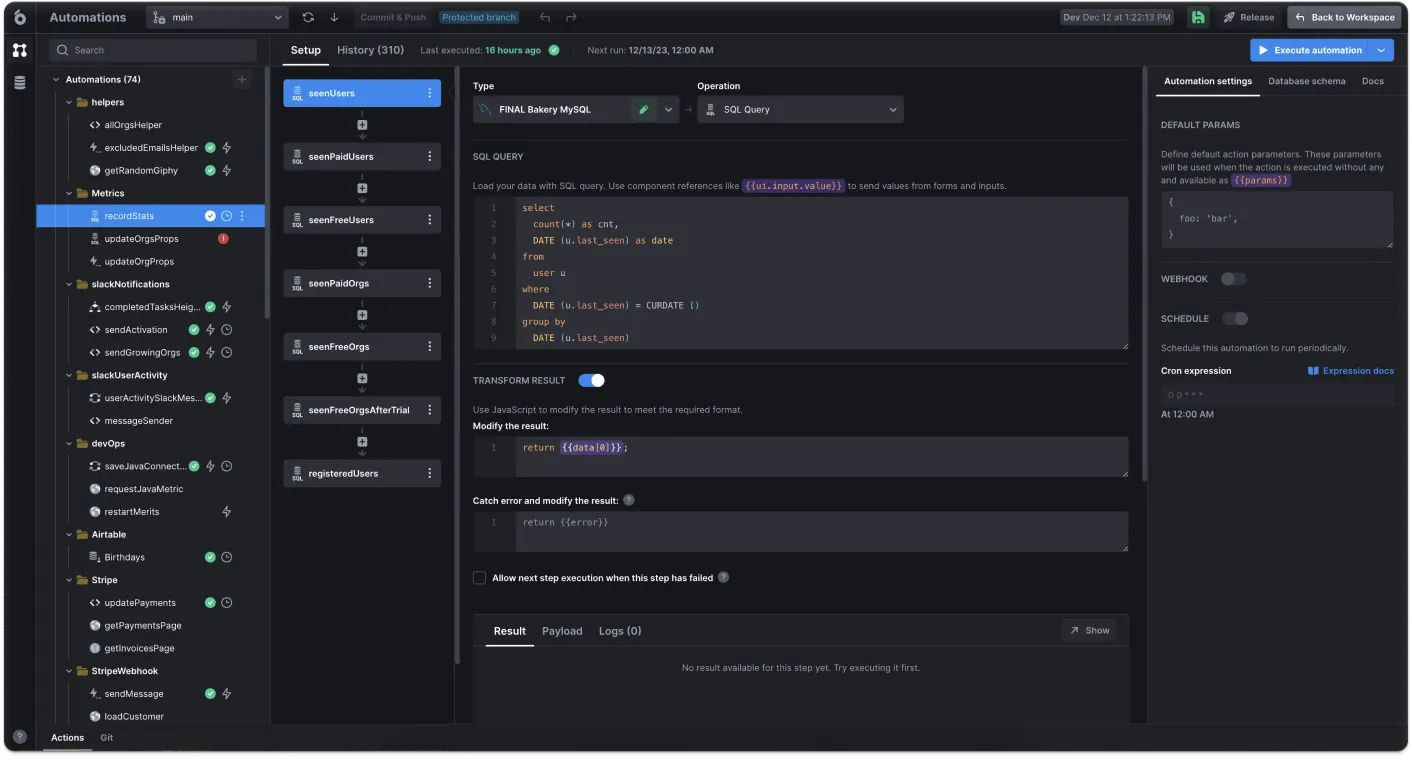
Best for: Operations and engineering teams that need a purpose-built case application over existing systems.
Core strengths: UI Bakery provides a visual low-code builder for internal tools, forms, record pages, tables, dashboards, and admin interfaces. It connects directly to databases, HTTP and GraphQL APIs, and third-party services.
Limitations: UI Bakery is not a prebuilt help desk, HR investigation suite, legal case product, or ITSM platform. Teams must define the case lifecycle, data model, business logic, and interface.
Ideal use case: An operations team needs one application that combines case data from PostgreSQL, customer records from a CRM, and approval actions exposed through internal APIs.
Pricing: UI Bakery offers a free plan. Builder starts at $20 per developer per month and Team at $35 per developer per month when billed annually. Team includes role-based access control and audit logs; Enterprise adds custom SSO and other enterprise options.
Key features to look for in case management software
The priority of each feature depends on the workflow. A support team may focus on channels and SLAs, while a compliance team may prioritize access controls, evidence, approvals, and audit history.
When custom case management software is better than an off-the-shelf tool
A prebuilt product is usually the fastest option when the workflow matches an established category such as customer support, ITSM, or employee relations. Custom case management software becomes more practical in the following situations.
The workflow crosses several departments
A case may move between support, operations, finance, engineering, risk, and management. A custom application can show each role the relevant data and actions while preserving one case history.
Cases require company-specific approval logic
Approval rules may depend on customer tier, amount, region, risk score, product, or previous decisions. A custom app can apply these conditions without forcing reviewers to approve work through email.
Case data already lives in databases and APIs
Moving operational data into another suite can create duplicate records and synchronization work. A custom case interface can read and update the existing systems directly.
A large suite would be too heavy
Zendesk may be too support-specific, while ServiceNow may be too broad for one focused team. A lightweight custom app can provide the required forms, queues, actions, and dashboards without an enterprise-wide implementation.
Standard reports lack operational context
A team may need to combine case metrics with transaction, customer, product, revenue, or risk data. A custom dashboard can join these sources in one view.
One team needs a specialized internal tool
A compliance, marketplace, finance, trust and safety, or partner operations team may have a workflow that does not fit a standard software category. Building a focused application can be simpler than adapting a broad suite.
Where UI Bakery fits
UI Bakery fits between a prebuilt case management suite and fully custom software development.
Teams can use it to build:
- customer escalation trackers;
- HR request trackers;
- compliance review queues;
- incident review dashboards;
- business case approval workflows;
- vendor exception tools;
- refund approval consoles;
- internal request management apps.
A typical UI Bakery case application can include a custom intake form, queue, case detail page, owner and status controls, approval actions, comments, related data, and reporting dashboard.
The platform connects to databases and APIs, supports data reads and writes, and offers more than 45 connectors. Cloud and self-hosted deployment are available. The self-hosted edition can run in a private network and supports controls including RBAC, audit logs, and SSO options.
UI Bakery is most appropriate when the organization already has the underlying data and services but needs a usable application for managing the case lifecycle. It should not be positioned as a direct replacement for Zendesk’s support channels, HR Acuity’s investigation framework, or ServiceNow’s complete enterprise service model.
How to choose the right case management software
Start by mapping one real case from intake to closure. Record:
- how the case enters the organization;
- who triages and owns it;
- which data and documents are required;
- which teams participate;
- what approvals or escalations occur;
- which systems must be updated;
- what must be reported or audited.
Then match the workflow to the product category.
The final evaluation should include licensing, implementation, integrations, administration, security review, training, and the cost of maintaining manual workarounds.
Methodology
The tools were evaluated for business and internal operations case management rather than legal-practice or healthcare use.
The evaluation considered:
- support for the complete case lifecycle;
- intake, triage, routing, and ownership;
- workflow and case-model flexibility;
- tasks, documents, communication, and approvals;
- escalations and SLA management;
- reporting and auditability;
- integrations with business systems;
- access controls and deployment options;
- fit for support, HR, compliance, incidents, investigations, approvals, and internal requests;
- implementation complexity and target organization size.
Product capabilities and public pricing were checked against official vendor pages in July 2026. Quote-based pricing, implementation fees, add-ons, and regional differences may affect final costs.
Next step
Planning a HIPAA-sensitive internal app?
Use the checklist above to map data flow, roles, audit events, vendors, and deployment decisions before the first production workflow ships.
Healthcare operations example
Action Behavior Centers scaled internal operations across clinics with UI Bakery
For a real operational example, review UI Bakery customer stories and healthcare operations patterns.
5,000+users supported in the customer story
400+clinics mentioned in the case study
What is case management software?
Case management software helps teams coordinate a complex work item from intake to resolution. It stores case data, documents, communication, tasks, owners, decisions, approvals, escalations, and audit history in one record.
What is the difference between case management software and ticketing software?
Ticketing software manages requests through queues and statuses. Case management software supports more complex work involving investigation, several tasks, documents, departments, decisions, or approvals.
A routine support question is usually a ticket. A complaint involving technical analysis, compensation approval, and management review is a case.
What is business case management software?
Business case management software manages operational cases such as complaints, incidents, investigations, policy exceptions, compliance reviews, employee issues, and internal requests.
It is not the same as software used to write project business cases or calculate investment returns.
What features should case management software include?
Core features include intake forms, queues, assignment, status tracking, tasks, documents, comments, communication history, approvals, escalations, SLA tracking, dashboards, role-based access, audit logs, and integrations.
When should you build custom case management software?
Build a custom solution when the workflow is unique, uses several internal systems, crosses multiple departments, requires custom approvals, or cannot be represented cleanly in a prebuilt product.
A custom app can also be suitable when one operations team needs a focused tool and an enterprise suite would introduce unnecessary cost or complexity.
Can UI Bakery be used for case management?
Yes. UI Bakery can be used to build custom internal case management apps connected to databases, APIs, and third-party systems.
Teams can create forms, queues, case pages, approval actions, admin panels, dashboards, and role-specific interfaces. UI Bakery does not provide a prebuilt help desk, HR investigation methodology, or ITSM data model, so the team must define the workflow and case structure.
Build a custom case management app with UI Bakery




"The UI Bakery platform offers a cost-effective approach to creating applications. With UI Bakery, you can achieve your app development goals without breaking the bank."

"Before switching to UI Bakery we developed a number of apps within the Retool system. The Retool system was good but ultimately did not have the flexibility and feature sets that we required."
Check the Story