

Best Automation Software in 2026: 10 Tools Compared by Use Case

Updated:
May 7, 2026
The best automation software in 2026 depends on what you need to automate: Zapier is strongest for fast no-code app integrations, n8n for self-hosted developer workflows, Power Automate for Microsoft-heavy teams, UiPath for RPA, Workato and Appian for enterprise orchestration, and UI Bakery for internal workflows that need dashboards, approvals, queues, and role-based actions. There is no single best automation software platform for every team. The real decision is whether you need app automation, robotic process automation, enterprise orchestration, or operational workflow software with a usable internal interface.
This guide compares the best automation software tools by use case, deployment model, pricing direction, strengths, and limitations. The goal is not to force every team into one vendor, but to help you understand which category fits your workflow maturity level.
Best automation software in 2026: quick answer
For simple app-to-app workflows, choose Zapier or Make. For developer-first and self-hosted automation software, choose n8n. For teams already deep in Microsoft 365, Dynamics, SharePoint, Teams, and Azure, Microsoft Power Automate is usually the natural fit. For RPA and legacy desktop automation, UiPath is still one of the strongest options. For enterprise orchestration across people, systems, data, and AI agents, Workato and Appian are better suited.
Choose UI Bakery Automations when automation needs more than a backend workflow. If your team needs approval screens, exception queues, admin panels, dashboards, role-based access, and data actions on top of databases and APIs, UI Bakery fits as the internal workflow and operator-facing layer around your automation stack.
What automation software means in 2026
Automation software is a broad category of tools that helps teams reduce repetitive manual work by connecting systems, triggering workflows, routing tasks, moving data, or automating actions.
But the category has become messy. “Automation software” can now mean several different things:
Workflow automation software connects apps and services through triggers and actions. For example, when a lead enters a form, create a CRM record, notify Slack, and send an email.
Business process automation software manages longer business processes across teams. This can include approvals, reviews, status changes, escalations, and audit trails.
RPA software automates work inside user interfaces, especially legacy systems that do not have modern APIs. This is useful when a bot needs to click through desktop apps, portals, or older enterprise systems.
Enterprise orchestration platforms coordinate complex workflows across systems, teams, APIs, data, and increasingly AI agents.
Internal workflow software gives teams a human-facing interface for automation: dashboards, review queues, admin tools, approval screens, and operational apps.
That distinction matters. A Zapier workflow, a UiPath robot, an Appian process, and a UI Bakery approval dashboard can all be called “automation software,” but they solve different problems.
How we evaluated the best automation software
For this automation software comparison, we looked at the criteria buyers usually care about once they move beyond simple demos:
- Integrations and API connectivity
- Ease of setup
- Workflow complexity
- Pricing model and cost at scale
- Self-hosting or private deployment options
- Debugging and observability
- Governance, permissions, and compliance
- AI support
- Human approval steps
- Internal UI and operator workflow support
- Fit for technical vs non-technical teams
The most important question is not “Which tool has the longest feature list?” It is “Where does the work actually happen?”
If the work happens between SaaS apps, a no-code automation platform may be enough. If the work happens inside legacy systems, RPA may be required. If the work spans people, departments, systems, and governance rules, orchestration matters. If humans need to review, approve, edit, or act on workflow data, you probably need an internal app layer too.
Comparison table: best automation software at a glance
Zapier’s Professional plan starts at $19.99/month billed annually, and Zapier describes tasks as completed automated actions inside Zaps. (zapier.com)
Make uses a credit model where each module action in a scenario counts as one credit. (Make)
n8n lists Starter at €20/month billed annually, Pro at €50/month billed annually, and a self-hosted Business plan at €667/month billed annually. (n8n.io)
Microsoft lists Power Automate Premium at $15/user/month and Process at $150/bot/month, both paid yearly. (microsoft.com)
UiPath lists a Basic plan starting at $25/month, with Standard and higher tiers handled through sales. (uipath.com)
Airtable lists a free plan and Team at $20/user/month billed annually. (Airtable)
1. Zapier: best automation software for fast no-code app integrations
Zapier is one of the easiest automation software tools for teams that want to connect everyday apps without engineering help. It works well for straightforward workflows like sending form submissions to a CRM, notifying Slack when a deal changes, creating tasks from emails, or syncing records between SaaS tools.
Zapier is especially useful when speed matters more than deep customization. Non-technical users can build Zaps with triggers, actions, filters, paths, schedules, and built-in data tools. Zapier also has a large app ecosystem, with more than 8,000 app integrations listed on its pricing page.
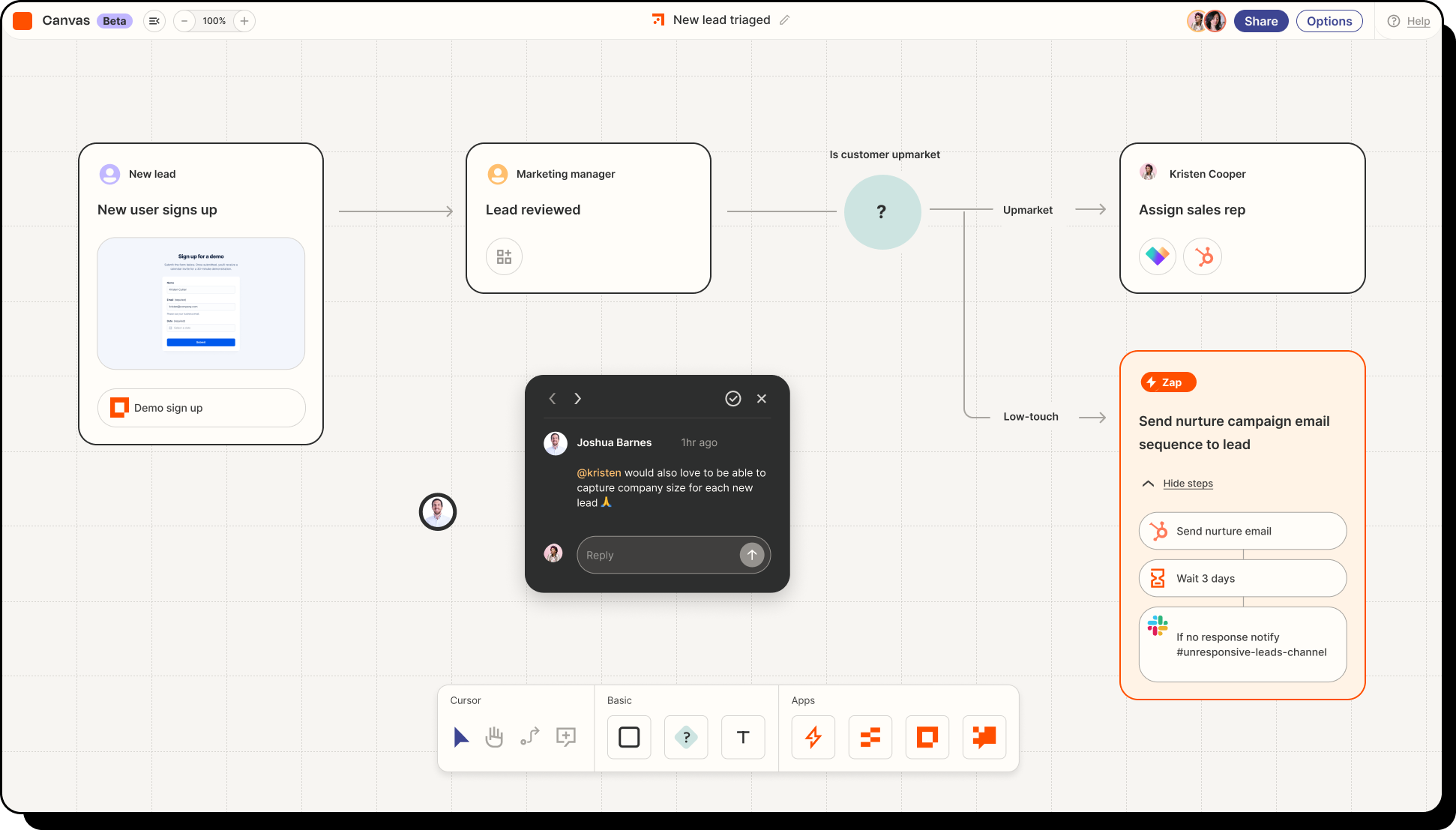
Best for: Teams that need quick no-code automation across common SaaS apps.
Strengths:
- Very beginner-friendly
- Huge integration library
- Fast setup
- Good for marketing, sales, support, and ops workflows
- Useful for simple multi-step automation
Limitations:
Zapier is not always the best automation software platform for complex internal operations. Once workflows need custom interfaces, detailed review screens, role-based action controls, or deep database interactions, teams often need an internal app layer alongside Zapier.
Pricing direction:
Zapier has a free entry point, with Professional starting at $19.99/month billed annually. Pricing depends heavily on task volume, so teams should model usage before relying on it for high-frequency workflows.
For a deeper tool-specific explainer, read UI Bakery’s guide to the Zapier automation platform.
2. Make: best for visual workflow automation
Make is a strong fit for teams that want a more visual automation builder. Instead of building linear workflows only, users create scenarios with modules, routes, conditions, and transformations. This can make Make more flexible for teams that want to design automation flows visually.
Make is often a good middle ground between beginner-friendly automation and more technical workflow builders. It can handle multi-step automations, data formatting, branching, and integrations across many tools.
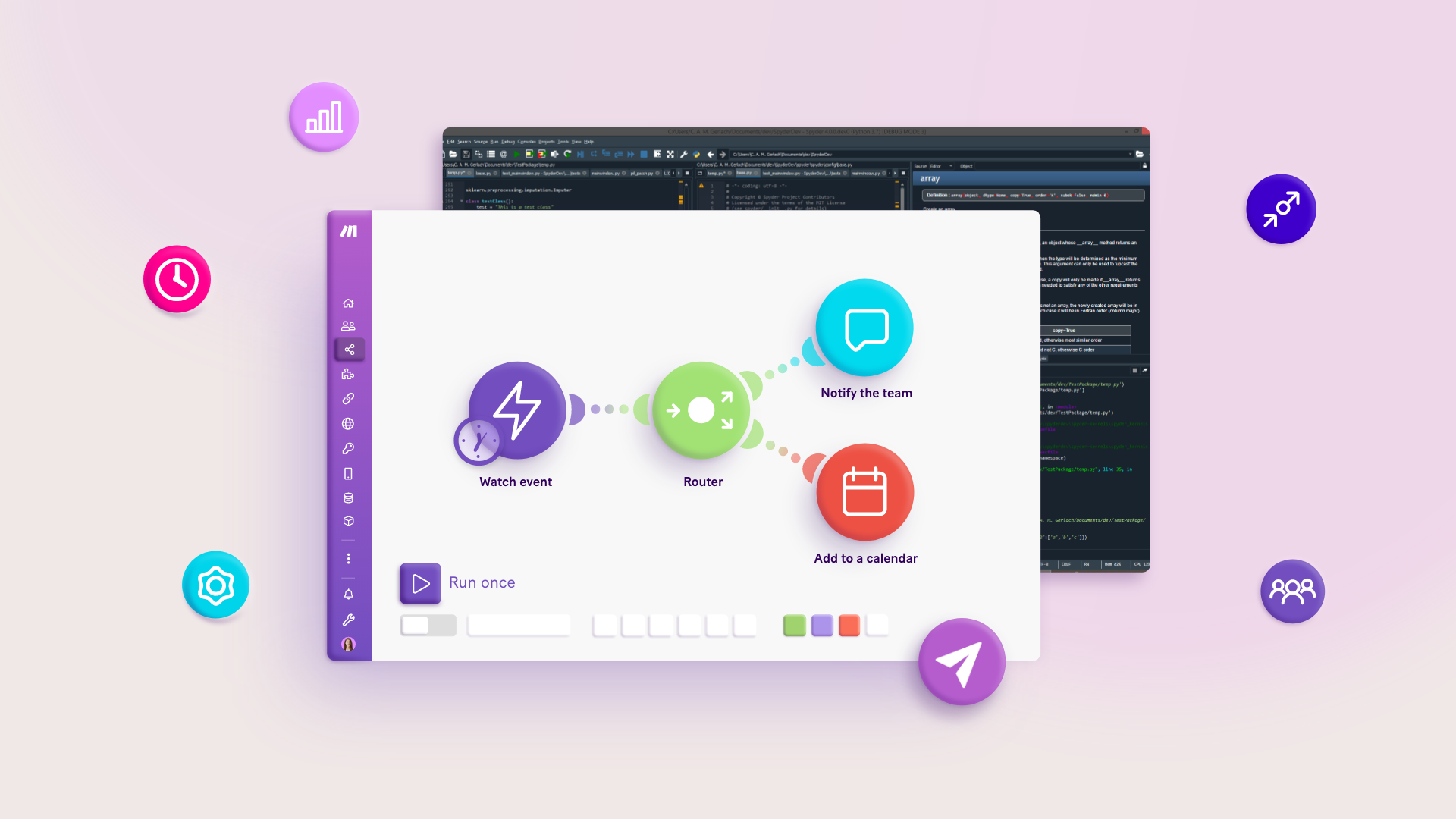
Best for: Teams that want visual automation workflows with more control than a basic trigger-action setup.
Strengths:
- Visual scenario builder
- Good for branching workflows
- Useful data transformation options
- Strong fit for operations teams and automation builders
- Easier than building custom scripts from scratch
Limitations:
Make can still become hard to manage when workflows grow large. Debugging, ownership, naming conventions, and governance become important quickly.
Pricing direction:
Make uses credits, where each module action inside a scenario counts as one credit. This can be flexible, but teams should understand how credits are consumed before moving critical workflows into production.
3. n8n: best automation software for self-hosted and developer-first workflows
n8n is one of the strongest choices for teams that want self-hosted automation software, developer control, and flexible API workflows. It is popular with technical teams because it supports custom logic, API calls, JavaScript, credentials management, and self-hosted deployment.
n8n works well when the team wants more control than Zapier or Make, especially around data, hosting, and workflow customization. It is a good fit for developers, technical operators, and companies that want to keep automation logic closer to their own infrastructure.
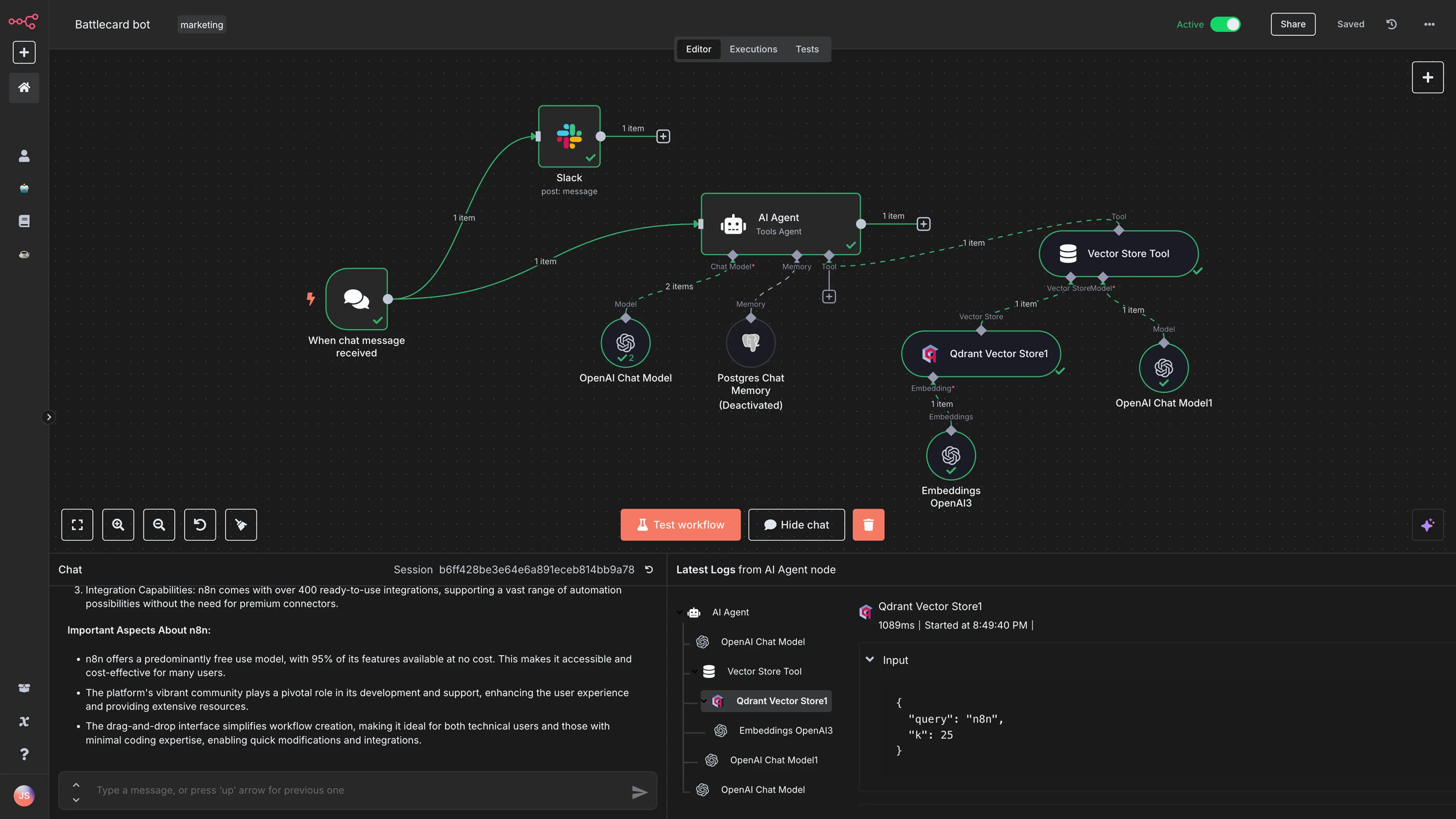
Best for: Developer-first teams that want flexible workflow automation and self-hosting.
Strengths:
- Cloud and self-hosted options
- Good for API-heavy workflows
- Supports custom logic
- Useful for AI workflow experimentation
- Strong fit for technical operations teams
Limitations:
n8n is not as beginner-friendly as Zapier. Teams need to think about hosting, security, credentials, workflow versioning, error handling, and maintenance, especially with self-hosted deployments.
Pricing direction:
n8n Cloud starts with a Starter plan at €20/month billed annually, while Pro is listed at €50/month billed annually. n8n also lists a self-hosted Business plan at €667/month billed annually for companies that need collaboration and scale.
For deeper context, read UI Bakery’s guides on what n8n is, n8n vs Zapier, and n8n alternatives.
4. Microsoft Power Automate: best for Microsoft-centric teams
Microsoft Power Automate is usually the default automation software for teams already standardized on Microsoft 365, Teams, SharePoint, Dynamics, Excel, Outlook, Power Apps, Azure, and Dataverse.
Its biggest advantage is ecosystem fit. If your business data, identity, collaboration, and approval flows already live inside Microsoft products, Power Automate can be easier to adopt than a neutral third-party platform.
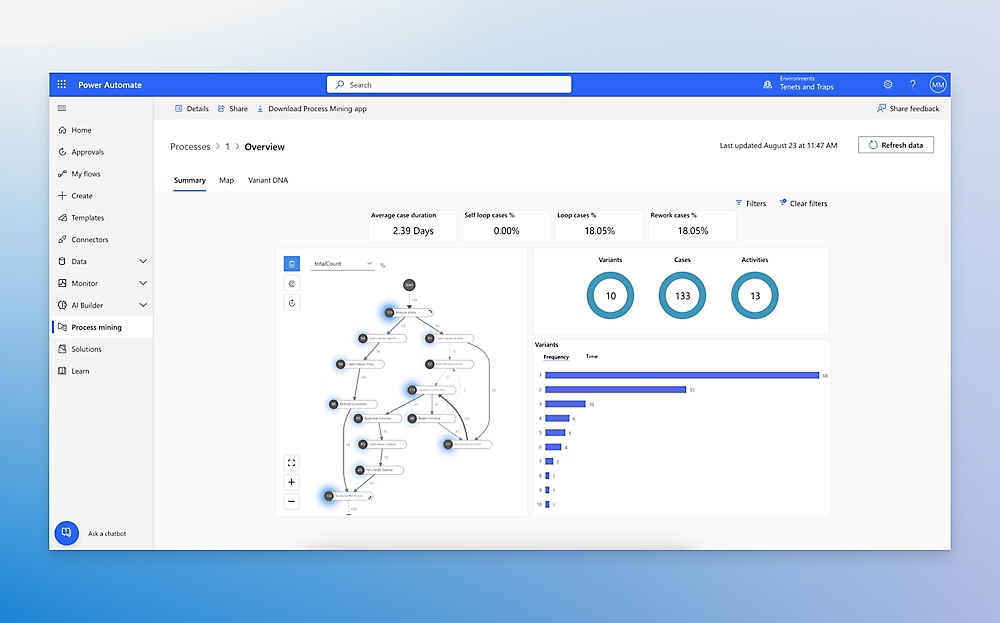
Best for: Organizations already deep in the Microsoft ecosystem.
Strengths:
- Strong Microsoft 365 integration
- Cloud flows and desktop flows
- Attended and unattended automation options
- Process mining add-on
- Natural fit with Power Apps and Dataverse
Limitations:
Power Automate can be less intuitive for teams outside the Microsoft ecosystem. Licensing can also become complicated depending on users, bots, hosted processes, premium connectors, and process mining needs.
Pricing direction:
Microsoft lists Power Automate Premium at $15/user/month, Power Automate Process at $150/bot/month, Hosted Process at $215/bot/month, and a Process Mining add-on at $5,000/tenant/month, all paid yearly.
5. UiPath: best automation software for RPA and legacy UI automation
UiPath is one of the best-known RPA platforms. It is designed for teams that need to automate work inside desktop apps, browser-based portals, legacy systems, and other interfaces where API-based automation is not enough.
This is important because not every business system is modern. Many enterprises still rely on older software, internal portals, spreadsheets, scanned documents, and manual back-office processes. RPA tools like UiPath help automate these environments by using software robots.
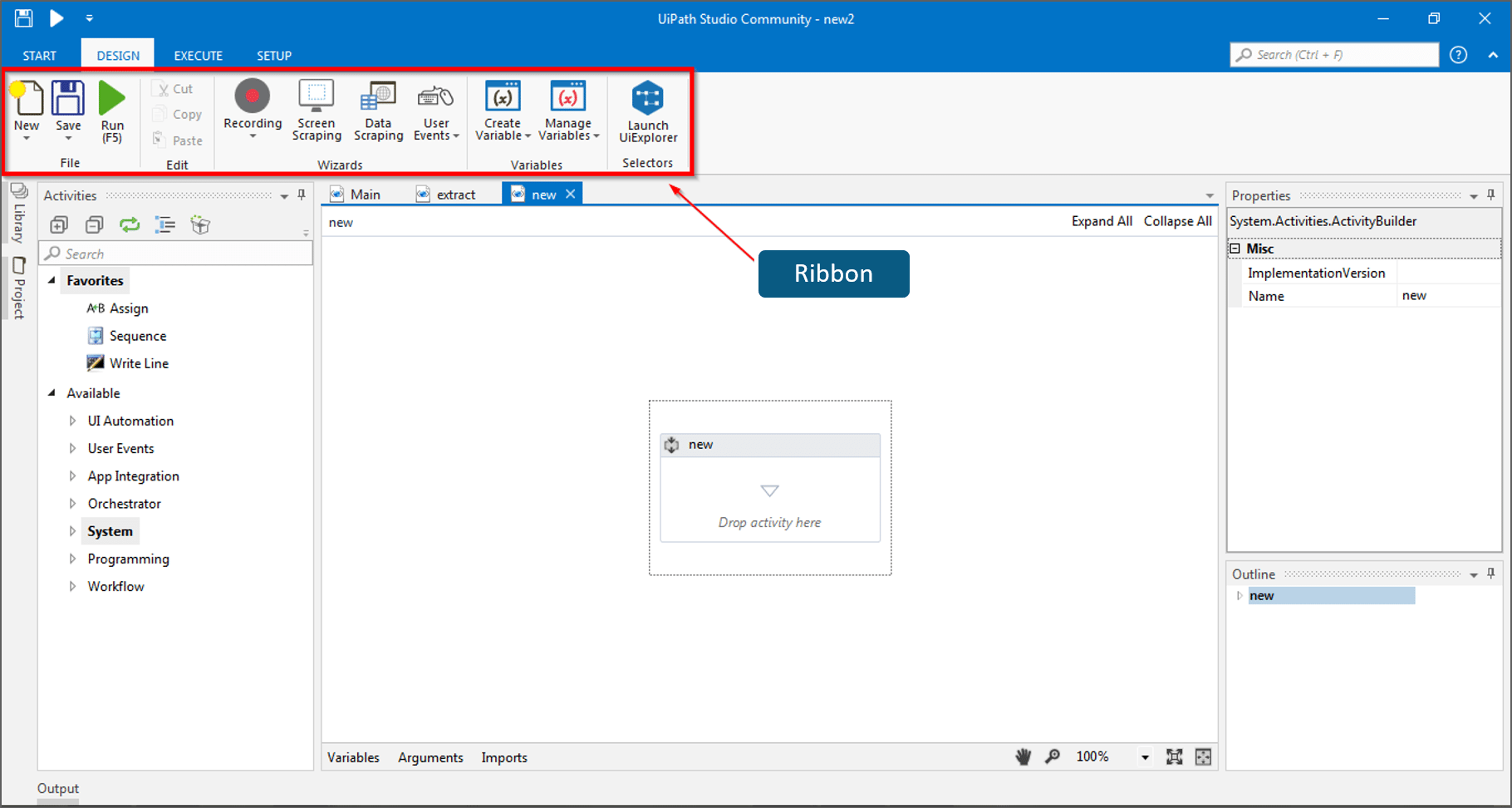
Best for: Enterprises that need RPA, desktop automation, unattended bots, attended automation, and legacy system automation.
Strengths:
- Strong RPA capabilities
- Attended and unattended automation
- Enterprise automation governance
- Useful for legacy systems without APIs
- Growing agentic automation positioning
Limitations:
UiPath is overkill for simple SaaS app automation. If your workflow is mostly “when this happens in one app, update another app,” Zapier, Make, or n8n may be simpler.
Pricing direction:
UiPath lists a Basic plan starting at $25/month for individuals and small teams, while Standard and higher plans require sales contact. (uipath.com)
6. Workato: best for enterprise integration and orchestration
Workato is built for enterprise automation and integration. It is a better fit for organizations that need governance, scale, integrations across many systems, API workflows, lifecycle controls, and orchestration across departments.
Workato is not just a simple workflow automation software builder. It sits closer to enterprise iPaaS and orchestration, where multiple systems, business units, data flows, and compliance requirements need to be coordinated.
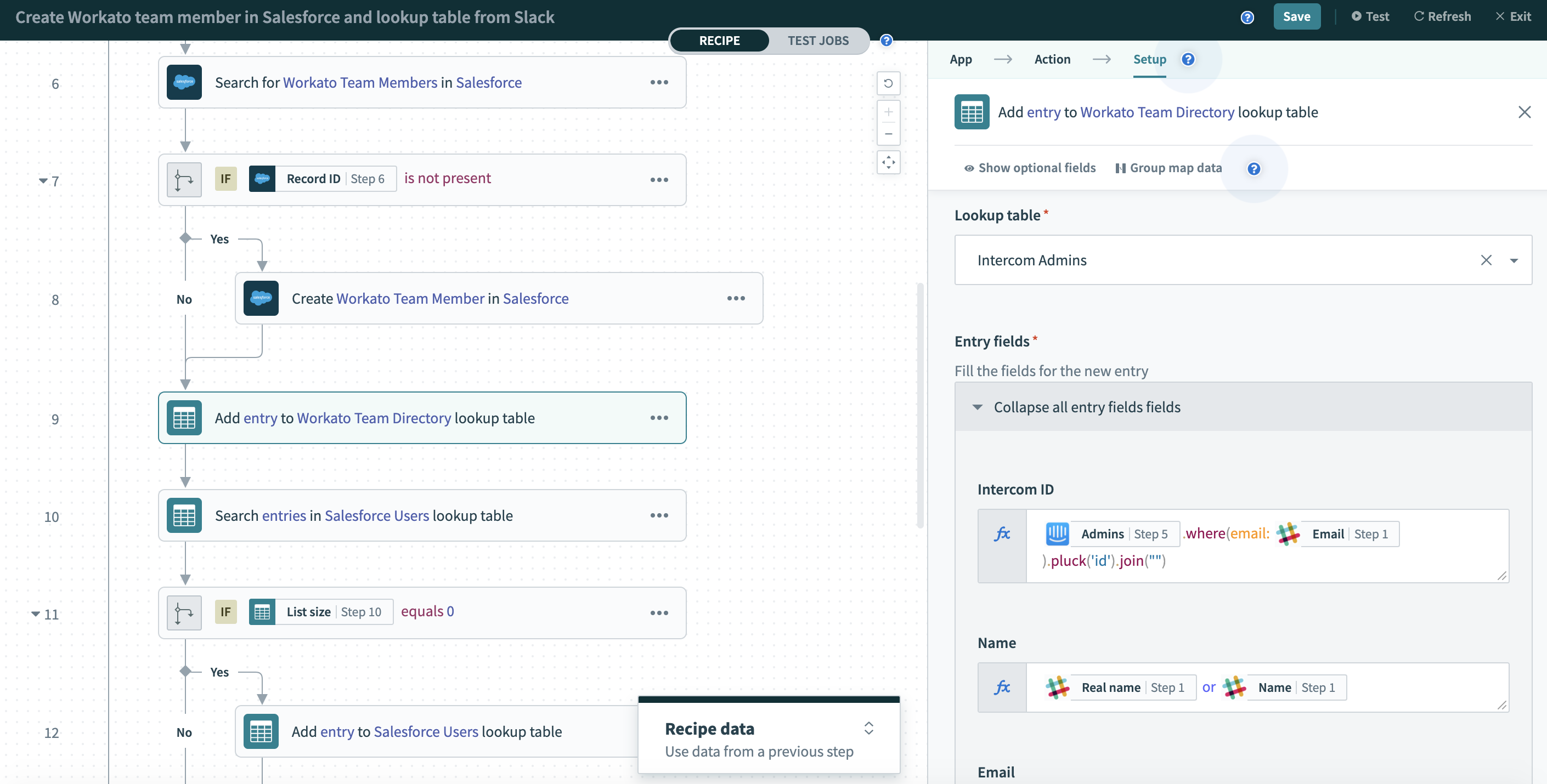
Best for: Mid-market and enterprise teams that need scalable integration and orchestration.
Strengths:
- Enterprise-grade automation
- Strong integration capabilities
- Governance and lifecycle controls
- Good fit for cross-system workflows
- Useful for IT, RevOps, finance ops, and enterprise operations
Limitations:
Workato can be too heavy and too expensive for small teams that only need basic workflow automation.
Pricing direction:
Workato does not publish simple self-serve prices on its pricing page. It describes its pricing as flexible, customer-first, and optimized for predictability and scale.
7. Appian: best for enterprise process orchestration
Appian is a strong fit for companies with complex, regulated business processes. It is positioned around AI process automation and orchestration across people, systems, and AI agents. Appian describes its platform as purpose-built for complex processes, especially where auditability, controls, and enterprise scale matter.
This makes Appian different from simple automation software tools. It is not mainly about connecting one app to another. It is about managing complex operational processes end to end.
![Card Layout [SAIL Design System: Components]](https://cdn.prod.website-files.com/6542d8f9e468531067fe9978/69fdc7c3e7d024f9e45c824e_image74.gif)
Best for: Large enterprises, regulated teams, and organizations with complex multi-step processes.
Strengths:
- Strong process automation focus
- Enterprise governance
- People, systems, and agent orchestration
- Good for regulated workflows
- Useful where auditability matters
Limitations:
Appian is not the fastest option for small teams that just need a few automations. It is a platform decision, not a lightweight workflow tool.
Pricing direction:
Appian is typically evaluated through enterprise sales rather than simple self-serve pricing.
8. Airtable: best for lightweight operational databases and team workflows
Airtable is not a pure automation platform, but it often appears in automation software conversations because it combines structured data, simple interfaces, forms, automations, and team workflows.
It works well when teams have outgrown spreadsheets but do not yet need a fully custom internal tool or enterprise orchestration platform. For example, a marketing team might use Airtable to manage content production, requests, approvals, and campaign assets.
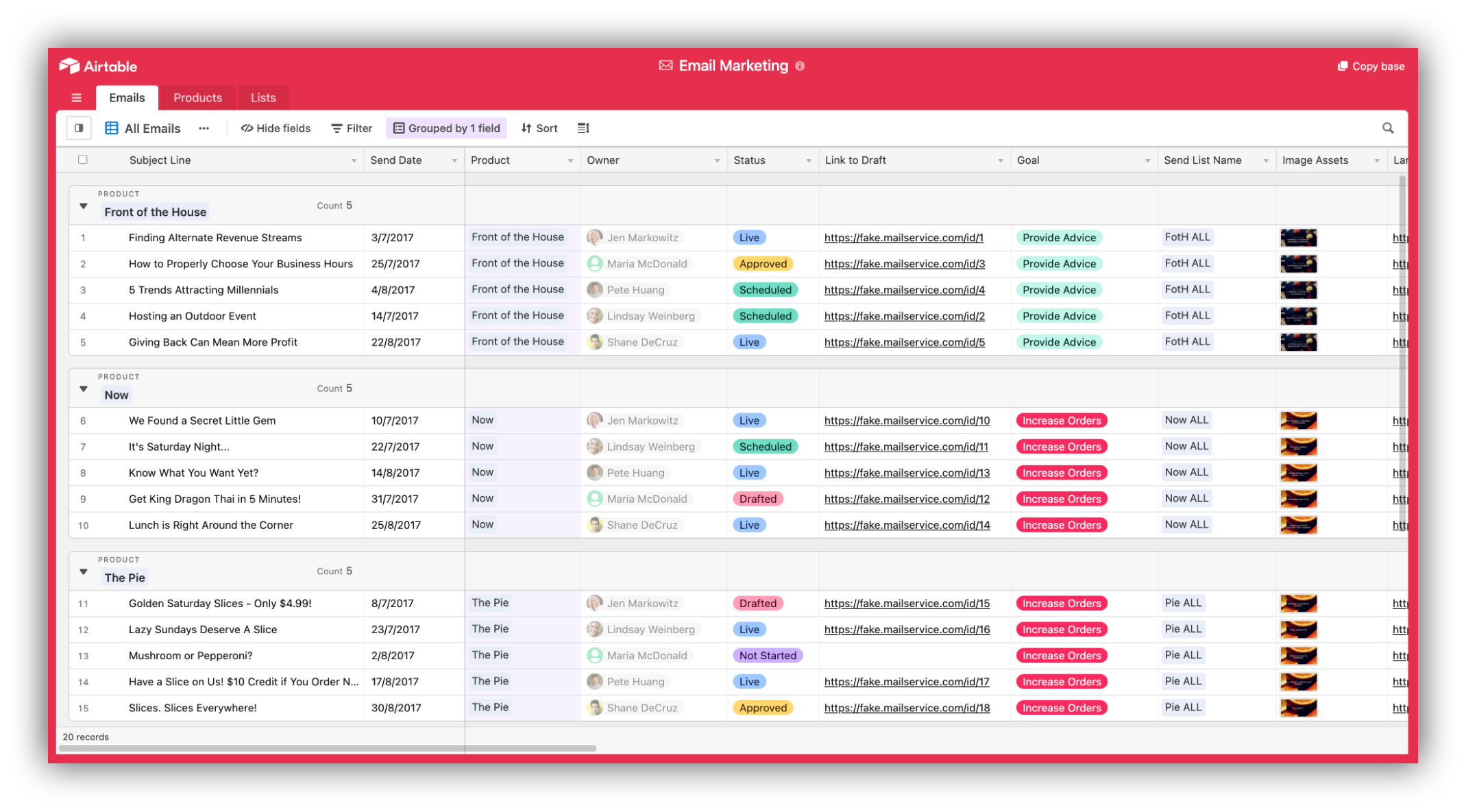
Best for: Teams that need a lightweight operational database with simple workflow automation.
Strengths:
- Easy to use
- Good for structured team workflows
- Useful forms and views
- Helpful for lightweight approval and tracking processes
- Strong spreadsheet-like familiarity
Limitations:
Airtable can become limiting when workflows require deeper backend logic, custom front ends, complex permissions, or production-grade internal apps connected to multiple systems.
Pricing direction:
Airtable has a free plan, and its Team plan is listed at $20/user/month when billed annually. It charges Team and Business plans based on users with edit permissions.
9. UI Bakery: best automation software for internal tools and operational workflows
UI Bakery is the best fit when automation is not enough by itself.
Many business workflows are not fully automatic. Someone still needs to review an exception, approve an invoice, edit a record, assign a case, trigger a refund, update a status, or check a dashboard before the next step happens. That is where UI Bakery fits naturally.
With workflow automations, teams can build server-side workflows on top of SQL databases, APIs, Google Sheets, CRMs, and other integrations. UI Bakery supports webhook triggers, scheduled cron-like jobs, conditional logic, loops, and asynchronous operations.
But the bigger advantage is that UI Bakery combines automation with internal software. Teams can build internal tools, dashboards, admin panels, approval screens, exception queues, and operator consoles on top of live data. UI Bakery also supports cloud and self-hosted deployment, with database/API connectivity, RBAC, audit logs, and self-hosting options described across its product pages.
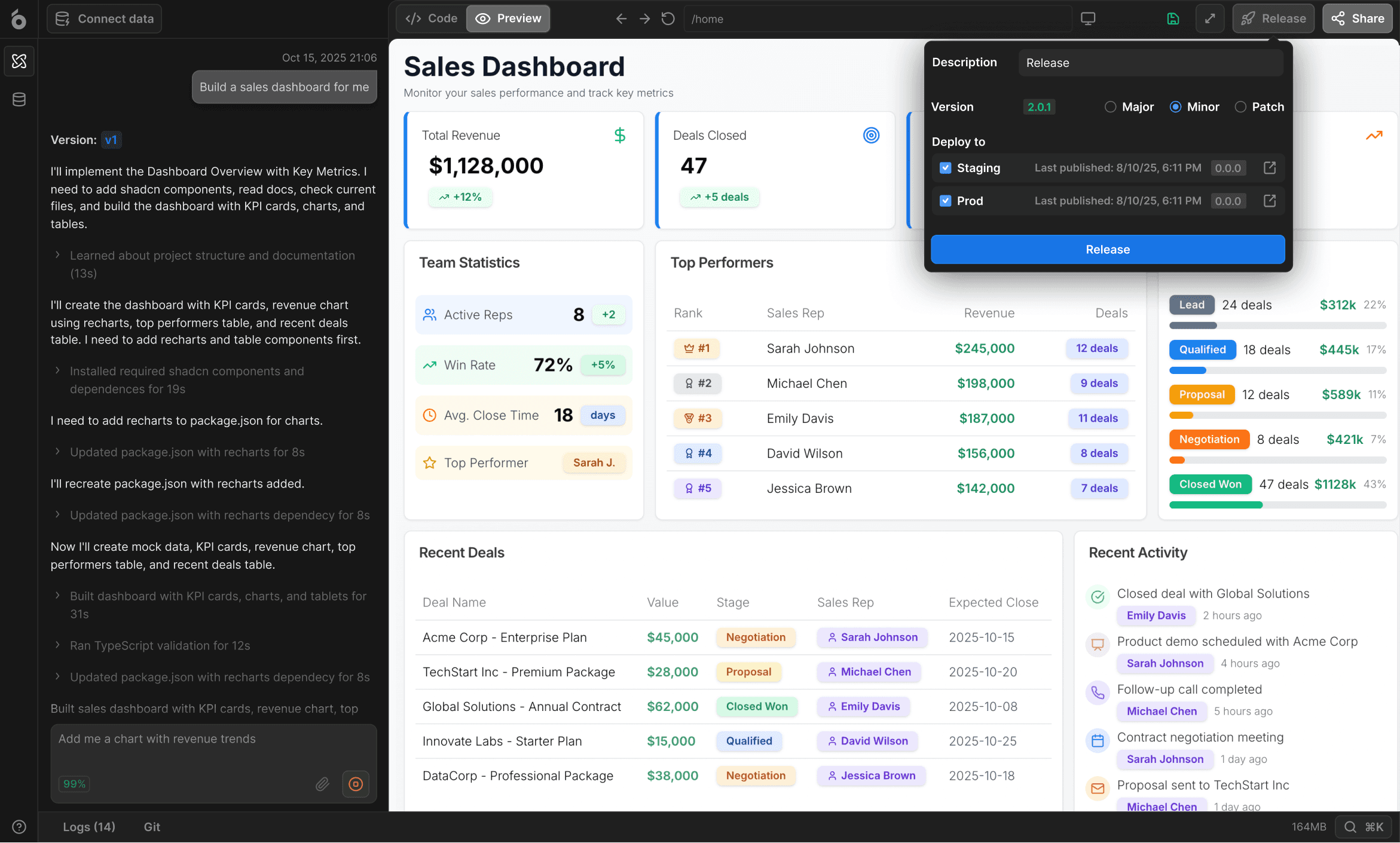
Best for: Teams that need internal workflow software, not just backend automation.
Common use cases:
- Invoice approval workflows
- Exception handling queues
- Support and admin back offices
- Review and triage dashboards
- Human-in-the-loop operations
- Internal operations dashboards
- Data editing and action-taking from a UI
- Scheduled and triggered workflow automation
Strengths:
- Combines automations with internal tools
- Good for approval layers and operator workflows
- Connects to databases and APIs
- Supports role-based access
- Useful for dashboards and admin panels
- Self-hosting available for teams that need more control
- Works well as the human-facing layer around existing automations
Limitations:
UI Bakery is not trying to replace every automation engine. It is not a pure RPA suite like UiPath, a universal iPaaS replacement like Workato, or a simple app-to-app automation tool like Zapier. It is strongest when the workflow needs a front end for humans to review, approve, edit, monitor, and act.
A practical example:
A backend automation can detect invoices that need approval. But the finance team still needs a dashboard to review invoices, filter by vendor, approve or reject, leave notes, and trigger payment status updates. That is not just automation. That is an internal workflow app.
10. Activepieces: best open-source automation software alternative
Activepieces is worth considering if your team wants an open-source automation software alternative. It is often compared with Zapier, Make, and n8n because it focuses on building workflow automations across apps while giving teams more control over the platform.
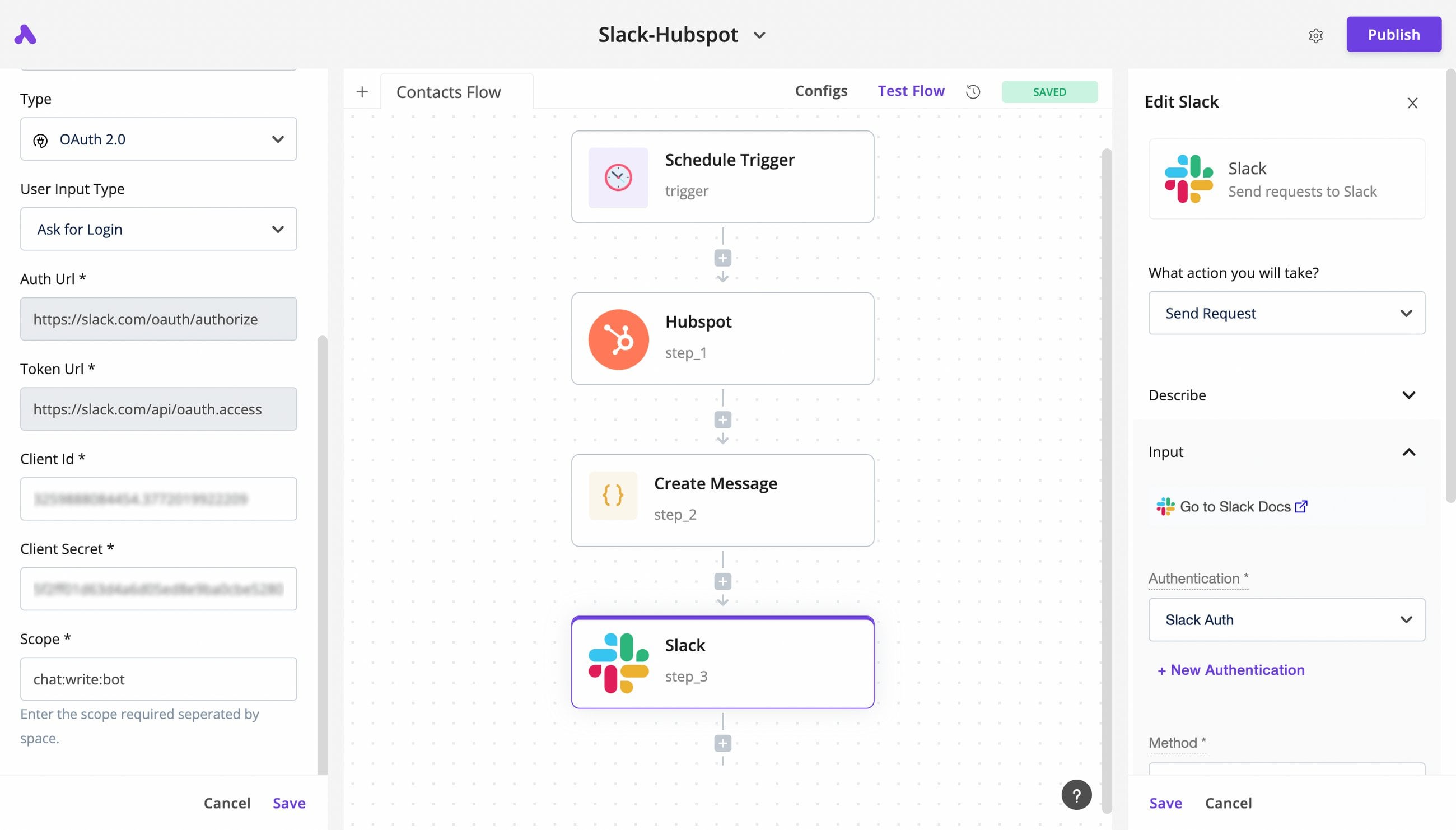
Best for: Teams looking for an open-source workflow automation option.
Strengths:
- Open-source positioning
- App automation workflows
- Useful for teams that want more control
- Alternative to Zapier-style platforms
Limitations:
The ecosystem is smaller than Zapier’s, and teams should evaluate integration depth, hosting requirements, governance, and long-term maintenance before adopting it for critical workflows.
How to choose the right automation software for your team
Use this decision framework before comparing individual vendors.
Choose Zapier if: You need the fastest way for non-technical users to connect common SaaS apps.
Choose Make if: You want visual workflow automation with branching, routing, and more flexible scenario design.
Choose n8n if: You need developer-friendly automation, API workflows, custom logic, and self-hosting.
Choose UI Bakery if: Your automation workflow also needs an internal app, dashboard, approval queue, admin panel, or operator console.
Choose Microsoft Power Automate if: Your company already runs on Microsoft 365, Teams, SharePoint, Dynamics, Azure, and Power Platform.
Choose UiPath if: You need RPA, desktop automation, unattended bots, or automation for legacy systems without reliable APIs.
Choose Workato if: You need enterprise-grade integration, orchestration, governance, and cross-system automation at scale.
Choose Appian if: You need process orchestration for complex, regulated, multi-team workflows.
Choose Airtable if: You need lightweight workflow tracking, structured data, and team-friendly interfaces.
When automation alone is not enough
A common mistake is assuming that every workflow should be fully automated. In real business operations, many workflows still need human judgment.
Examples:
- A high-value refund needs manager approval.
- A suspicious transaction needs review.
- A vendor invoice needs finance approval.
- A support escalation needs an admin decision.
- A data sync failure needs someone to inspect and retry.
- A compliance workflow needs audit history and role-based access.
In these cases, the automation engine is only one part of the system. You also need a place where humans can see what is happening and take action.
That is why many teams end up combining tools. For example:
- Zapier, Make, or n8n can move data and trigger events.
- UiPath can automate legacy UI work.
- Workato or Appian can orchestrate enterprise processes.
- UI Bakery can provide the internal interface for approvals, dashboards, queues, and operational actions.
This is the most honest way to think about automation software in 2026. The best stack is often not one tool. It is the right automation layer plus the right human-facing workflow layer.
Automation software implementation best practices
- Start with one workflow, not the whole company. Choose a process that is repetitive, painful, and measurable.
- Map the current process before choosing a tool. Identify triggers, systems, human decisions, edge cases, permissions, and failure points.
- Decide whether the workflow is fully automated or human-in-the-loop. If people need to review, approve, or edit data, plan the interface from the beginning.
- Check pricing at realistic volume. Task-based, credit-based, bot-based, and seat-based pricing models behave very differently at scale.
- Plan for debugging. Every production workflow eventually fails because of bad data, changed APIs, expired credentials, edge cases, or missing permissions.
- Add governance early. Use naming conventions, owners, logs, permissions, and review rules before workflows become business-critical.
- Keep the operator experience simple. A workflow is only useful if the team can understand what happened, what needs attention, and what action to take next.
Final recommendation
The best automation software in 2026 depends on the category of problem.
For simple app automation, start with Zapier or Make. For self-hosted and developer-first automation, evaluate n8n. For Microsoft-heavy companies, Power Automate is usually the practical choice. For RPA, UiPath is the stronger fit. For enterprise orchestration, look at Workato or Appian.
For teams that need automation plus a usable internal workflow layer, UI Bakery is the better fit. It helps teams build approvals, queues, dashboards, admin panels, and operational apps on top of databases, APIs, and existing business systems.
If your automations are already running but your team still manages exceptions in spreadsheets, Slack threads, or email chains, the missing piece may not be another automation engine. It may be the internal workflow layer your automations need.
Next step
Planning a HIPAA-sensitive internal app?
Use the checklist above to map data flow, roles, audit events, vendors, and deployment decisions before the first production workflow ships.
Healthcare operations example
Action Behavior Centers scaled internal operations across clinics with UI Bakery
For a real operational example, review UI Bakery customer stories and healthcare operations patterns.
5,000+users supported in the customer story
400+clinics mentioned in the case study
What is the best automation software for small teams?
For small teams, Zapier is usually the easiest starting point for simple app automation. Make is a good option if you want more visual workflow control. n8n is better for technical teams that want self-hosting or API-heavy workflows. UI Bakery is a better fit when the team needs an internal app, dashboard, approval queue, or admin panel around the workflow.
What is the difference between workflow automation software and RPA software?
Workflow automation software usually connects apps, APIs, data sources, and business steps through triggers and actions. RPA software automates actions inside user interfaces, such as desktop apps, browser portals, or legacy systems. Use workflow automation when systems expose APIs. Use RPA when the work still happens inside interfaces that humans normally click through.
Which automation software is best for self-hosting?
n8n is one of the strongest options for self-hosted automation workflows. UI Bakery is also relevant for teams that need self-hosted internal tools, dashboards, and workflow apps on top of databases and APIs. The right choice depends on whether you mainly need backend workflow automation or an internal interface for humans to manage the process.
Which automation software is best for internal operations and approval workflows?
UI Bakery is a strong fit for internal operations and approval workflows because it combines automation with internal tools, dashboards, queues, role-based access, and data actions. This is useful when teams need humans to review, approve, reject, edit, or advance workflow states.
Do I need automation software or an internal tool builder?
You need automation software if the main problem is moving data or triggering actions between systems. You need an internal tool builder if people need to view, edit, approve, monitor, or act on that data. Many real business workflows need both: an automation engine in the background and an internal app for the team operating the process.




"The UI Bakery platform offers a cost-effective approach to creating applications. With UI Bakery, you can achieve your app development goals without breaking the bank."

"Before switching to UI Bakery we developed a number of apps within the Retool system. The Retool system was good but ultimately did not have the flexibility and feature sets that we required."
Check the Story