

n8n vs Zapier (2026 Comparison): Which Automation Tool Should You Choose?

Updated:
April 23, 2026
If you're comparing Zapier vs n8n, here’s the quick answer:
- Zapier is better for fast, no-code automations,
- while n8n is better for flexible, scalable workflows with full control.
In reality, the choice comes down to this: do you want to connect tools quickly, or build automation as part of your system?
This distinction becomes more important as your workflows evolve. Early on, most teams just need to move data between tools, send notifications, or automate repetitive steps. In that phase, speed and simplicity matter more than anything else, and Zapier fits naturally.
But over time, automation tends to grow beyond simple triggers and actions. You start needing conditional logic, data transformations, integrations with internal systems, and more control over how workflows behave. At that point, automation is no longer just a convenience, it becomes part of your operational backbone.
That’s where tools like n8n start to make more sense. Instead of adapting your processes to fit a tool, you can design workflows around your actual business logic. This shift, from quick automation to structured systems, is what defines the real difference in the n8n vs Zapier comparison 2026.
What is Zapier?
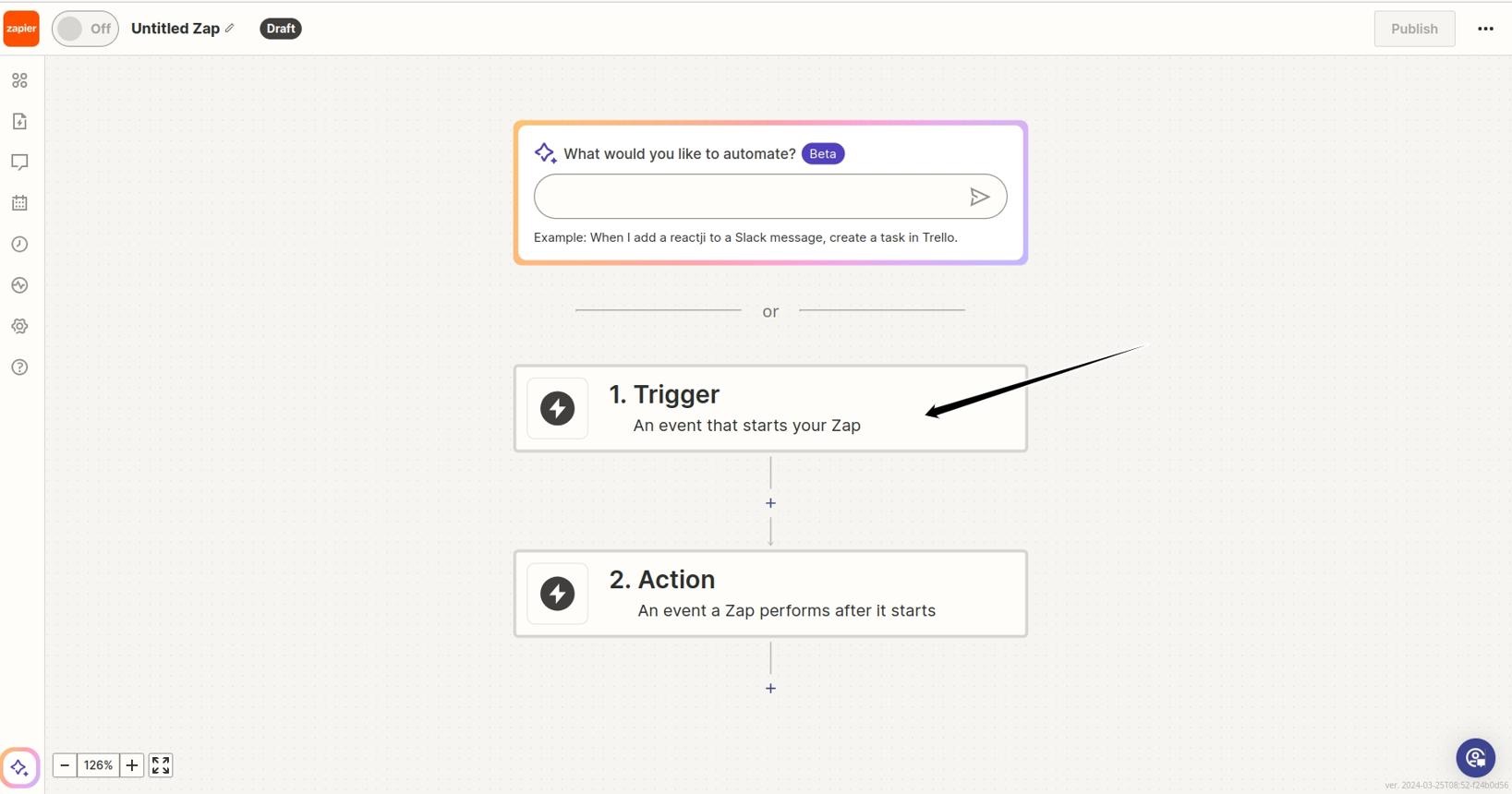
Zapier is a no-code automation platform designed to connect apps and automate repetitive workflows. It has been the default choice for non-technical users for years because it removes nearly all complexity from automation.
At its core, Zapier works on a simple model: a trigger starts a workflow, and one or more actions follow. This simplicity is intentional. It allows teams to automate processes without understanding APIs, infrastructure, or data flows.
Where Zapier stands out is speed. You can launch working automations in minutes using prebuilt templates. This makes it especially popular with marketing, operations, and sales teams.
However, as workflows become more complex, Zapier can start to feel limited. You are working inside a predefined structure, and while it supports multi-step logic, it is not designed for deeply customized workflows.
Key features:
- 6,000+ integrations across SaaS tools.
- Visual workflow builder (trigger – action).
- Multi-step workflows with filters and paths.
- Large library of templates.
- AI-assisted automation suggestions.
Strengths:
Zapier’s biggest strength is accessibility. It abstracts complexity so completely that almost anyone can automate tasks. This dramatically reduces time-to-value, especially in non-technical teams.
Pros:
- Very easy to use, no coding required.
- Huge integration ecosystem.
- Fast setup with minimal effort.
- Reliable hosted infrastructure.
Cons:
- Pricing scales with usage (can get expensive).
- Limited flexibility for complex logic.
- No self-hosting option.
- Harder to build system-level workflows.
Best for:
- Non-technical users.
- Quick SaaS integrations.
- Teams that need automation fast.
Zapier pricing plan in 2026
Zapier uses a task-based pricing model, meaning every step in a workflow counts as usage. This is the key factor when comparing n8n vs Zapier.
- Free Plan ($0/month)
Best for getting started and testing basic automations. You get around 100 tasks per month, with simple workflows (up to 2 steps) and access to core features like Zaps, Tables, and Forms. In practice, this plan is too limited for real use, but works well as a trial environment.
- Professional ($29.99/month)
This is the main individual plan where Zapier becomes fully usable. It includes multi-step workflows, access to premium apps, webhooks, and advanced logic like filters and conditional paths. Good for individuals or small teams, but costs can increase quickly as workflows grow and use more tasks.
- Team ($103.50/month)
Designed for collaboration across teams. It includes up to 25 users, shared workflows and folders, shared app connections, and features like SAML SSO and enhanced support. Best for teams that need to manage automation together across multiple users and departments.
- Enterprise (Custom)
For large organizations with advanced requirements. Includes unlimited users, advanced admin permissions, deployment options, observability, and a dedicated Technical Account Manager. Used when automation becomes mission-critical and requires governance, security, and reliability at scale.
What is n8n?
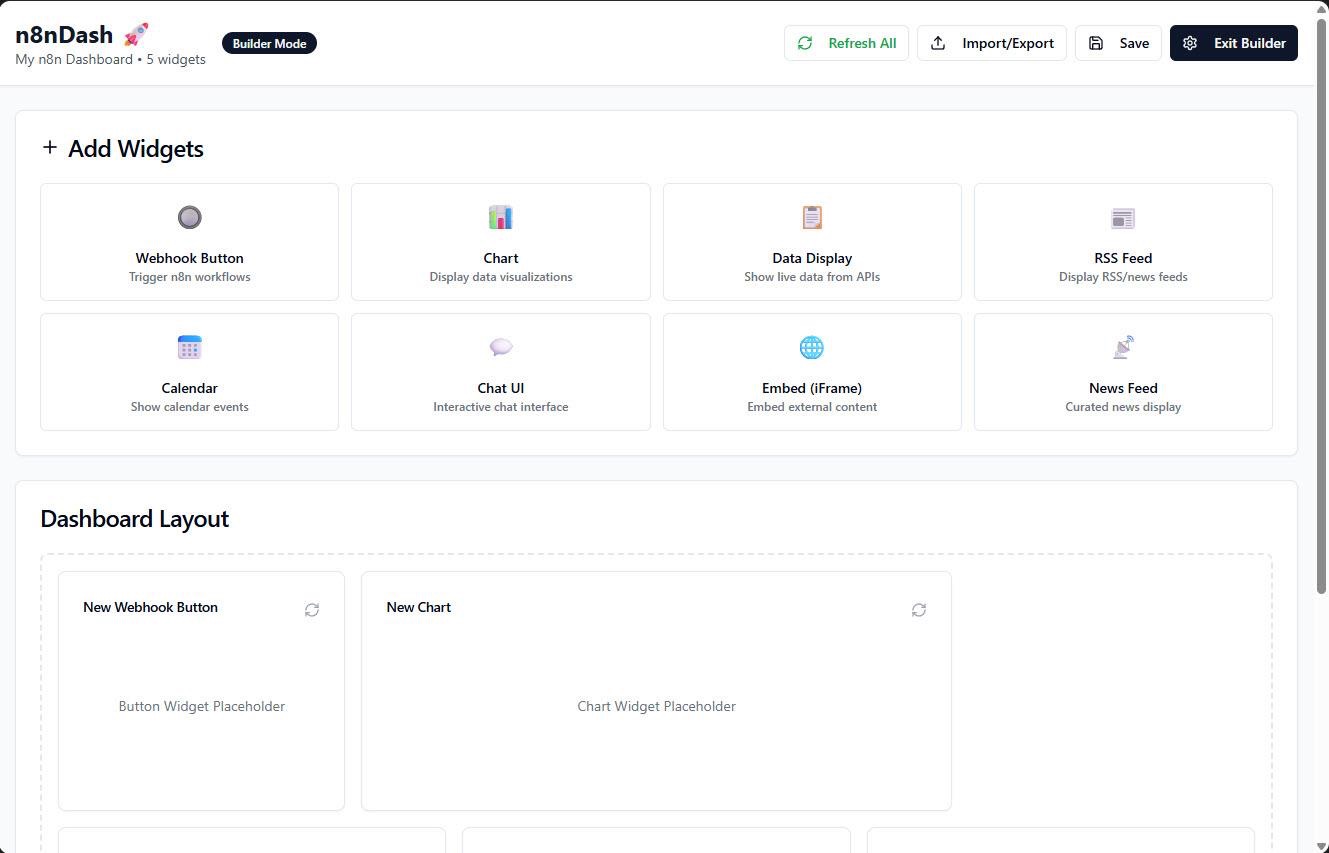
n8n is an open-source workflow automation tool built for flexibility. Unlike Zapier, it is designed with developers and technical teams in mind, offering deep control over workflows and data.
Instead of simplifying everything, n8n exposes more of the underlying logic. You work with nodes that represent actions, but you can also write custom code, call APIs directly, and design complex flows.
This makes n8n fundamentally different. It’s not just an automation tool – it’s closer to a workflow engine.
Another major difference is hosting. n8n can be self-hosted, which means you control your infrastructure and data. This is critical for companies with security, compliance, or performance requirements.
Key features:
- Open-source and self-hostable.
- Node-based workflow builder.
- Custom JavaScript logic.
- API-first extensibility.
- Full control over execution and data.
Strengths:
n8n’s strength is flexibility. It allows you to design workflows exactly the way your business needs them, rather than adapting your processes to a tool’s limitations.
Pros:
- No per-task pricing (self-hosted).
- Highly customizable workflows.
- Full control over data and execution.
- Suitable for complex automation.
Cons:
- Steeper learning curve.
- Requires setup and maintenance.
- Smaller integration library out of the box.
Best for:
- Developers and technical teams.
- High-volume automation.
- Internal tools and system workflows.
n8n pricing plans in 2026
n8n uses a different model: you pay per workflow execution, not per step. This makes a big difference in any n8n vs Zapier comparison.
- Self-Hosted (Free)
Best for developers and teams that want full control. You can run n8n on your own server with unlimited workflows and executions, but you are responsible for hosting and maintenance. In practice, this is the cheapest option long-term, but requires technical setup.
- Starter (€24/month)
This is the entry cloud plan. It includes around 2,500 workflow executions per month, with unlimited steps inside each workflow. Good for individuals or small projects, but limits can be reached quickly if workflows run frequently.
- Pro (€60/month)
Designed for production use. You get higher execution limits, better performance, and features like workflow history, insights, and admin controls. This is typically the best fit for small teams running real workflows daily.
- Business (€800/month)
Built for companies that need scale and collaboration. Includes around 40,000 executions, plus advanced features like SSO, environments, and version control. Best for teams where automation becomes part of core operations.
- Enterprise (custom)
For large organizations with strict requirements. Includes custom execution limits, advanced security, compliance features, and dedicated support. Used when automation is mission-critical and needs full governance.
The important distinction: cost does not scale with usage in the same way as Zapier.
n8n vs Zapier comparison 2026
When people search for Zapier vs n8n comparison, they’re often looking for a simple winner. But the reality is that these tools solve slightly different problems.
Zapier is optimized for simplicity and speed, while n8n is optimized for control and scalability.
What this means in practice:
- If you need something working today, Zapier is usually the fastest path.
- If you are building workflows that will become critical infrastructure, n8n is the better long-term choice.
- If cost predictability matters, n8n has a clear advantage.
- If your team is non-technical, Zapier removes almost all friction.
Where UI Bakery fits in
Automation tools handle logic, but they don’t always solve how teams interact with that logic. This is where UI Bakery fits naturally into the stack. Instead of just running workflows in the background, you can:
- Build internal dashboards on top of automated data.
- Create CRUD apps connected to APIs or databases.
- Turn automation into usable interfaces for teams.
For example:
- n8n handles backend automation.
- UI Bakery provides the frontend interface.
This is especially relevant when teams outgrow spreadsheets and need structured internal systems.
Use cases: Zapier vs n8n
Choosing between n8n vs Zapier depends heavily on your use case.
Choose Zapier if:
- You want to automate tasks quickly.
- Your team is non-technical.
- You rely heavily on SaaS integrations.
Choose n8n if:
- You need custom logic and flexibility.
- You want to reduce long-term automation costs.
- You are building internal systems.
Final thoughts
The n8n vs Zapier comparison is not about which tool is objectively better. It’s about what kind of workflows you are building. Zapier is ideal when automation is a tool. n8n is ideal when automation becomes part of your system.
As companies move from quick integrations to building internal infrastructure, the shift toward tools like n8n becomes more noticeable. But for many teams, Zapier remains the fastest way to get started and sometimes, that’s exactly what matters most.
Next step
Planning a HIPAA-sensitive internal app?
Use the checklist above to map data flow, roles, audit events, vendors, and deployment decisions before the first production workflow ships.
Healthcare operations example
Action Behavior Centers scaled internal operations across clinics with UI Bakery
For a real operational example, review UI Bakery customer stories and healthcare operations patterns.
5,000+users supported in the customer story
400+clinics mentioned in the case study
What is better: Zapier vs n8n?
Zapier is better for simplicity, while n8n is better for flexibility and scalability.
Is n8n cheaper than Zapier?
Yes, especially for high-volume workflows, because it doesn’t rely on per-task pricing.
Can n8n replace Zapier?
For technical teams, yes. It can replicate and extend most Zapier workflows.
Is Zapier still worth it in 2026?
Absolutely, especially for non-technical users and quick automation needs.
What is the biggest limitation of n8n?
The learning curve and the need for setup/maintenance.
Can I use Zapier and n8n together?
Yes. Some teams use Zapier for simple automations and n8n for complex workflows.



"The UI Bakery platform offers a cost-effective approach to creating applications. With UI Bakery, you can achieve your app development goals without breaking the bank."

"Before switching to UI Bakery we developed a number of apps within the Retool system. The Retool system was good but ultimately did not have the flexibility and feature sets that we required."
Check the Story