

What is Lovable AI? A Deep Dive into the Builder

Updated:
May 31, 2026
Updated: May 2026 - including Lovable 2.0 features, new pricing, and real user feedback.
Lovable AI is an AI-powered app builder that generates editable full-stack web applications from prompts and lets users refine them through chat.
Lovable is part of the “vibe coding” category: tools that let users create software through prompts and chat-based iteration instead of writing every line of code manually. It is especially useful for MVPs, SaaS prototypes, demos, and early product validation.
That does not make it a replacement for software engineering. Production applications still need human review for security, scalability, architecture, testing, and long-term maintenance.
Lovable AI: Quick Facts
Quick Verdict: Who Should Use Lovable AI?
Use Lovable when speed matters most: validating an idea, building a first version, or preparing a demo for customers or investors.
Use a more specialized platform when the application needs complex permissions, audit trails, approval flows, multiple data sources, or long-term operational reliability.
How Lovable AI Works
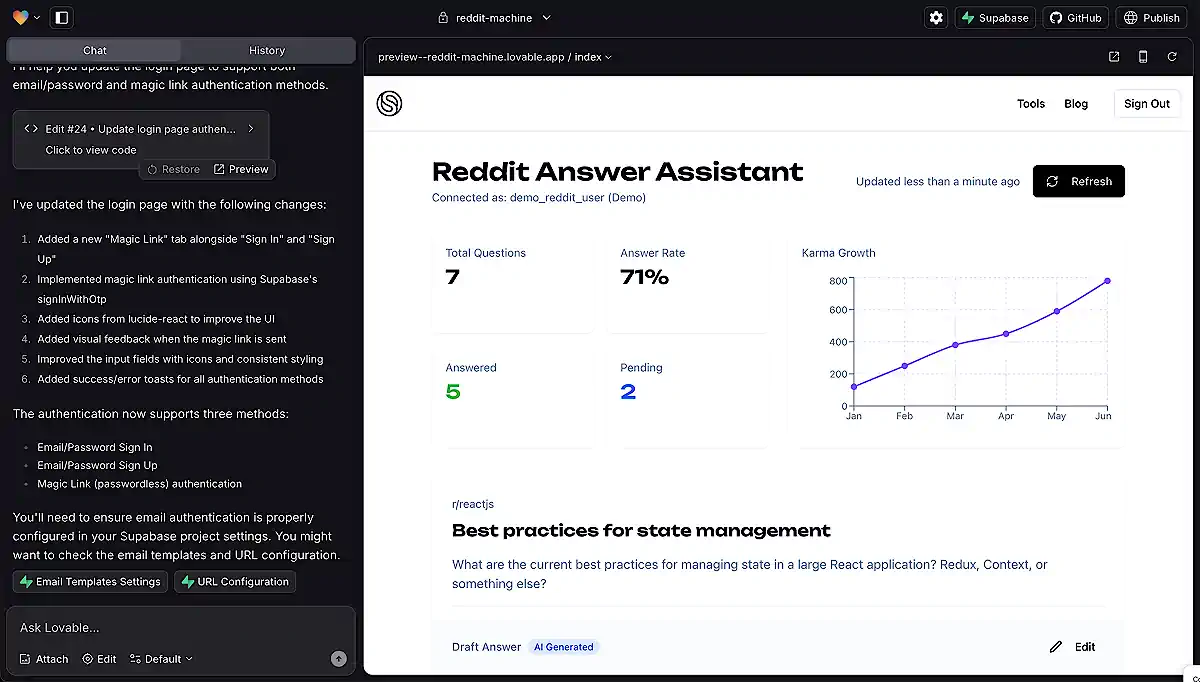
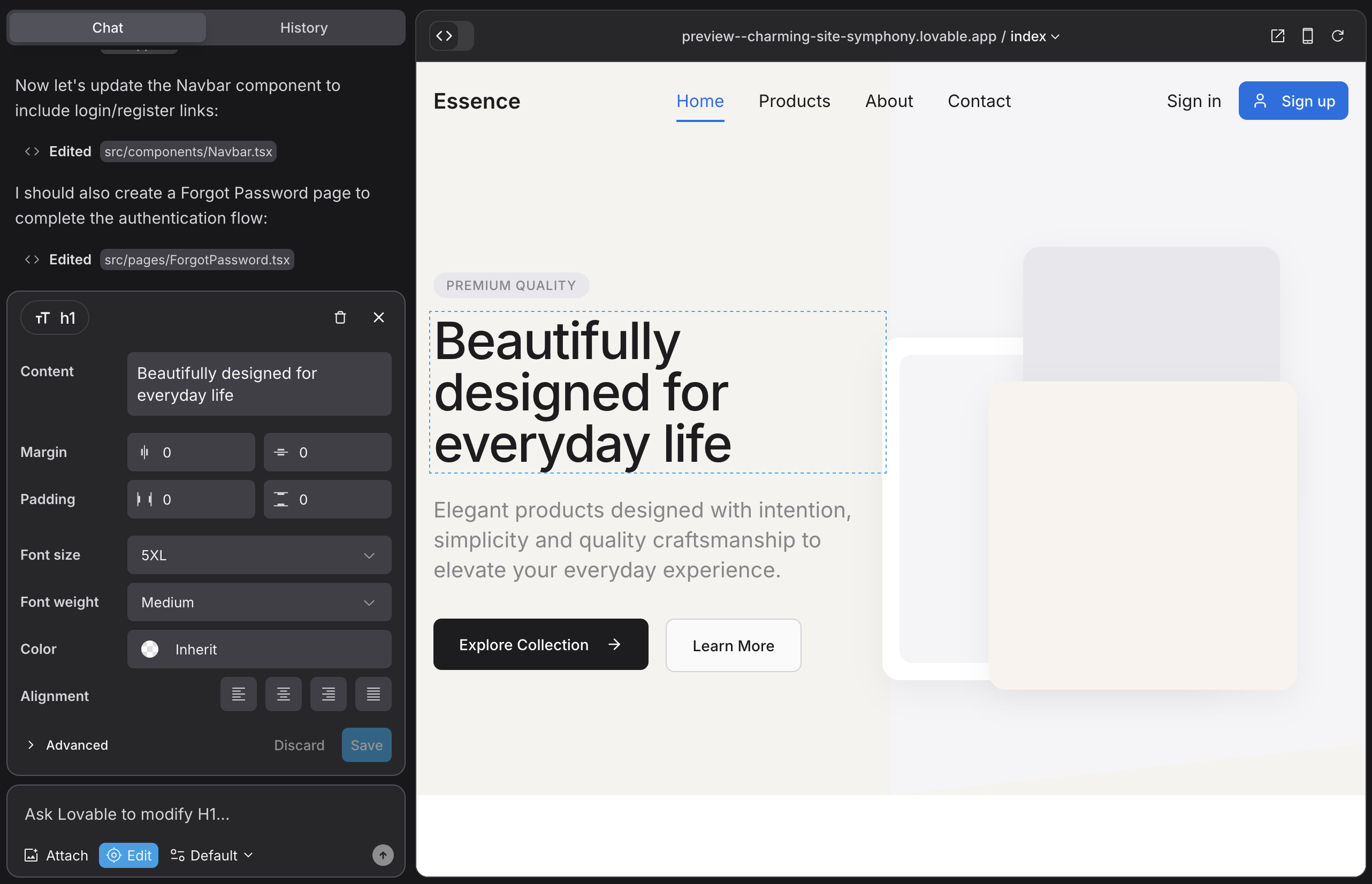
Lovable follows a conversational development model. Users describe the application, review the generated result, then ask for changes through chat.
Step 1: Describe Your Application
The process starts with a prompt such as:
```text
Build a CRM with contacts, companies, sales pipelines, and activity tracking.
```
Or:
```text
Create an inventory management dashboard with authentication, reporting, and role-based permissions.
```
Lovable analyzes the request and generates an initial application structure.
Step 2: Generate the Initial Application
The first version may include:
- Frontend pages
- Navigation and routing
- Authentication
- Database structure
- CRUD functionality
- API integrations
- Responsive layouts
Users receive a live preview and can continue refining the app.
Step 3: Iterate Through Chat
Users can request changes conversationally:
- Add dark mode
- Create a reporting dashboard
- Add role-based permissions
- Connect Stripe payments
- Create an approval workflow
- Add email notifications
Lovable modifies the application and updates the codebase.
Step 4: Deploy or Continue Development
Once satisfied, users can:
- Publish through Lovable
- Connect custom domains
- Sync the project with GitHub
- Continue development in an external IDE
- Collaborate with developers through GitHub workflows
The GitHub integration is important because it gives teams a path beyond prompt-only development. Projects can be reviewed, modified, backed up, and continued in traditional development tools when they become more complex.
Key Features of Lovable AI
Natural-Language Application Generation
Lovable’s core capability is converting prompts into applications. Instead of configuring frameworks and writing boilerplate manually, users can start with a plain-English description of the product they want to build.
Full-Stack Development
Lovable aims to generate complete applications, not just interface mockups. Depending on the project, this can include frontend screens, backend logic, database schemas, authentication, and integrations.
GitHub Synchronization
Generated projects can be synced to GitHub. This supports version control, code review, collaboration, backup, and continued development in tools such as Cursor, VS Code, or other IDEs.
Supabase Integration
Lovable is closely integrated with Supabase, which can provide authentication, database management, file storage, and backend functionality for many MVP-style applications.
Hosting and Deployment
Users can publish applications directly from Lovable, which reduces setup work for non-technical founders and teams testing early ideas.
Security Features
Lovable’s documentation highlights built-in security tools such as API key detection, row-level security analysis, database security checks, code security review, and dependency audits.
These checks can reduce risk, but they do not replace a full security review. Applications that handle sensitive data, payments, regulated workflows, or business-critical operations still need independent code review, security testing, and compliance checks before launch.
Lovable AI Pricing
Pricing changes frequently in the AI tooling market, so users should verify current details on Lovable’s official pricing page before purchasing.
As of May 2026, Lovable’s official pricing page lists these plans:
Lovable uses a credit-based model. Credits are consumed by AI prompts and generation workflows. Lovable’s FAQ states that Plan mode costs 1 credit per message, while Agent mode usage can vary.
Prototyping Can Be Affordable
For MVPs, landing pages, small SaaS prototypes, and internal proof-of-concepts, the base subscription may be enough to test an idea quickly.
Heavy Iteration Can Become Expensive
The larger cost risk is the number of AI iterations required to reach a stable application. Complex projects often need repeated redesigns, debugging cycles, refactoring attempts, and AI-generated fixes.
For that reason, evaluating Lovable only by subscription price can be misleading. A better question is how many iterations the project will need before it is stable, secure, and ready to operate.
Lovable AI Pros and Cons
Lovable is strongest at the beginning of a project, when the goal is to move from idea to working version quickly. As the application grows, traditional engineering practices become more important.
Is Lovable AI Production Ready?
Sometimes, but not automatically.
A demo-ready application is not the same as a production-ready system. Production software must address security, authentication, data protection, performance, monitoring, scalability, error handling, compliance, and maintainability.
Lovable can generate a strong starting point for a production application, especially for simple products. Larger applications should go through code review, architecture review, security testing, and QA before launch.
Generated code should be treated as a foundation, not as a finished system by default.
Lovable AI Alternatives
Lovable is one of several AI-assisted development tools available in 2026. The best Lovable alternative depends on whether the goal is fast app generation, professional coding support, browser-based development, or internal business software.
Lovable vs Bolt
Lovable and Bolt are both used for rapid AI-assisted app generation. Lovable is more focused on guided prompt-to-app creation, while Bolt is closer to a browser-based development workspace for generating and editing full-stack projects.
Choose Lovable when you want a guided AI app builder. Choose Bolt when you want a more developer-oriented browser workspace for quick prototypes.

Lovable vs Cursor
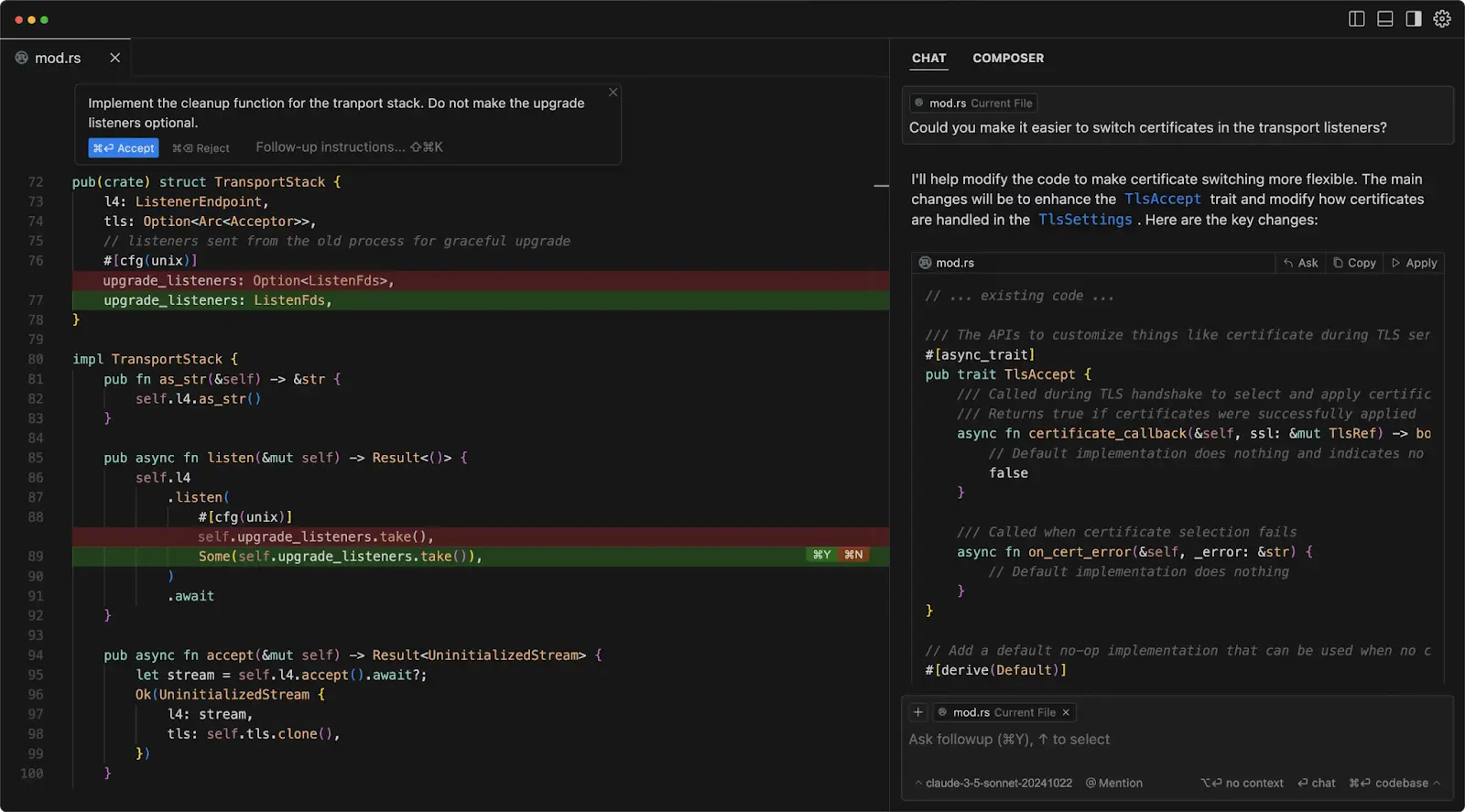
Lovable helps users generate an application from prompts. Cursor helps developers work inside an existing codebase with AI-assisted editing, debugging, and refactoring.
Choose Lovable when you need a first version quickly. Choose Cursor when you already have code or need deeper engineering control.
Lovable vs Replit
Replit is closer to a cloud IDE with hosting and collaboration features. Lovable is closer to an AI product builder that starts from natural-language prompts.
Choose Replit when you want a flexible coding environment in the browser. Choose Lovable when you want AI to generate more of the initial application structure.

Lovable vs UI Bakery
Lovable is strongest for generating new apps from prompts, especially MVPs and prototypes.
UI Bakery is stronger when the goal is an internal business application: dashboards, admin panels, CRUD tools, approval workflows, reporting systems, and apps connected to databases or APIs.
The difference is prototype generation vs operational application development.

When to Use Lovable
Lovable is usually a strong choice if you need to:
- Validate a startup idea quickly
- Build a proof of concept
- Create a SaaS prototype
- Generate a first version of a product
- Experiment with product ideas
- Launch a demo for customers or investors
- Accelerate development with editable code
If speed is the main priority, Lovable is a practical option.
When to Choose an Alternative
An alternative may be a better fit when your application requires:
- Multiple database connections
- Complex business workflows
- Approval processes
- Role-based access controls
- Audit trails
- Operational dashboards
- Enterprise governance
- Internal business tooling
These requirements often appear after the MVP stage, when an application begins supporting real business operations. At that point, priorities shift from speed to reliability, maintainability, and control.
When to Use UI Bakery Instead of Lovable
Lovable and UI Bakery solve different problems. Lovable is designed to generate new applications from prompts. UI Bakery is designed for internal applications connected to business systems and operational data.
Teams looking for an AI app generator for internal tools, a low-code platform for secure internal tools, or a way to build internal tools connected to operational systems should compare both approaches before deciding.
Methodology
To prepare this review, we checked Lovable’s official documentation, pricing FAQ, GitHub integration documentation, security documentation, independent product reviews, public startup news, and community discussions from Reddit.
Official Lovable sources were used for product, pricing, GitHub, and security claims. Independent reviews and community discussions were used to understand user sentiment, common objections, and practical limitations.
Pricing and product details were last reviewed in May 2026.
Final Recommendation
Lovable is best understood as an accelerator. It can help teams move from idea to working application faster, especially during MVP development and early product validation.
That speed has limits. As applications grow, security, governance, maintainability, permissions, integrations, and operational reliability become more important.
- Use Lovable when speed, experimentation, and MVP generation matter most.
- Use developer tools such as Cursor or Replit when engineering control matters most.
- Use UI Bakery when the app is an internal tool, dashboard, approval workflow, CRUD interface, or operational system connected to business data.
Next step
Planning a HIPAA-sensitive internal app?
Use the checklist above to map data flow, roles, audit events, vendors, and deployment decisions before the first production workflow ships.
Healthcare operations example
Action Behavior Centers scaled internal operations across clinics with UI Bakery
For a real operational example, review UI Bakery customer stories and healthcare operations patterns.
5,000+users supported in the customer story
400+clinics mentioned in the case study
What is Lovable AI?
Lovable AI is an AI-powered application builder that generates editable full-stack web applications from natural-language prompts.
Is Lovable AI free?
Lovable offers a free plan. As of May 2026, the free plan includes 5 daily credits with a 30-credit monthly cap. Serious development usually requires a paid plan and additional credits depending on usage.
Is Lovable AI good for production applications?
Lovable can be used as a starting point for production applications, but generated code should be reviewed, tested, secured, and monitored before deployment.
Can Lovable AI export code?
Lovable allows users to connect projects to GitHub, back up their code, collaborate with developers, and continue development outside the platform.
What is the best Lovable AI alternative?
The best alternative depends on the use case. Bolt is strong for rapid prototyping, Cursor is strong for professional development, Replit is strong for browser-based coding, and UI Bakery is strong for internal business applications.
Is UI Bakery better than Lovable for internal tools?
For dashboards, admin panels, CRUD applications, approval workflows, and operational software connected to databases and APIs, UI Bakery is typically a better fit because it is designed specifically for those use cases rather than general-purpose prompt-to-app generation.





"The UI Bakery platform offers a cost-effective approach to creating applications. With UI Bakery, you can achieve your app development goals without breaking the bank."

"Before switching to UI Bakery we developed a number of apps within the Retool system. The Retool system was good but ultimately did not have the flexibility and feature sets that we required."
Check the Story