

What Are CRM Tools & How to Use Them: Full Guide for Teams in 2026
%201.png)
Updated:
February 13, 2026
Customer relationships used to live in spreadsheets, inboxes, and scattered notes. Today, businesses rely on CRM platforms to organize data, automate workflows, and improve how teams sell, market, and support customers.
But what are CRM tools, how do they actually work, and which ones should you consider? In this long-read guide, we’ll break down the meaning of CRM software, explain what CRM tools are used for, review popular platforms, and help you understand how to build or customize a CRM that truly fits your workflow.
What are the CRM tools?
CRM stands for Customer Relationship Management. CRM tools are software platforms designed to help businesses manage interactions with leads, customers, partners, and internal stakeholders.
Instead of storing information across emails or spreadsheets, a CRM centralizes:
- Customer contact data.
- Sales pipelines.
- Communication history.
- Tasks and reminders.
- Analytics and forecasting.
CRM tools usually refer to platforms that combine databases, automation, dashboards, and integrations into one workspace.
What are CRM tools used for?
Understanding what are CRM tools used for is essential before choosing one. Modern teams use CRM software to:
- Track sales pipelines and deal stages.
- Manage customer onboarding.
- Automate follow-ups and marketing sequences.
- Store notes, files, and conversation history.
- Analyze customer behavior and revenue trends.
- Improve collaboration between sales, support, and operations teams.
In short, CRM tools reduce manual work and help companies move faster without losing visibility.
What are CRM tools examples? Top platforms explained
Below are detailed CRM tools examples used across startups, enterprises, and growing teams. Each tool has a different philosophy – some focus on sales, others on automation or customization.
Salesforce – enterprise-level CRM ecosystem
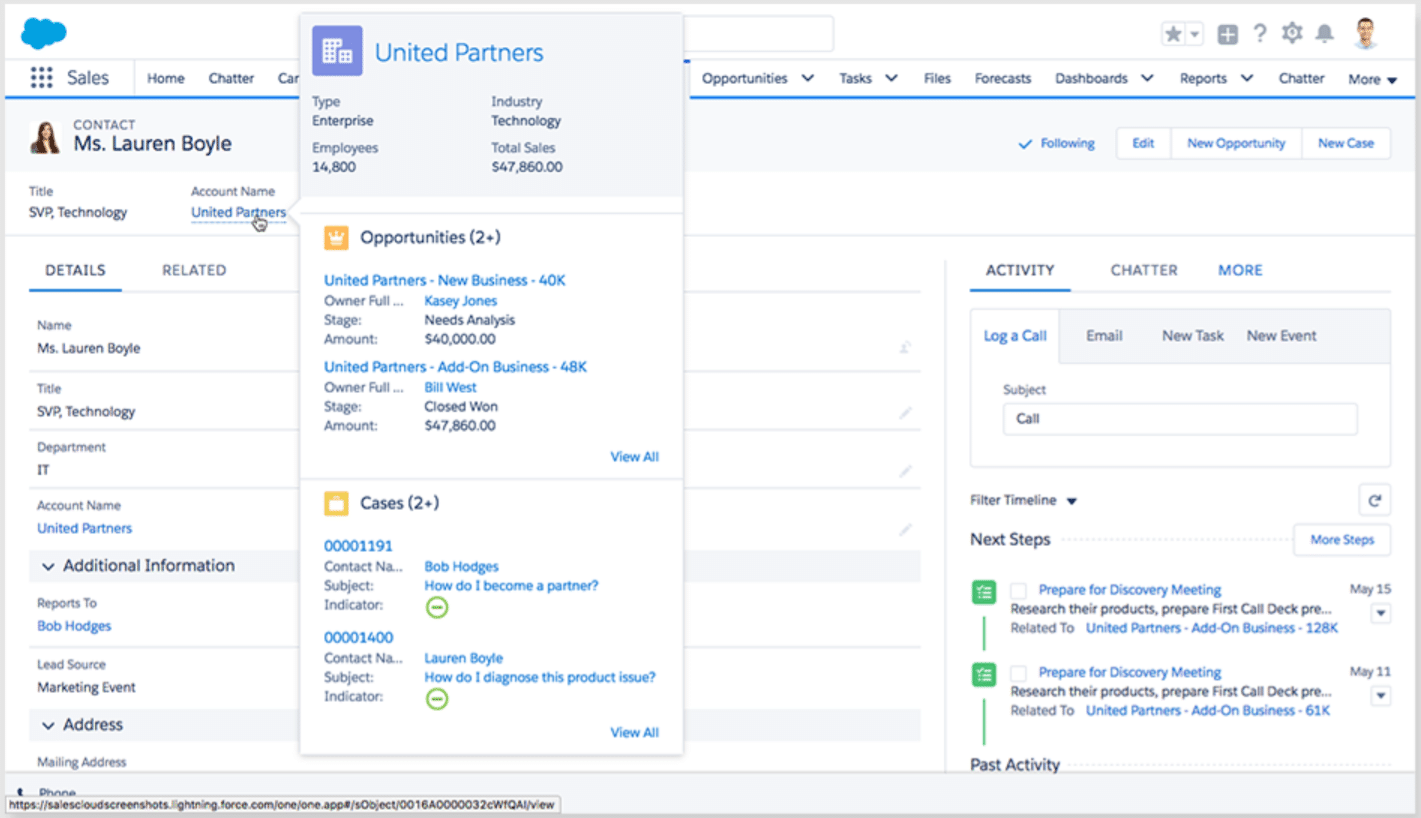
Salesforce – one of the most recognized CRM platforms globally and has become a standard choice for enterprise organizations managing complex customer journeys. It provides a highly customizable ecosystem that allows companies to design their own sales processes, automate workflows, and connect data across departments.
Beyond traditional CRM functionality, Salesforce operates more like a business platform, offering app marketplaces, AI-powered analytics, and industry-specific solutions that scale with organizational growth.
Key strengths:
- Extremely flexible architecture.
- Advanced automation and AI features.
- Massive integration marketplace.
Key features:
- Lead and opportunity tracking.
- Custom workflows.
- Reporting dashboards.
- Role-based permissions.
Pros:
- Scales well for enterprise operations.
- Strong analytics and forecasting.
- Extensive third-party support.
Cons:
- High learning curve.
- Expensive for smaller teams.
- Requires ongoing configuration.
Best for: large enterprises, complex sales organizations, and companies needing deep customization.
HubSpot CRM – marketing-focused simplicity
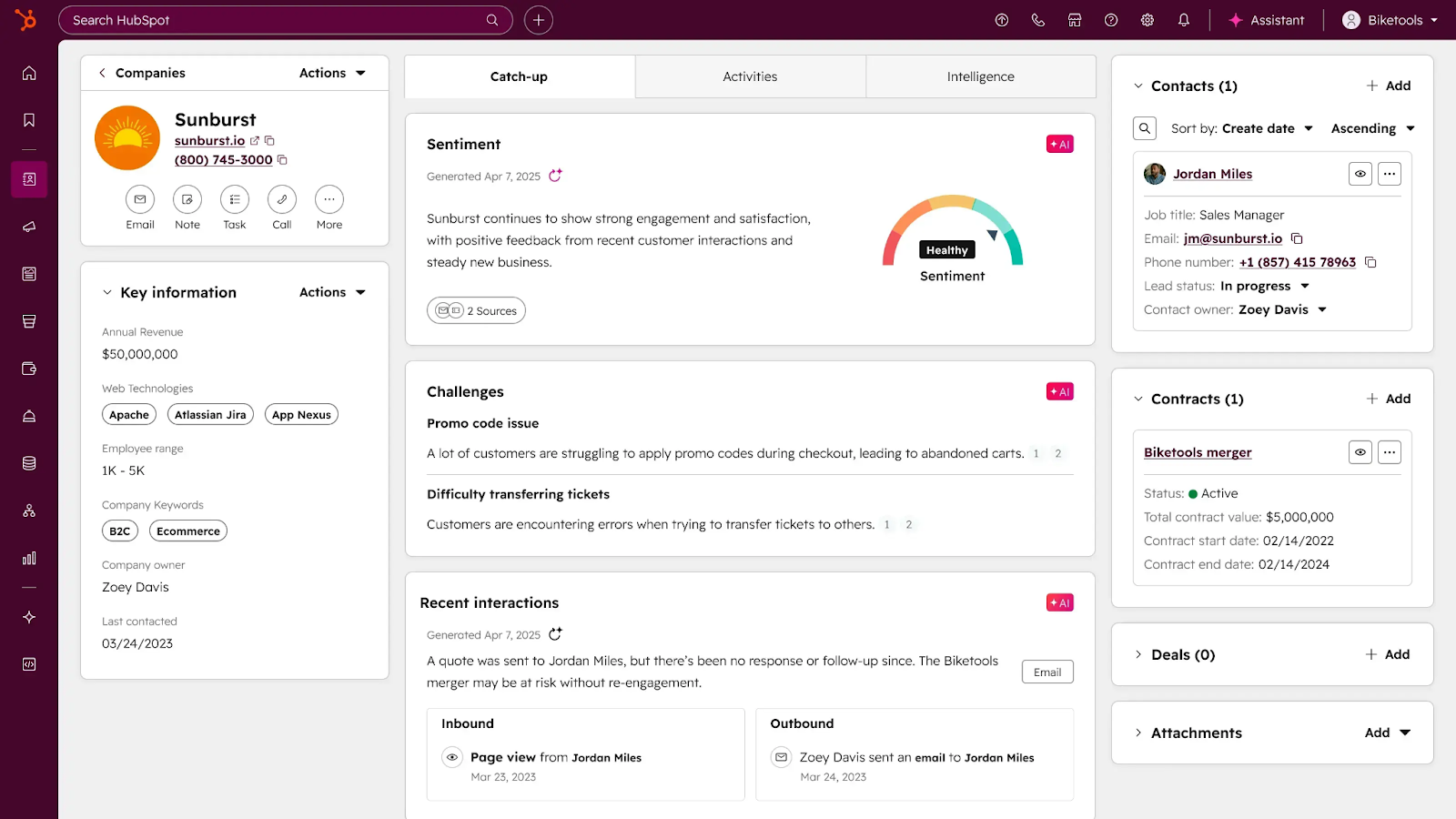
HubSpot CRM is widely known for its user-friendly interface and strong focus on inbound marketing strategies. Many teams adopt it because it combines CRM functionality with marketing automation, email tools, and content tracking in one ecosystem.
Unlike traditional enterprise CRMs, HubSpot emphasizes quick onboarding and visibility into the full customer journey – from the first website visit to long-term retention.
Key strengths:
- Easy onboarding.
- Unified sales and marketing automation.
- Strong email and content integration.
Key features:
- Contact timelines.
- Deal tracking.
- Email automation.
- Analytics dashboards.
Pros:
- Beginner-friendly UI.
- Strong ecosystem for inbound marketing.
- Quick setup.
Cons:
- Advanced features become expensive quickly.
- Less flexible for highly technical workflows.
Best for: startups, marketing-driven teams, and companies wanting quick CRM adoption.
Pipedrive – pipeline-first CRM for sales teams
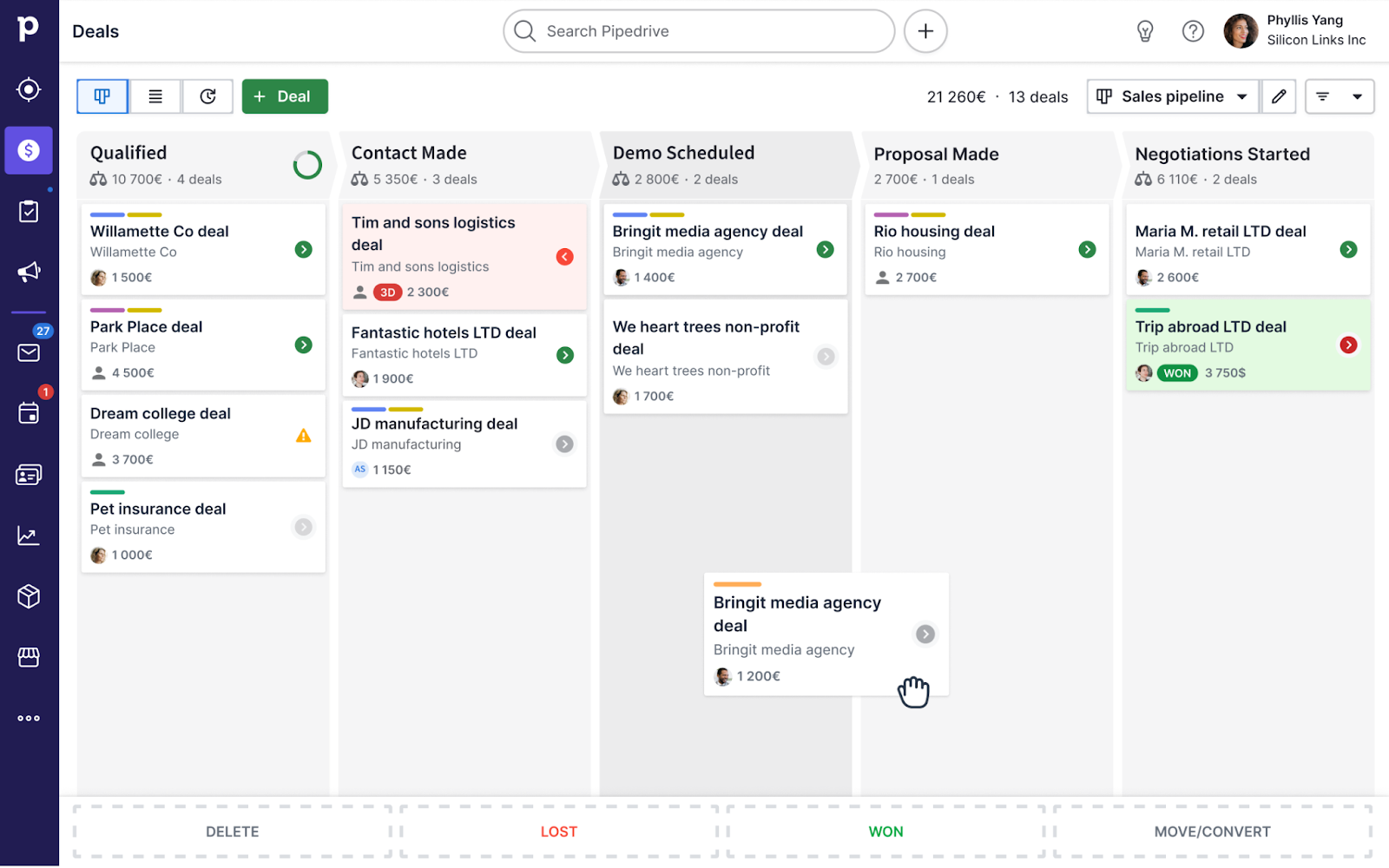
Pipedrive is designed around a clear philosophy: CRM software should make sales processes visual and easy to manage. Instead of overwhelming users with complex configuration options, it focuses on pipeline clarity and daily task execution.
This simplicity makes it popular among small and mid-sized teams that want structure without heavy technical setup or long implementation cycles.
Key strengths:
- Visual pipeline management.
- Simple automation rules.
- Fast onboarding.
Key features:
- Drag-and-drop deal stages.
- Activity tracking.
- Email integration.
- Sales reporting.
Pros:
- Very intuitive interface.
- Affordable compared to enterprise CRMs.
- Designed specifically for sales workflows.
Cons:
- Limited advanced customization.
- Not ideal for complex enterprise structures.
Best for: sales-driven teams that want simplicity over heavy customization.
Zoho CRM – flexible and cost-effective
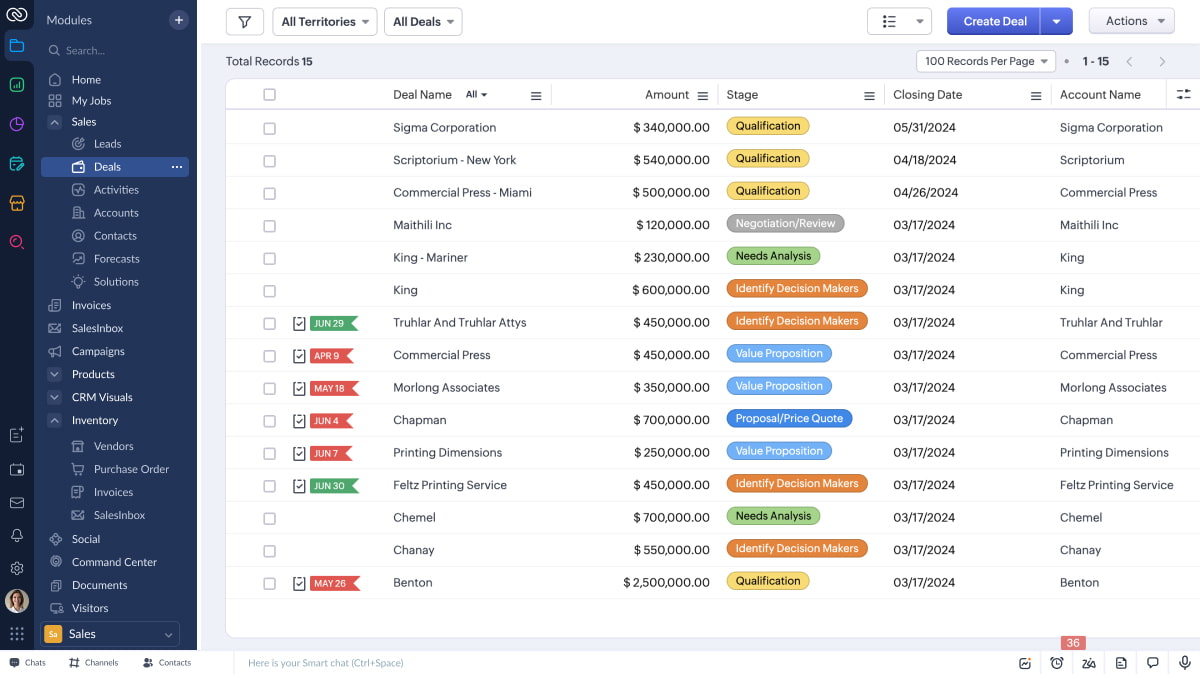
Zoho CRM is part of a broader ecosystem of business applications, allowing companies to extend CRM workflows into finance, support, and project management tools. It offers a balance between affordability and advanced functionality, making it attractive to growing teams that need customization without enterprise-level pricing. With built-in automation and AI-driven insights, Zoho CRM aims to provide flexibility while still remaining accessible to non-technical users.
Key strengths:
- Modular ecosystem.
- Competitive pricing.
- Automation features.
Key features:
- Workflow automation.
- AI insights.
- Custom modules.
- Multichannel communication tracking.
Pros:
- Highly customizable.
- Good balance of features vs cost.
- Strong integration capabilities.
Cons:
- UI can feel outdated.
- Learning curve for advanced automation.
Best for: SMBs and teams want flexibility without heavy enterprise pricing.
Monday Sales CRM – visual workflow management
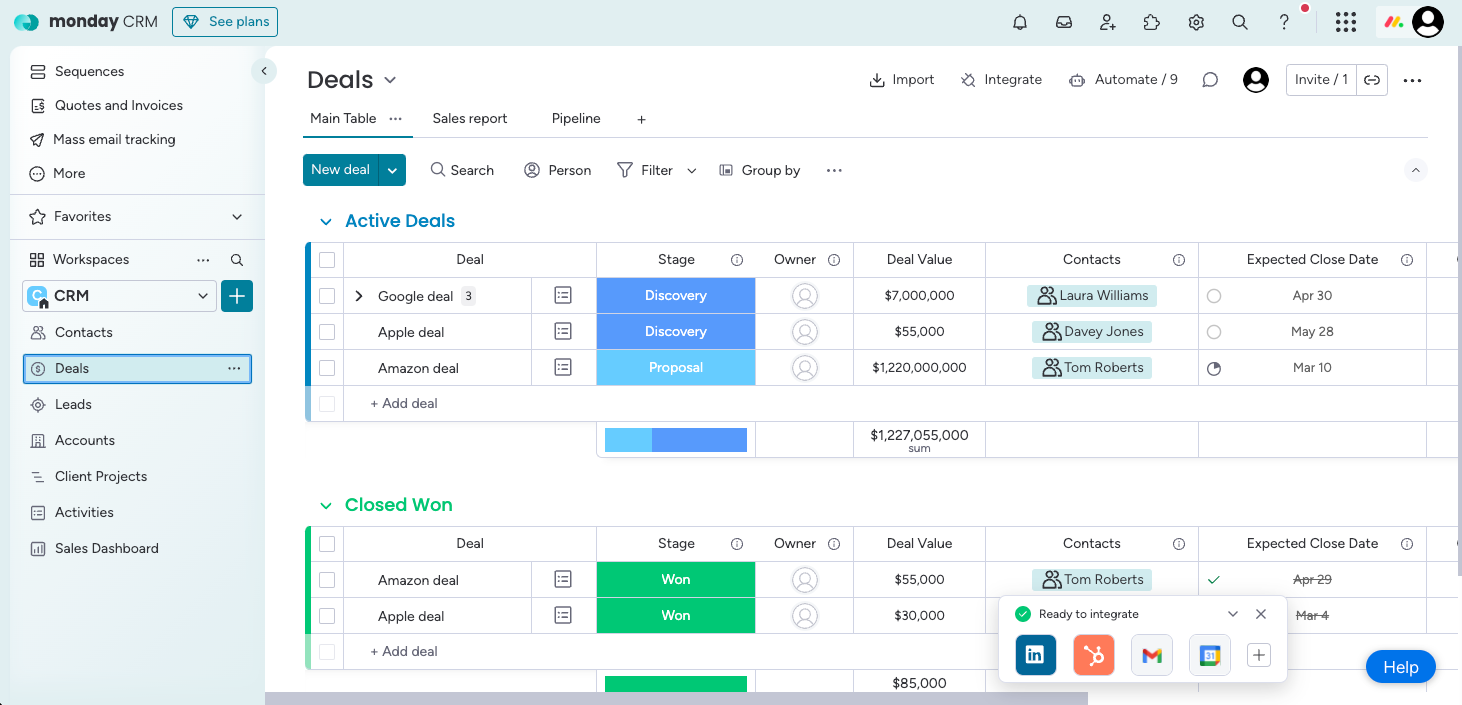
Monday Sales CRM builds on Monday.com’s visual workspace concept, turning pipelines and customer workflows into collaborative boards that teams can easily adapt. Instead of following a rigid CRM structure, users can design their own layouts and automation logic using a drag-and-drop interface.
This approach makes it especially appealing to teams that want CRM capabilities integrated with project management and internal operations.
Key strengths:
- Visual workflow boards.
- Collaborative features.
- Custom views and dashboards.
Key features:
- Deal tracking.
- Automation triggers.
- Reporting widgets.
- Team collaboration tools.
Pros:
- Highly visual.
- Easy to adapt to different teams.
- Strong automation builder.
Cons:
- Not as deep as traditional CRMs.
- Pricing grows with team size.
Best for: teams that want CRM functionality inside a broader work management system.
How AI is changing CRM tools
CRM software is shifting from static databases toward intelligent systems that help teams act faster. AI-driven CRM capabilities now include:
- Predictive lead scoring.
- Automated task creation.
- Smart data enrichment.
- Conversational interfaces.
Many teams are also moving toward building custom CRM workflows rather than adapting to rigid SaaS platforms.
UI Bakery – Building a CRM Without Vendor Lock-In Using an AI Agent
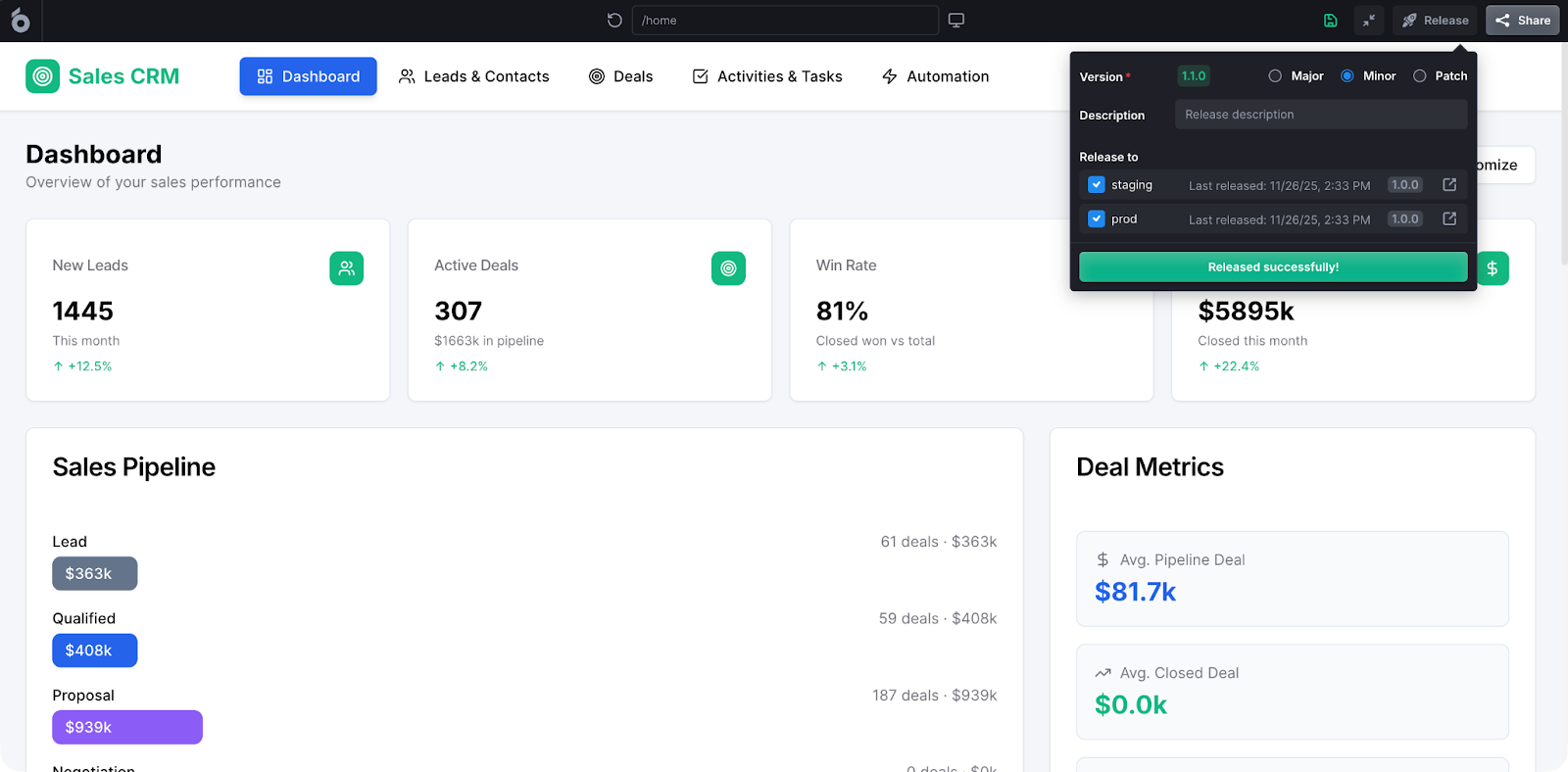
Some teams don’t want a traditional CRM at all – they want full control over data, permissions, and logic. Instead of adopting a monolithic SaaS platform, they build CRM layers directly on top of existing databases. This is where tools like UI Bakery come in.
Unlike traditional CRM platforms that impose a predefined structure, UI Bakery acts as an AI Agent that helps teams generate internal applications, including CRM systems, directly on top of their existing infrastructure. Instead of forcing you into a rigid SaaS workflow, it focuses on flexibility, real data access, and long-term scalability.
For companies already managing operational data internally, building a CRM this way often results in faster iteration and lower long-term costs.
Key strengths
- AI-driven app generation that helps teams create CRM interfaces, dashboards, and workflows faster without starting from scratch.
- Works directly on top of existing databases and APIs, allowing companies to keep full ownership of their data and avoid vendor lock-in.
- High level of customization compared to traditional CRM SaaS platforms – teams can design workflows that match their real operational processes instead of adapting to predefined pipelines.
- Enterprise-ready features such as role-based access control, audit logs, and secure deployment options.
- Designed for internal tools and operational systems, making it suitable for companies that need CRM functionality combined with analytics, automation, and custom logic.
Key features
- AI Agent that generates internal CRM apps, admin panels, and data-driven interfaces from prompts or structured input.
- Direct integrations with Postgres, MySQL, MongoDB, REST APIs, GraphQL, and other data sources for real-time data interaction.
- Visual UI builder with drag-and-drop components for tables, forms, charts, and custom dashboards.
- Workflow automation using visual logic or JavaScript for updating deals, triggering actions, or integrating external services.
- Granular permission management to control what different teams or user roles can see and do inside the CRM.
- Self-hosted and cloud deployment options for teams needing security and infrastructure control.
How to choose the right CRM tool
When evaluating what are CRM tools examples that fit your needs, ask:
- Do you need enterprise-level automation or simple pipelines?
- Will non-technical teams manage workflows?
- Do you want SaaS convenience or database-level control?
- How important is avoiding vendor lock-in?
If your workflow is highly specific, building a custom CRM layer may outperform traditional software.
How to use CRM tools effectively
Knowing what are CRM tools used for is one thing – using them correctly is what brings real value. A CRM should support your workflow, not just store contacts. Here’s a simple framework teams follow when getting started.
- Define Your Structure First. Before adding data, decide on pipeline stages, contact fields, and user roles. A clean structure makes reporting and automation much easier later.
- Import and Organize Contacts. Upload leads and customer data carefully. Remove duplicates, standardize fields, and make sure information is consistent across records.
- Customize the Pipeline. Set up stages that reflect your real process. For example: New Lead – Qualified – Proposal – Closed. Tools like Pipedrive or HubSpot make this visual, while enterprise CRMs allow deeper customization.
- Automate Repetitive Work. Use CRM automation to send follow-ups, assign tasks, or notify team members when deals move forward. Start simple and expand gradually.
- Connect Your Existing Tools. To fully understand what are crm tools examples capable of, integrate email platforms, analytics tools, or internal databases. Some teams even build CRM interfaces directly on top of their own data using AI-driven builders.
- Track Performance with Dashboards. Use reports to monitor pipeline health, conversion rates, and revenue trends. A CRM becomes powerful when it drives decisions, not just data storage.
FAQ
1. What are CRM tools?
CRM tools are software platforms that help businesses manage customer relationships, track deals, store data, and automate workflows across sales, marketing, and support.
2. What are crm tools used for?
They are used for managing pipelines, organizing contacts, automating communication, analyzing performance, and improving collaboration between teams.
3. What are CRM tools examples?
Popular examples include Salesforce, HubSpot CRM, Pipedrive, Zoho CRM, Monday Sales CRM, and AI-based internal app builders that allow custom CRM creation.
4. Which CRM tool is best for startups?
Startups often choose HubSpot CRM or Pipedrive because they are easy to adopt and don’t require complex setup.
5. Can I build my own CRM without coding?
Yes. AI-driven platforms like UI Bakery allow teams to build CRM interfaces on top of existing databases, reducing vendor lock-in and enabling full customization.
Next step
Planning a HIPAA-sensitive internal app?
Use the checklist above to map data flow, roles, audit events, vendors, and deployment decisions before the first production workflow ships.
Healthcare operations example
Action Behavior Centers scaled internal operations across clinics with UI Bakery
For a real operational example, review UI Bakery customer stories and healthcare operations patterns.
5,000+users supported in the customer story
400+clinics mentioned in the case study





"The UI Bakery platform offers a cost-effective approach to creating applications. With UI Bakery, you can achieve your app development goals without breaking the bank."

"Before switching to UI Bakery we developed a number of apps within the Retool system. The Retool system was good but ultimately did not have the flexibility and feature sets that we required."
Check the Story