

Best Low-Code Development Platforms in 2026: 12 Tools Compared

Updated:
May 30, 2026
Last updated: May 2026
The best low-code platform in 2026 depends on what you need to build. OutSystems is a strong choice for large enterprise application programs, while UI Bakery is one of the best options for AI-assisted low-code internal tools, dashboards, admin panels, workflow apps, and database/API-backed business applications. Mendix, Microsoft Power Apps, Appian, and ServiceNow are better fits for broader enterprise delivery, Microsoft-centric teams, and complex workflow environments.
The category has become harder to compare because it is no longer one category. Buyers now evaluate enterprise low-code development platforms, internal tool builders, workflow automation suites, AI app builders, and no-code startup tools side by side. That creates messy comparisons because these products often solve different jobs.
This guide helps you choose the right category first, then the right platform.
Quick Recommendations
Quick Answer: Which Low-Code Platform Is Best?
There is no single best low-code platform for every use case.
Choose OutSystems for large enterprise application programs. Choose UI Bakery for AI-assisted internal tools, dashboards, admin panels, CRUD applications, and workflow apps connected to databases and APIs. Choose Mendix for enterprise collaboration between business and IT teams. Choose Microsoft Power Apps if Microsoft 365, Azure, SharePoint, Teams, and Dataverse are already central to your organization. Choose Appian or ServiceNow for complex workflow automation and case management. Choose Retool or Superblocks for developer-centric internal tooling. Choose Bubble or FlutterFlow for startup-facing web and mobile products.
Methodology: How We Chose These Platforms
This comparison is based on four inputs:
- Search intent for low-code platform comparison queries such as best low-code platforms, low-code development platforms, low code platforms comparison, enterprise low-code application platforms, low code ai platform, low code workflow automation, and low code integration platform.
- Official product documentation and vendor pages for feature positioning, deployment options, AI capabilities, integrations, and platform fit.
- Community discussions from Reddit and developer forums about pricing, permissions, scalability, extensibility, and production use.
- Practical fit by application type: enterprise app portfolios, internal tools, workflow automation, Microsoft ecosystem apps, startup products, and mobile apps.
The ranking is not based on popularity alone. A platform can be excellent in one category and a poor choice in another. That is why UI Bakery ranks #2 overall in this guide: it is not the heaviest enterprise suite, but it is one of the most relevant low-code platforms for the 2026 buyer who wants AI-assisted generation plus operational control for internal tools and database-backed business apps.
Sources Reviewed
Key official sources used for product positioning:
- UI Bakery AI App Generator
- OutSystems low-code platform
- Mendix platform
- Microsoft Power Apps
- Appian low-code platform
- ServiceNow App Engine documentation
- Retool
- Superblocks
- Zoho Creator
- Bubble
- FlutterFlow
- Creatio
Community sources used as buyer-language signals:
- Reddit thread on low-code/AI app builders and scale: r/lowcode
- Reddit thread on internal tool builders and per-user pricing: r/nocode
- Reddit thread on no-code tools after apps stop being toys: r/nocode
- Reddit thread on ServiceNow low-code/no-code expectations: r/servicenow
What Is a Low-Code Platform?
A low-code platform lets teams build software with visual development tools, prebuilt components, integrations, workflows, and optional custom code instead of writing every screen and workflow from scratch.
Modern low-code development platforms usually include:
- Visual UI builders
- Database integrations
- API connectors
- Authentication
- Permissions and roles
- Workflow automation
- Deployment tools
- AI-assisted development features
- Custom code escape hatches
Low-code does not mean “no engineering.” It means the platform handles repetitive application-building work so teams can spend more time on business logic, data access, governance, and user workflows.
Low-Code vs No-Code vs AI App Builders
One reason low-code comparisons are confusing is that low-code, no-code, and AI app builders now overlap.
AI builders such as Lovable, Bolt, Base44, and v0 can generate applications quickly. They are useful for prototypes and first drafts. But production business applications still need authentication, permissions, audit trails, integrations, deployment controls, and maintainability.
That is why low-code platforms remain relevant even as AI-generated development becomes more common.
First, Choose the Category, Not the Vendor
Most organizations start by comparing vendors. A better first step is identifying the category that matches the application.
Enterprise Low-Code Application Platforms
Best for:
- Large application portfolios
- Multi-team development
- Enterprise modernization
- Complex governance requirements
- Long-term application lifecycle management
Examples:
- OutSystems
- Mendix
AI-Assisted Low-Code Platforms for Internal Apps
Best for:
- Internal tools
- Admin panels
- CRUD applications
- Approval workflows
- Dashboards
- Operational portals
- Apps connected to databases and APIs
Examples:
- UI Bakery
- Retool
- Superblocks
UI Bakery leads this category in this guide because it combines AI app generation with visual low-code editing, database/API connections, permissions, audit logs, SSO/SAML, and deployment options.
Workflow and Case Management Platforms
Best for:
- Approval processes
- Compliance workflows
- Case management
- Business process automation
- Regulated operations
Examples:
- Appian
- ServiceNow
- Creatio
Startup and Product App Builders
Best for:
- MVPs
- Customer-facing apps
- Web products
- Mobile applications
Examples:
- Bubble
- FlutterFlow
AI Prompt-to-App Builders
Best for:
- Fast product exploration
- Interface generation
- Early validation
- Demo apps
Examples:
- Lovable
- Bolt
- Base44
- v0
These tools matter because they have changed buyer expectations around speed. But they should not be evaluated the same way as governed low-code platforms for operational business software.
Community Signals: What Buyers Actually Worry About
Community discussions are not a substitute for product documentation, but they reveal the language buyers use when tools move from demos to production.
One recurring concern is pricing at adoption scale. In a Reddit discussion about low-code internal tool builders, a buyer looked for a tool that “doesn’t punish you per user.” That is a useful reminder that internal apps can spread quickly across support, operations, finance, and sales teams.
Another recurring issue is permissions. In a discussion about no-code tools surviving after an app “stopped being a toy,” a user described the real permission problem as: “users can only edit records they created unless they're in group X.” That kind of rule is exactly where simple app builders can start to struggle.
AI app builders also get strong praise for speed, but buyer concerns often shift once the application touches operational data. The useful distinction is not whether AI can generate a screen. It is whether the resulting app can handle databases, access rules, auditability, deployment, and change management.
How to Choose a Low-Code Platform
Before evaluating products, define requirements across five areas.
1. Application Type
The application usually determines the right platform.
Trying to use a workflow platform as an internal tool builder, or a startup app builder as a governed enterprise platform, often creates unnecessary complexity.
2. Governance and Permissions
Many buyers underestimate permissions until the app reaches production.
Simple requirements quickly become complex:
- Sales reps can edit only their own leads.
- Managers can edit team records.
- Admins can override everything.
- Finance can approve refunds but cannot edit customer data.
- Support agents can see customer records but cannot export them.
Enterprise-ready low-code platforms should support more than login. Evaluate:
- RBAC
- SSO
- SAML
- Row-level permissions
- Field-level permissions
- Approval workflows
- Audit logs
- Environment separation
3. Data and Integrations
Most business applications are interfaces for existing systems. Evaluate:
- Database support
- REST APIs
- GraphQL APIs
- Third-party integrations
- Identity providers
- Secrets management
- Read/write access
- Error handling
This is where internal tool platforms often outperform generic app builders.
4. AI Assistance
AI development capabilities vary widely.
Some platforms generate interfaces. Others help with data modeling, workflow creation, component generation, and business logic. The strongest AI-assisted low-code platforms accelerate the first version while still allowing teams to edit, govern, connect, and deploy the application afterward.
5. Pricing at Scale
Pricing can change the winner.
Ask:
- Is pricing per user?
- Are viewers charged?
- Do connectors require premium plans?
- Which plan includes SSO?
- Which plan includes audit logs?
- Is self-hosting available?
- What happens when adoption grows from 10 users to 500?
Internal applications often reach large employee audiences faster than expected.
Low-Code Development Platforms Compared
1. OutSystems: Best for Enterprise Application Portfolios
Best For
OutSystems is best for organizations managing large application portfolios, modernization initiatives, customer-facing applications, and mission-critical internal systems.
Why It Stands Out
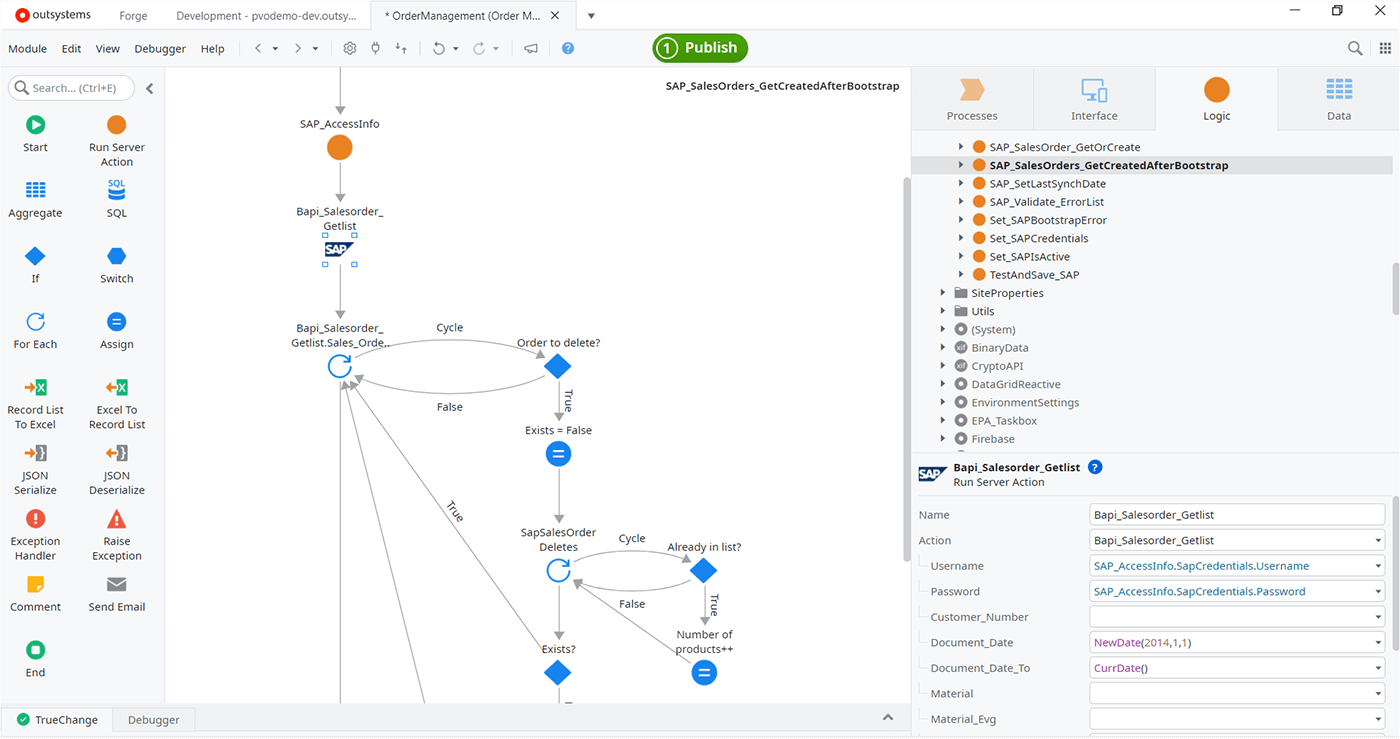
OutSystems focuses on enterprise application delivery rather than single-purpose internal tools. Its platform positioning emphasizes AI-assisted development, application lifecycle management, governance, integration, and enterprise deployment.
Key Features
- Enterprise-grade application development
- AI-assisted development
- Application lifecycle management
- Security and governance controls
- Deployment automation
- Connector ecosystem
- Cloud and enterprise deployment options
- Observability and monitoring
Limitations
OutSystems can be more platform than a team needs for internal dashboards, CRUD applications, lightweight admin panels, or department-level workflow tools.
Who Should Choose It
Choose OutSystems if governance, lifecycle management, and large-scale enterprise delivery matter more than speed for a single internal app.
2. UI Bakery: Best for AI-Assisted Internal Tools and Business Applications
Best For
UI Bakery is best for teams building internal tools, dashboards, admin panels, CRUD applications, approval workflows, operations software, customer support consoles, and database-backed business applications.
Why It Stands Out
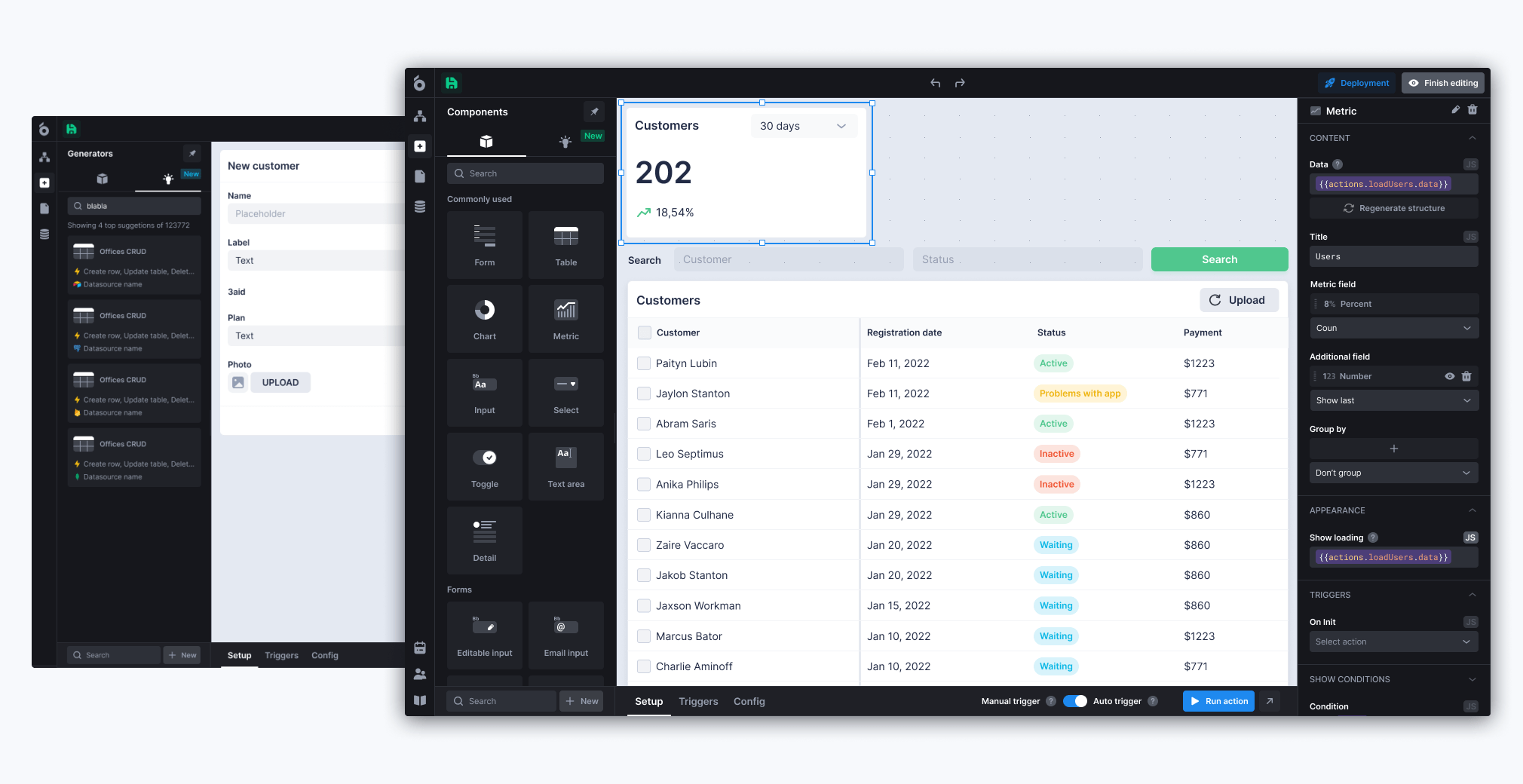
UI Bakery sits at the intersection of AI-assisted app generation and low-code operational software development. Its AI App Generator can turn a prompt into a working internal app, while the underlying low-code platform gives teams visual editing, database/API integrations, role-based access control, SSO/SAML, audit logs, and deployment options.
That distinction matters. Many AI app builders can generate a first screen. Internal business apps need more than a first screen. They need data connections, permissions, workflows, deployment, and maintenance.
Key Features
- AI app generation
- Visual application builder
- Database integrations
- REST and GraphQL API integrations
- Role-based access control
- SSO and SAML support
- Audit logs
- Custom JavaScript support
- Self-hosted deployment options
- Dashboard, admin panel, CRUD app, and internal tool use cases
Limitations
UI Bakery is not trying to replace large enterprise transformation platforms such as OutSystems or Mendix for every application portfolio. It is strongest when the job is operational software around existing business systems.
Who Should Choose It
Choose UI Bakery if you need to build:
- Sales lead dashboards
- KPI trackers
- Admin panels
- Customer support tools
- Approval workflows
- Internal portals
- Database apps
- Vendor or partner portals
- CRUD apps around PostgreSQL, MySQL, APIs, or business systems
It is especially relevant for teams that want AI-assisted development without losing control over integrations, permissions, and deployment.
3. Mendix: Best for Enterprise Collaboration Between Business and IT
Best For
Mendix is best for enterprises that want business teams and technical teams to collaborate on application delivery.

Why It Stands Out
Mendix is an established enterprise low-code development platform with a strong focus on business and IT collaboration, governance, deployment flexibility, and application lifecycle management.
Key Features
- Enterprise application development
- AI-assisted development features
- Business and IT collaboration
- Governance and lifecycle management
- Workflow automation
- Data integration capabilities
- Cloud deployment flexibility
Limitations
Mendix can be unnecessarily heavy for simple dashboards, CRUD applications, or department-level internal tools.
Who Should Choose It
Choose Mendix if business and IT collaboration, enterprise governance, and application lifecycle management are central requirements.
4. Microsoft Power Apps: Best for Microsoft Ecosystem Organizations
Best For
Microsoft Power Apps is best for organizations already invested in Microsoft 365, Azure, SharePoint, Teams, Power Automate, and Dataverse.
Why It Stands Out
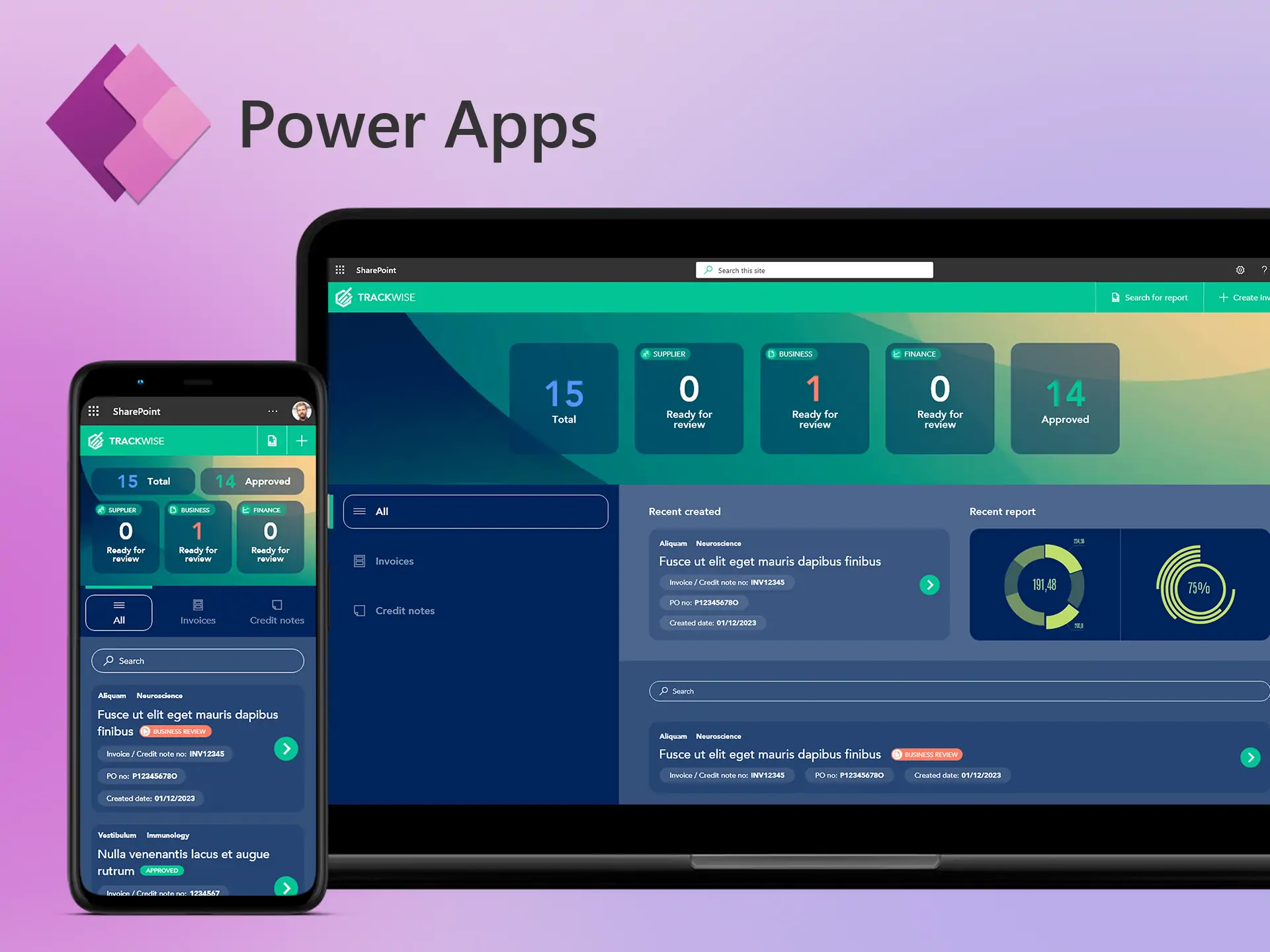
Power Apps benefits from Microsoft ecosystem alignment. Many enterprises already manage identity, collaboration, documents, and data inside Microsoft systems, which makes Power Apps a natural choice for Microsoft-centric teams.
Key Features
- Microsoft 365 integration
- SharePoint connectivity
- Dataverse integration
- Power Automate workflows
- AI-assisted development features
- Enterprise governance
- Security controls
- Web and mobile application support
Limitations
The most common buyer concern is licensing complexity. Premium connectors, Dataverse usage, and enterprise licensing can change the cost model.
Who Should Choose It
Choose Power Apps if Microsoft systems are already the operational center of the business.
5. Appian: Best for Workflow Automation and Case Management
Best For
Appian is best for process automation, case management, compliance workflows, regulated operations, and enterprise approval systems.
Why It Stands Out
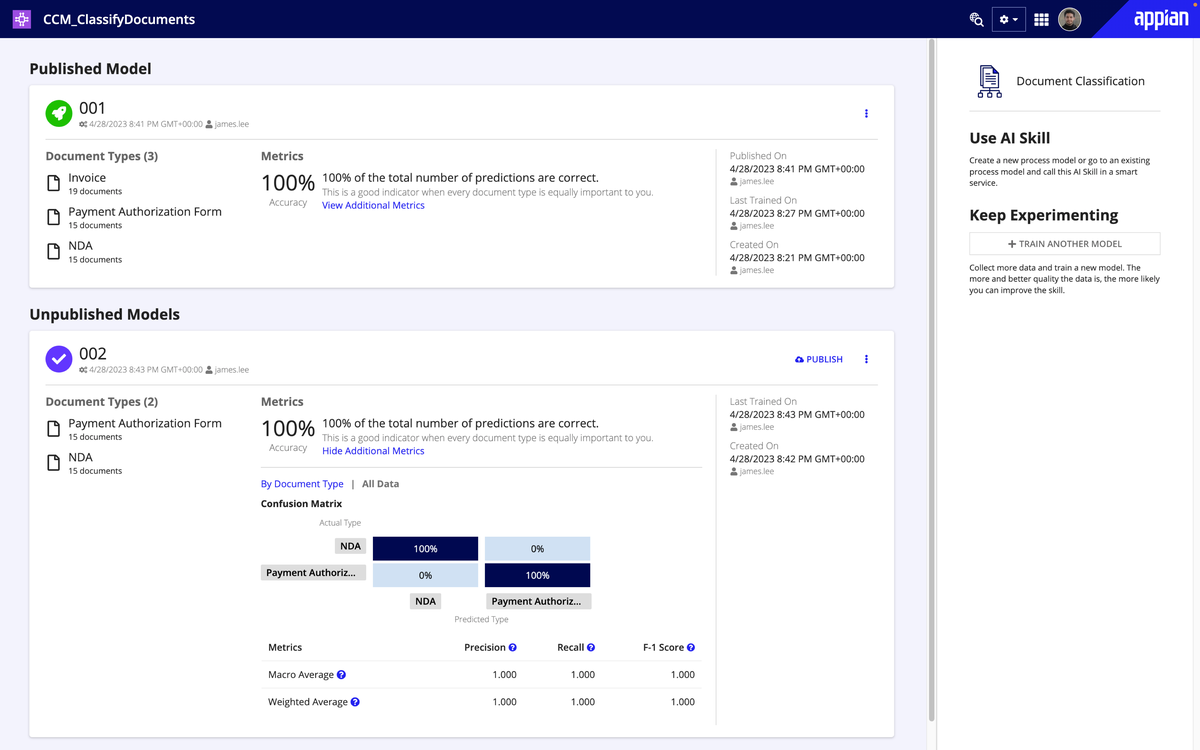
Appian is built around process orchestration. Its low-code platform positioning centers on workflows, automation, process intelligence, data fabric, and case management.
Key Features
- Process automation
- Case management
- Workflow orchestration
- Enterprise integrations
- Governance controls
- Auditability
- AI-enhanced process capabilities
Limitations
Appian can be too heavy for simple internal dashboards, CRUD apps, or admin panels where a lighter internal tool platform would move faster.
Who Should Choose It
Choose Appian if workflow automation and case management are the core job.
6. ServiceNow App Engine: Best for ServiceNow-Centric Organizations
Best For
ServiceNow App Engine is best for organizations already using ServiceNow as a core operational platform.
Why It Stands Out
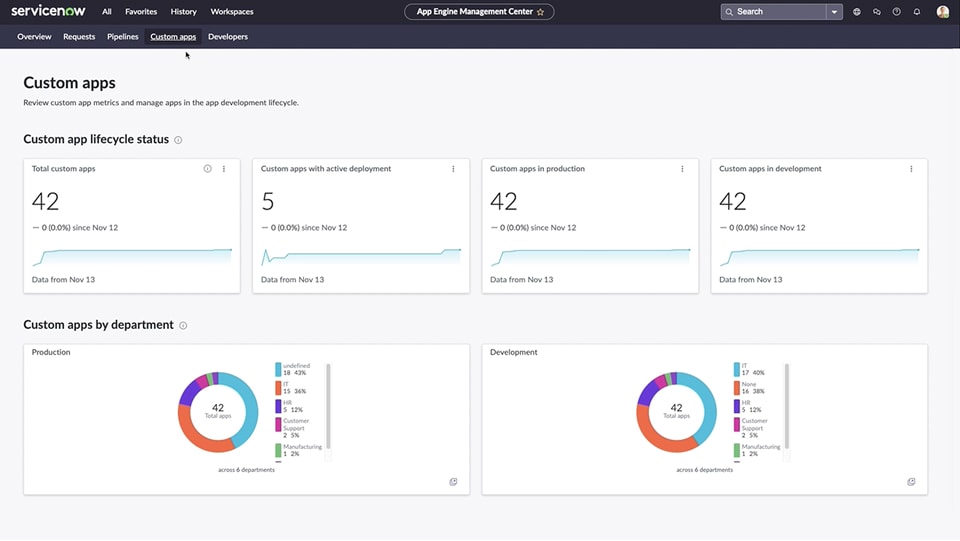
ServiceNow App Engine lets teams build low-code applications inside the Now Platform. That is valuable when identity, governance, workflows, and operational processes already live in ServiceNow.
Key Features
- Low-code web and mobile app development
- ServiceNow platform integration
- Workflow automation
- App Engine Studio
- Governance controls
- Security management
- Now Assist capabilities
Limitations
ServiceNow is less compelling when applications need to operate independently from the ServiceNow ecosystem. Some projects still require platform expertise and scripting.
Who Should Choose It
Choose ServiceNow App Engine if ServiceNow is already deeply deployed and custom workflow apps should live inside that ecosystem.
7. Retool: Best for Developer-Led Internal Tools
Best For
Retool is best for engineering teams building internal applications quickly.
Why It Stands Out
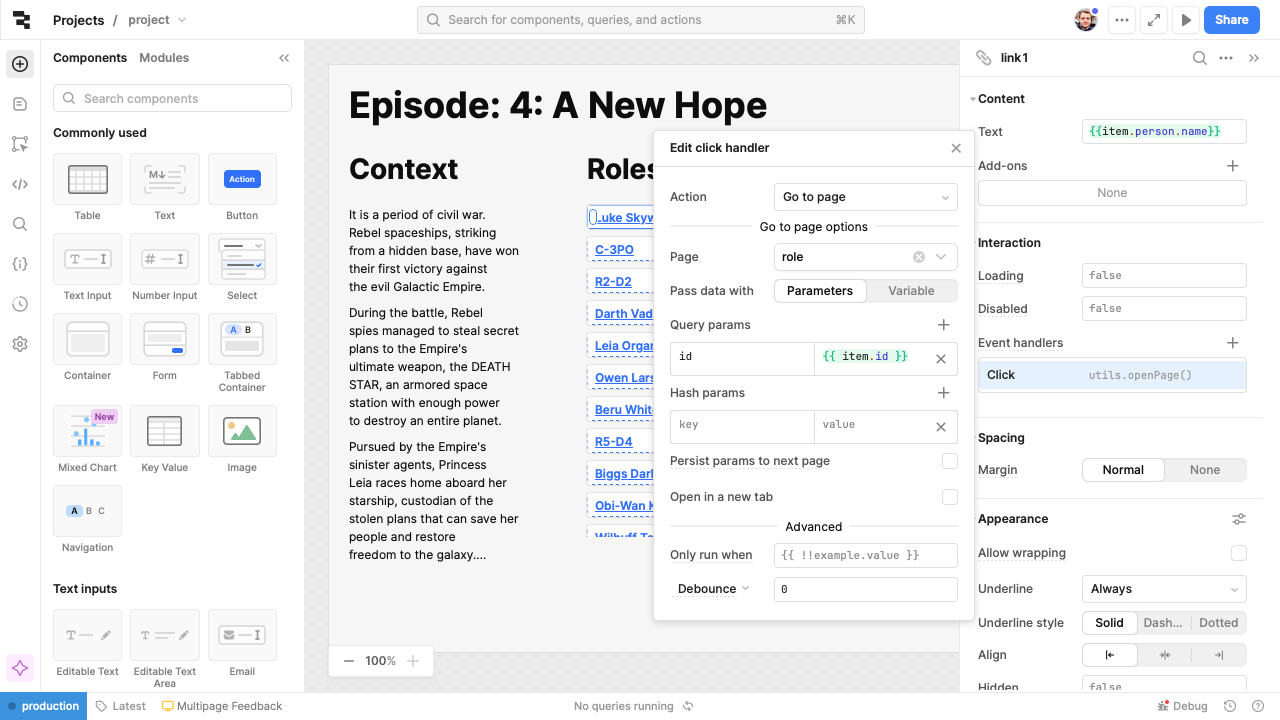
Retool helped define the modern internal tool builder category. Developers can connect databases, APIs, and business systems, then assemble internal interfaces with prebuilt components and JavaScript.
Key Features
- Component library
- Database integrations
- API integrations
- JavaScript support
- Query builders
- Permissions
- Workflows
- Cloud and self-hosted deployment
Limitations
Retool works best when developers remain involved. Pricing and governance should be evaluated carefully for apps with broad internal adoption.
Who Should Choose It
Choose Retool if engineering will own internal tool development and wants a mature developer-centric platform.
8. Superblocks: Best for Governed Enterprise Internal Applications
Best For
Superblocks is best for organizations that want internal tool development with stronger governance, security, and centralized control.
Why It Stands Out
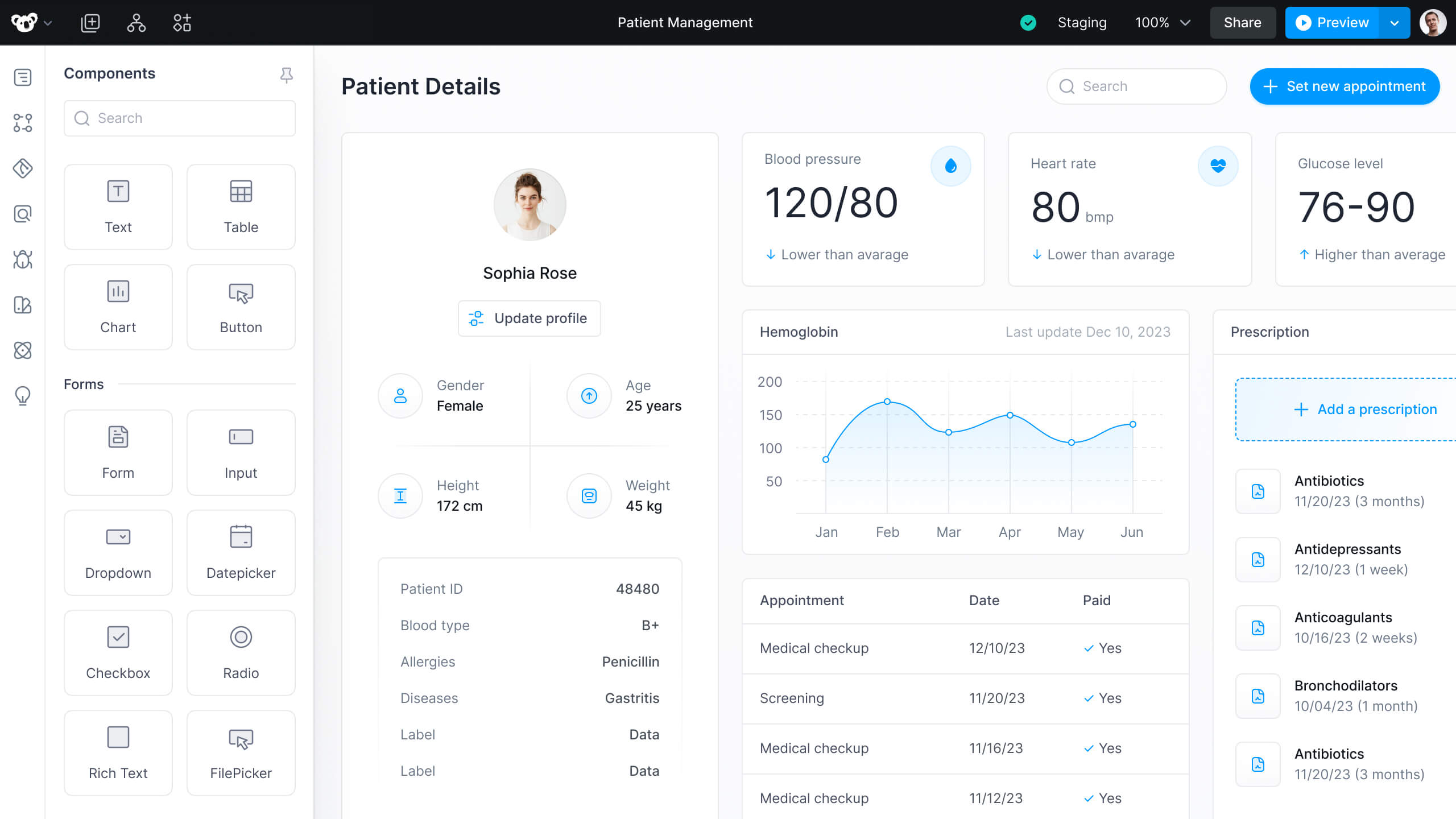
Superblocks focuses on enterprise internal apps, AI-assisted generation, governance, access control, auditability, and IT-managed environments.
Key Features
- AI-assisted app generation
- Enterprise authentication
- Role management
- Auditing
- Integration framework
- Deployment controls
- Governance capabilities
Limitations
The governance-first approach can be more complex than smaller teams need.
Who Should Choose It
Choose Superblocks if internal applications must satisfy strict security, governance, and centralized oversight requirements.
9. Zoho Creator: Best for SMB Business Applications
Best For
Zoho Creator is best for small and mid-sized businesses that want to build custom business applications without adopting a heavyweight enterprise platform.
Why It Stands Out
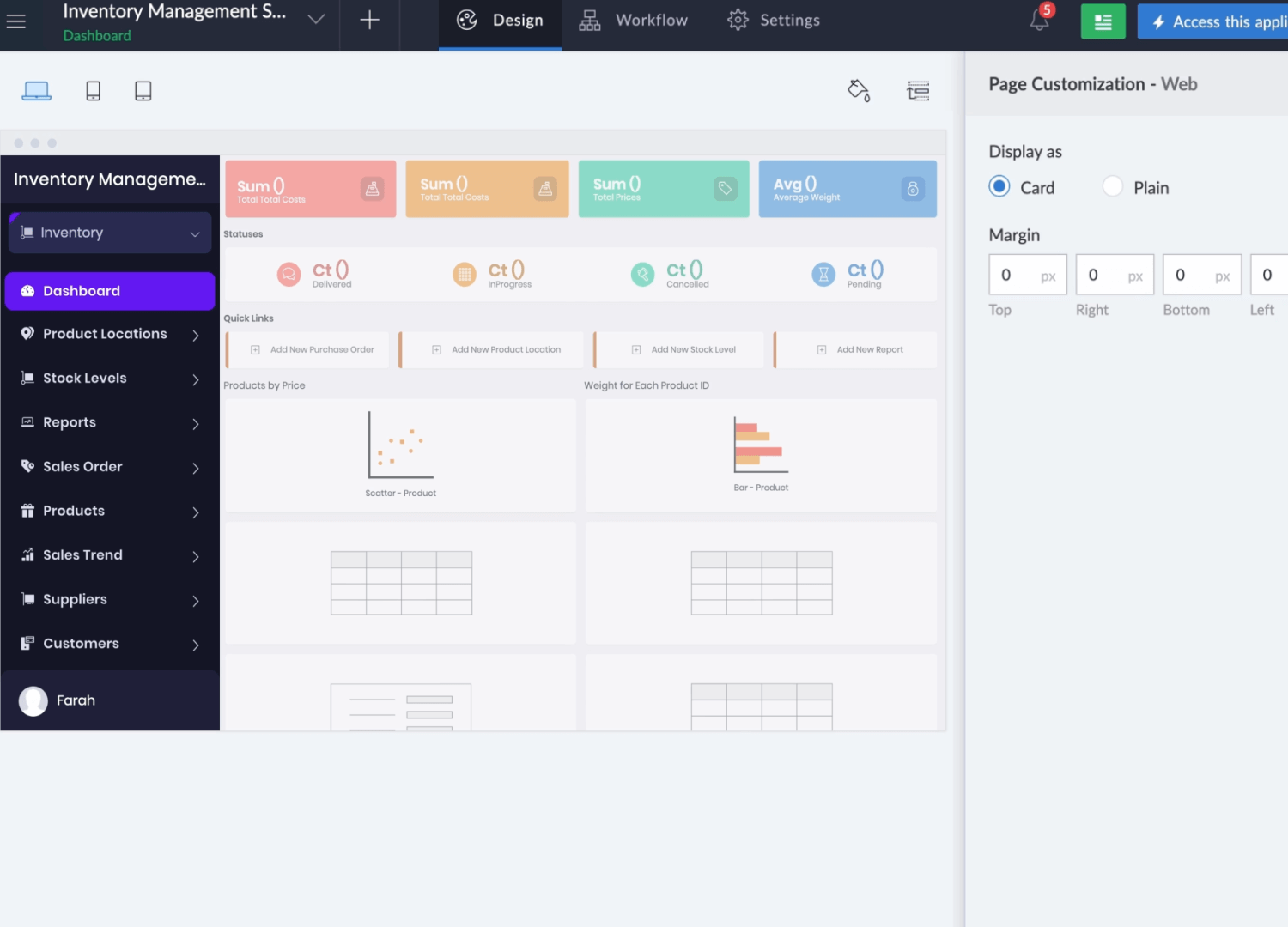
Zoho Creator fits organizations already using the Zoho ecosystem. It supports business workflows, reporting, mobile apps, and operational applications.
Key Features
- Business application builder
- Workflow automation
- Mobile application support
- Zoho ecosystem integrations
- Reporting and dashboards
- AI-assisted capabilities through Zia
Limitations
Complex applications may require learning Zoho’s proprietary tooling and scripting model.
Who Should Choose It
Choose Zoho Creator if you already use Zoho products and need SMB business apps rather than enterprise-wide software delivery.
10. Bubble: Best for Startup Web Applications
Best For
Bubble is best for founders and product teams building customer-facing web applications and MVPs.
Why It Stands Out
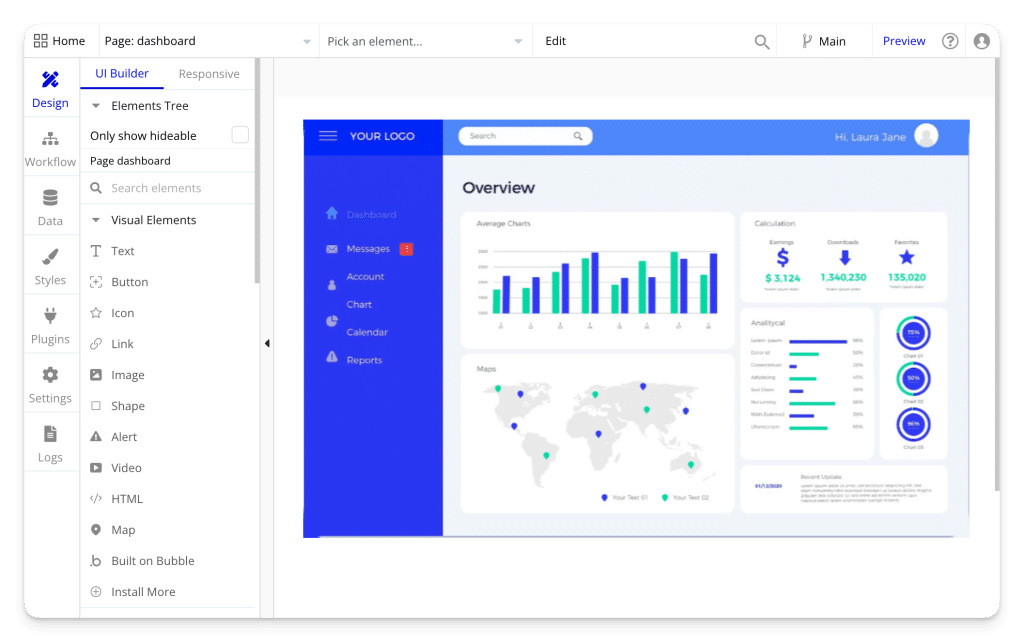
Bubble is often used to build SaaS products, marketplaces, client portals, and web apps without hiring a large engineering team at the earliest stage.
Key Features
- Visual web app development
- Authentication
- Database management
- Plugin ecosystem
- Workflow automation
- Hosting
Limitations
As products grow, teams may encounter performance, architecture, and scaling constraints.
Who Should Choose It
Choose Bubble if startup product validation matters more than enterprise governance.
11. FlutterFlow: Best for Mobile Application Development
Best For
FlutterFlow is best for teams building mobile applications.
Why It Stands Out
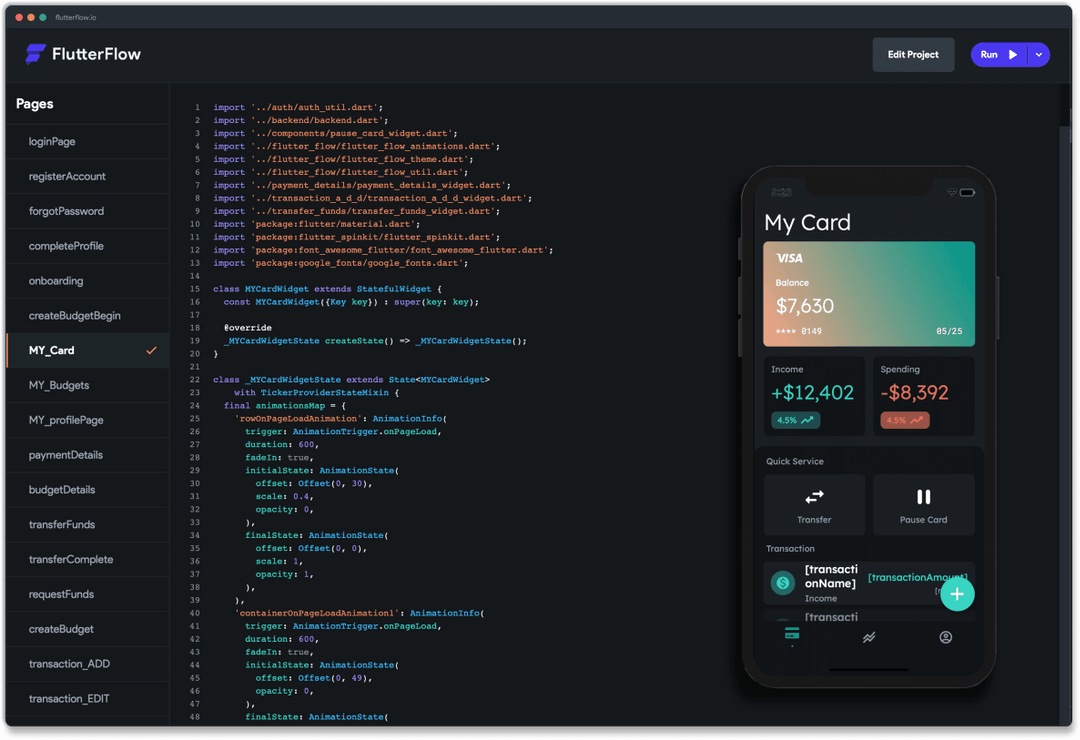
FlutterFlow generates Flutter-based apps and gives teams a visual way to build iOS, Android, and cross-platform mobile experiences.
Key Features
- Flutter-based development
- Mobile UI builder
- Firebase integrations
- API integrations
- Authentication
- Mobile deployment workflows
Limitations
FlutterFlow is not the best fit for internal operations software, admin panels, or data-heavy back-office applications.
Who Should Choose It
Choose FlutterFlow if mobile apps are the primary goal and Flutter aligns with your technology strategy.
12. Creatio: Best for CRM and Process Automation
Best For
Creatio is best for teams that want CRM capabilities and process automation in one platform.
Why It Stands Out
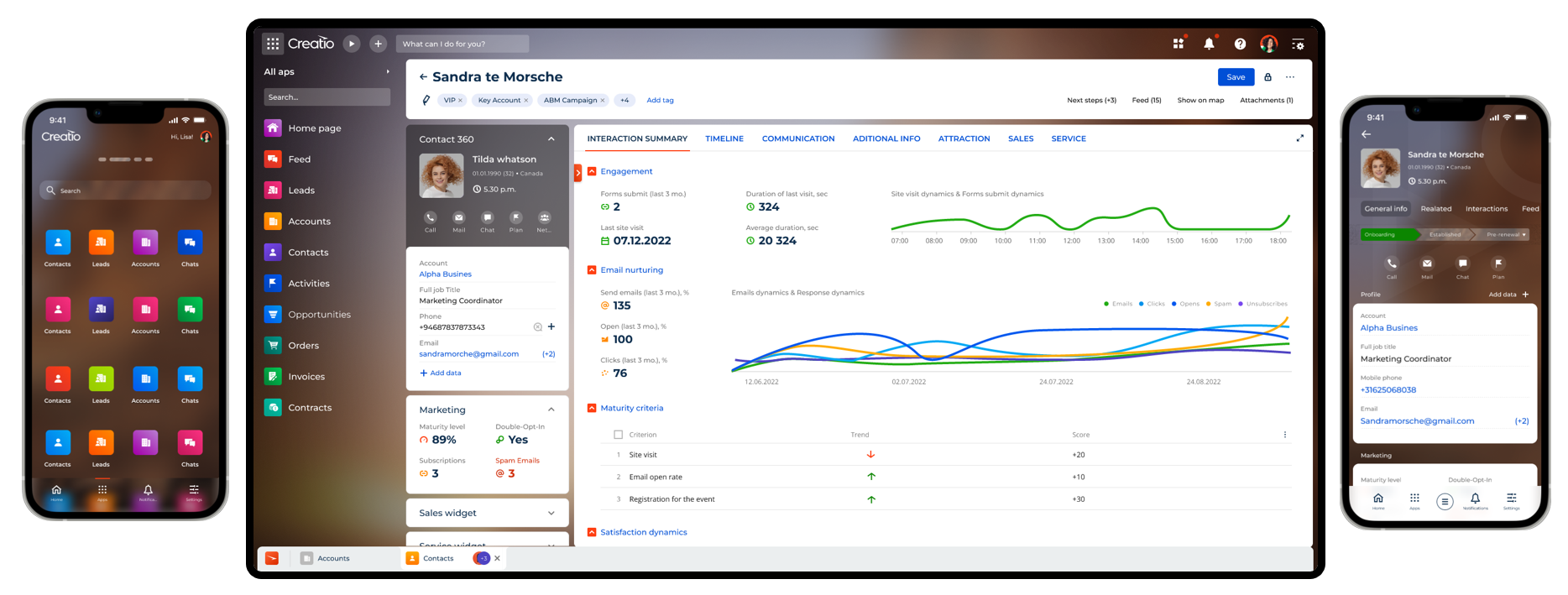
Creatio brings CRM, workflow automation, and no-code/low-code customization into a single environment for sales, marketing, service, and operations teams.
Key Features
- CRM platform
- Process automation
- Workflow design
- Customer service workflows
- Sales automation
- Marketing automation
Limitations
Organizations that only need internal dashboards or admin panels may prefer a specialized internal tool builder.
Who Should Choose It
Choose Creatio if CRM and process automation are closely connected in your organization.
Best Low-Code Platform by Use Case
Best Low-Code Platform for Enterprise Apps
For large enterprise application portfolios, OutSystems and Mendix remain strong choices. They provide governance, lifecycle management, enterprise deployment models, and long-term scalability rather than only accelerating UI development.
Best Low-Code Platform for Internal Tools
UI Bakery is one of the strongest options for internal tools because it combines AI-assisted app generation with low-code customization, integrations, permissions, deployment controls, and operational use cases such as admin panels, dashboards, approval workflows, and CRUD apps.
Best Low-Code AI Platform
For internal business applications, UI Bakery is a practical low-code AI platform because AI generation is layered on top of a low-code environment. Teams can generate the first version from a prompt, then connect databases and APIs, refine logic visually, manage permissions, and deploy.
For pure prompt-to-app generation, tools such as Lovable, Bolt, Base44, and v0 are worth evaluating separately.
Best Low-Code Integration Platform for Internal Apps
For internal apps connected to databases and APIs, UI Bakery, Retool, and Superblocks are the most relevant choices in this list. UI Bakery is especially useful when the team wants AI-assisted generation plus visual editing, role-based permissions, SSO/SAML, audit logs, and deployment options.
Best Low-Code Workflow Automation Platform
For complex enterprise workflow automation and case management, Appian and ServiceNow are stronger fits. For lighter internal approval workflows, review queues, admin processes, and operational workflows connected to databases and APIs, UI Bakery is often a better fit because it is faster to shape around internal interfaces.
Where UI Bakery Fits in the Low-Code Market
One mistake buyers make is assuming every low-code platform competes for the same project.
OutSystems, Mendix, Appian, UI Bakery, Retool, and Bubble often solve different jobs.
UI Bakery is not trying to become the heaviest enterprise application platform. It is not designed to replace every part of a large enterprise modernization program. It focuses on operational business applications connected to company data.
That includes:
- Internal tools
- Admin panels
- Operations dashboards
- Approval workflows
- Customer support consoles
- Internal portals
- Database applications
- KPI tracking systems
- Vendor and partner portals
UI Bakery ranks #2 in this list because it sits at the intersection of two important 2026 trends:
- AI-assisted application generation
- Low-code operational software development
Many AI builders can generate a first draft. Fewer platforms provide the control layer needed after generation.
For example, a sales operations team might need:
- A lead management dashboard
- PostgreSQL integration
- Approval workflows
- SSO
- Role-based permissions
- Audit logs
Generating the UI is only part of that project. The application still needs governance, integrations, deployment, maintenance, and access control.
That is where UI Bakery differentiates itself from pure AI app builders.
Typical UI Bakery Projects
Organizations often choose UI Bakery when they want to build software around existing business systems rather than build an entirely new software product from scratch.
Low-Code Platforms vs AI App Builders
AI-first builders have changed expectations. Tools such as Lovable, Bolt, Base44, and v0 can create impressive first drafts quickly.
That speed is useful, but AI builders and low-code platforms are not the same category.
What AI App Builders Do Well
AI builders are useful for:
- Fast prototypes
- MVP creation
- Product validation
- Interface generation
- Rapid experimentation
Where AI App Builders Often Struggle
As applications become operational systems, teams start asking different questions:
- How are permissions managed?
- Where is data stored?
- How are deployments controlled?
- How are environments separated?
- What happens when hundreds of users join?
- How do audit logs work?
- Can we self-host?
These questions move the discussion away from generation speed and toward governance.
The Emerging Middle Ground
The most useful category in 2026 combines AI generation with low-code infrastructure:
- AI-assisted generation
- Visual editing
- Integrations
- Authentication
- Permissions
- Workflow automation
- Deployment controls
UI Bakery is a strong example of this approach because AI generation accelerates development while the low-code platform provides operational control.
What Enterprise Buyers Should Evaluate
Most comparison articles focus on features. Enterprise buyers should focus on constraints.
Governance
Ask:
- Can environments be separated?
- Are changes auditable?
- Is deployment controlled?
- Can teams manage app ownership?
Authentication and Access Control
Evaluate:
- RBAC
- SSO
- SAML
- Row-level permissions
- Field-level permissions
- Approval controls
Integrations
Most business applications depend on:
- Databases
- CRMs
- ERPs
- APIs
- Identity providers
- Internal services
Integration quality often matters more than interface design.
Extensibility
Eventually, every organization encounters requirements that visual builders cannot fully address. Evaluate:
- JavaScript support
- Custom code
- API flexibility
- External libraries
- Custom components
- Git or version control support
Deployment Options
Deployment options may include:
- Vendor cloud
- Private cloud
- Self-hosted deployment
- Hybrid environments
Organizations with regulatory, data residency, or security requirements often prioritize deployment control.
Vendor Lock-In
Questions worth asking:
- Can applications be exported?
- Can logic be migrated?
- How proprietary are workflows?
- What happens if pricing changes?
- How much platform-specific expertise is required?
Popularity should not be the only evaluation criterion.
Low-Code Platform Pricing Can Change the Winner
Pricing discussions often happen too late.
A tool that appears affordable at five users may look different at fifty, five hundred, or five thousand users.
For internal applications, pricing can become one of the most important long-term considerations.
Final Recommendation
If you are choosing a low-code platform in 2026, start with the application type.
Choose OutSystems if you are building enterprise-grade application portfolios and need governance, lifecycle management, and long-term scalability.
Choose UI Bakery if you need internal tools, dashboards, admin panels, database/API-backed applications, or approval workflows and want AI-assisted generation without losing low-code control.
Choose Mendix if business and IT collaboration is a major priority.
Choose Microsoft Power Apps if Microsoft 365, SharePoint, Azure, Teams, and Dataverse are central to your organization.
Choose Appian or ServiceNow if workflow automation, case management, and compliance-heavy processes drive the requirements.
Choose Retool or Superblocks if developers will own internal application development and engineering teams want flexibility.
Choose Bubble or FlutterFlow if you are building startup products, web apps, or mobile experiences.
The low-code market is no longer converging around one universal winner. It is splitting into specialized segments: enterprise application platforms, AI-assisted internal tool builders, workflow automation suites, no-code product builders, and prompt-to-app tools. The best choice is the platform category that matches the software you actually need to ship.
Next step
Planning a HIPAA-sensitive internal app?
Use the checklist above to map data flow, roles, audit events, vendors, and deployment decisions before the first production workflow ships.
Healthcare operations example
Action Behavior Centers scaled internal operations across clinics with UI Bakery
For a real operational example, review UI Bakery customer stories and healthcare operations patterns.
5,000+users supported in the customer story
400+clinics mentioned in the case study
What are the best low-code platforms in 2026?
The best low-code platforms in 2026 include OutSystems, UI Bakery, Mendix, Microsoft Power Apps, Appian, ServiceNow App Engine, Retool, Superblocks, Zoho Creator, Bubble, FlutterFlow, and Creatio. OutSystems is strongest for enterprise application portfolios, while UI Bakery is one of the best choices for AI-assisted internal tools, dashboards, admin panels, and database-backed business apps.
What is the best low code platform?
The best low code platform depends on the use case. OutSystems is a strong choice for enterprise app portfolios, UI Bakery is best for AI-assisted internal tools and database/API-backed business apps, Power Apps is best for Microsoft-centric teams, and Appian or ServiceNow are better for complex workflow automation.
What are the best low-code development platforms in 2026?
The strongest low-code development platforms in 2026 include OutSystems, UI Bakery, Mendix, Microsoft Power Apps, Appian, ServiceNow App Engine, Retool, and Superblocks. The right shortlist depends on whether the application is an enterprise app, internal tool, workflow system, or AI-assisted business app.
What is the difference between low-code and no-code platforms?
Low-code platforms use visual development while still supporting custom code, integrations, and advanced workflows. No-code platforms are designed primarily for non-technical users and usually offer less flexibility for complex logic, governance, and custom integrations.
Which low-code platform is best for enterprise apps?
OutSystems and Mendix are strong choices for large enterprise application portfolios. They are built for governance, lifecycle management, deployment control, and long-term scalability.
Which low-code platform is best for internal tools?
UI Bakery is one of the strongest options for internal tools, dashboards, admin panels, CRUD applications, approval workflows, and database-backed operational software.
Is UI Bakery a low-code platform?
Yes. UI Bakery is a low-code platform that combines visual application development, database and API integrations, workflow automation, permissions, deployment options, and AI-assisted app generation.
Are AI app builders replacing low-code platforms?
Not entirely. AI app builders are useful for rapid generation and prototyping, but low-code platforms provide governance, integrations, deployment controls, security, and maintainability for production applications.
What is the best low-code AI platform?
For internal business applications, UI Bakery is a practical low-code AI platform because it combines AI generation with operational application infrastructure. For pure prompt-to-app experiences, tools such as Lovable, Bolt, Base44, and v0 are also worth evaluating.
Which low-code platform is best for workflow automation?
Appian and ServiceNow are strong choices for complex workflow automation and case management. UI Bakery is often a better fit for lighter approval processes, operational workflows, and internal business applications connected to databases and APIs.
Which low-code platform is best for database and API integrations?
UI Bakery, Retool, and Superblocks are particularly relevant for applications built around databases, APIs, and operational business systems. UI Bakery is a strong fit when teams want AI-assisted generation plus visual editing, RBAC, SSO/SAML, audit logs, and deployment options.
What are examples of low-code applications?
Common examples include internal tools, dashboards, admin panels, approval workflows, customer support consoles, CRM extensions, inventory systems, vendor portals, employee portals, reporting applications, and operations dashboards.



"The UI Bakery platform offers a cost-effective approach to creating applications. With UI Bakery, you can achieve your app development goals without breaking the bank."

"Before switching to UI Bakery we developed a number of apps within the Retool system. The Retool system was good but ultimately did not have the flexibility and feature sets that we required."
Check the Story