Create an app in 2025 without starting from a blank screen.
Thank you! Your submission has been received!
Oops! Something went wrong while submitting the form.

Most “how to create an app” guides start with picking frameworks, setting up auth, wiring a database, and only then getting to actual features. UI Bakery flips that flow.
Explain what you’re building (“sales CRM”, “internal inventory tracker”, “client reporting portal”).
Specify key screens, user roles, and basic workflows.
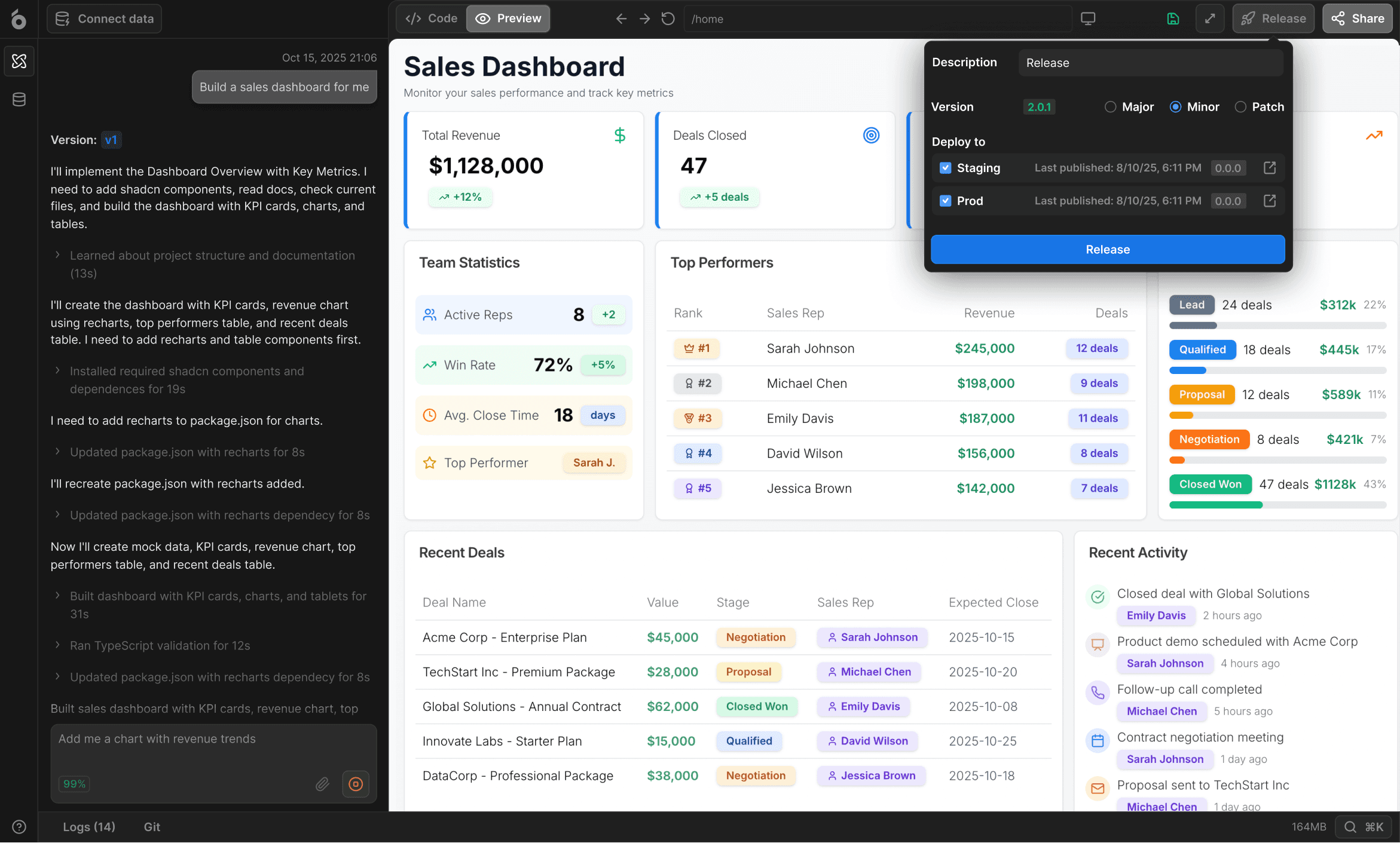
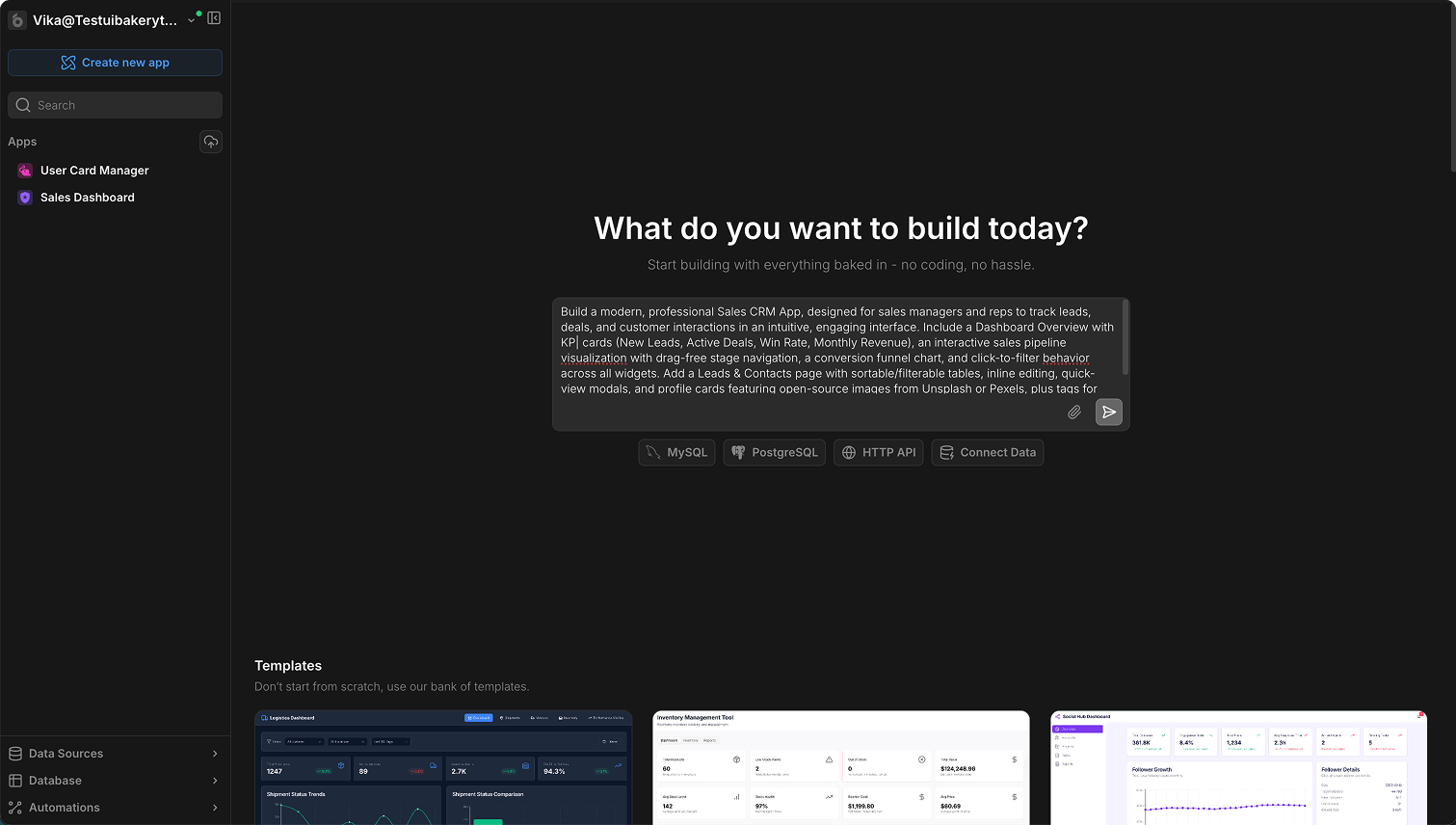
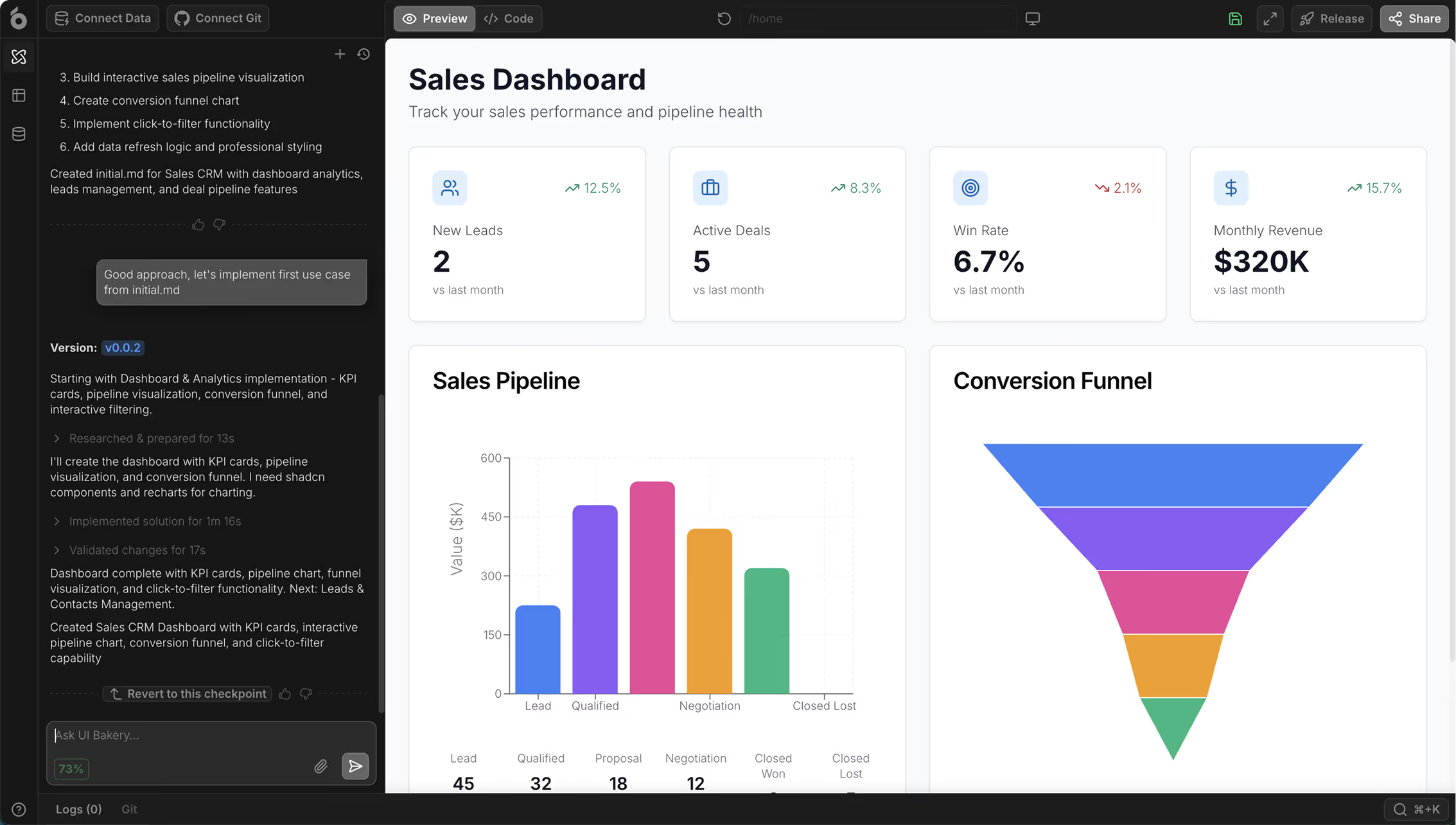
UI Bakery AI Agent generates multi-page layouts, navigation, and forms.
It connects UI components to data sources (databases or APIs) and scaffolds basic logic.


Connect PostgreSQL, MySQL, MongoDB, REST/GraphQL APIs, or spreadsheets.
Map queries to UI actions: load data, submit forms, update records, run workflows.
Define multi-step flows: approvals, notifications, data syncing, scheduled jobs.
Trigger logic on button clicks, timers, or webhooks.
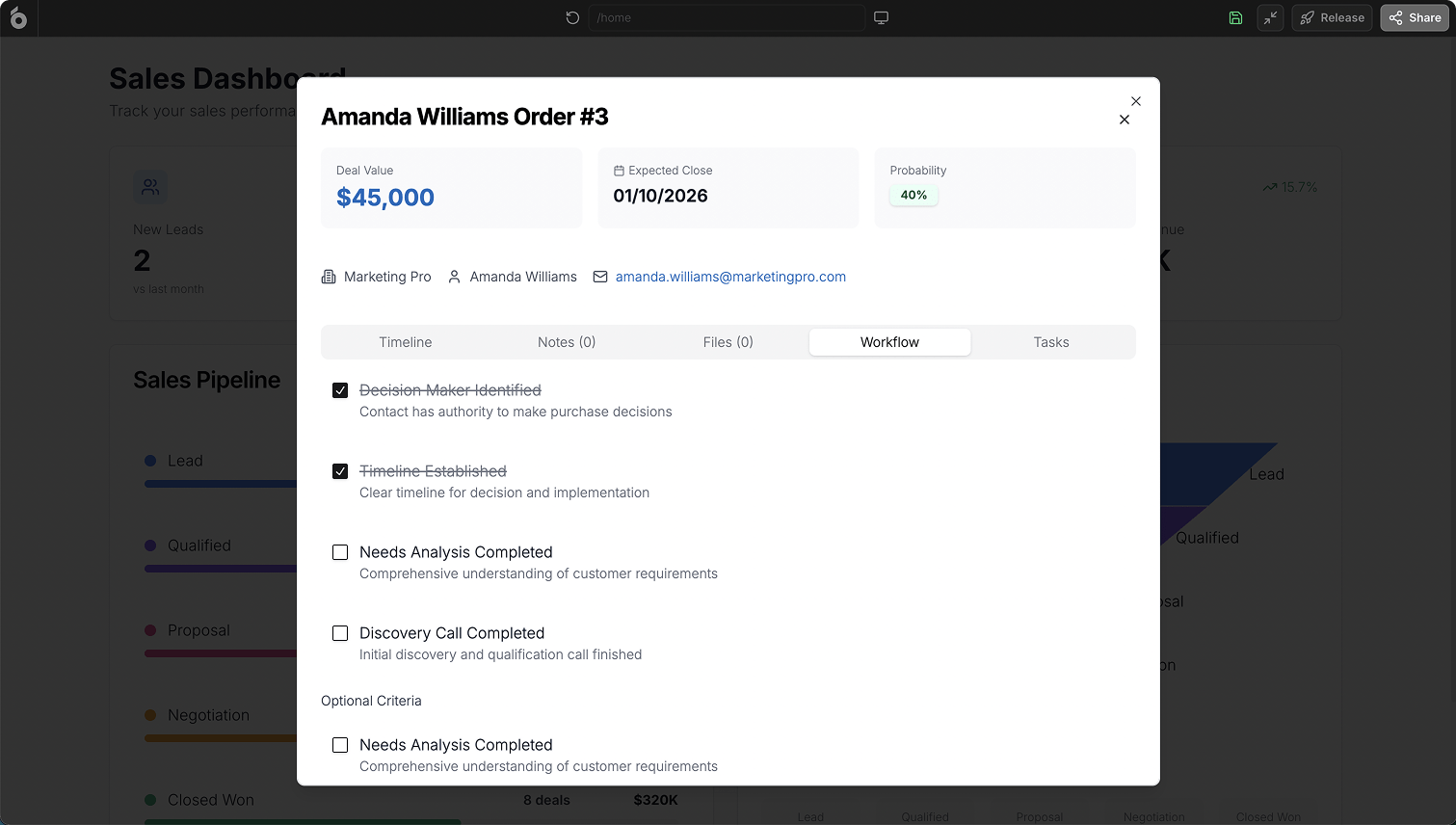
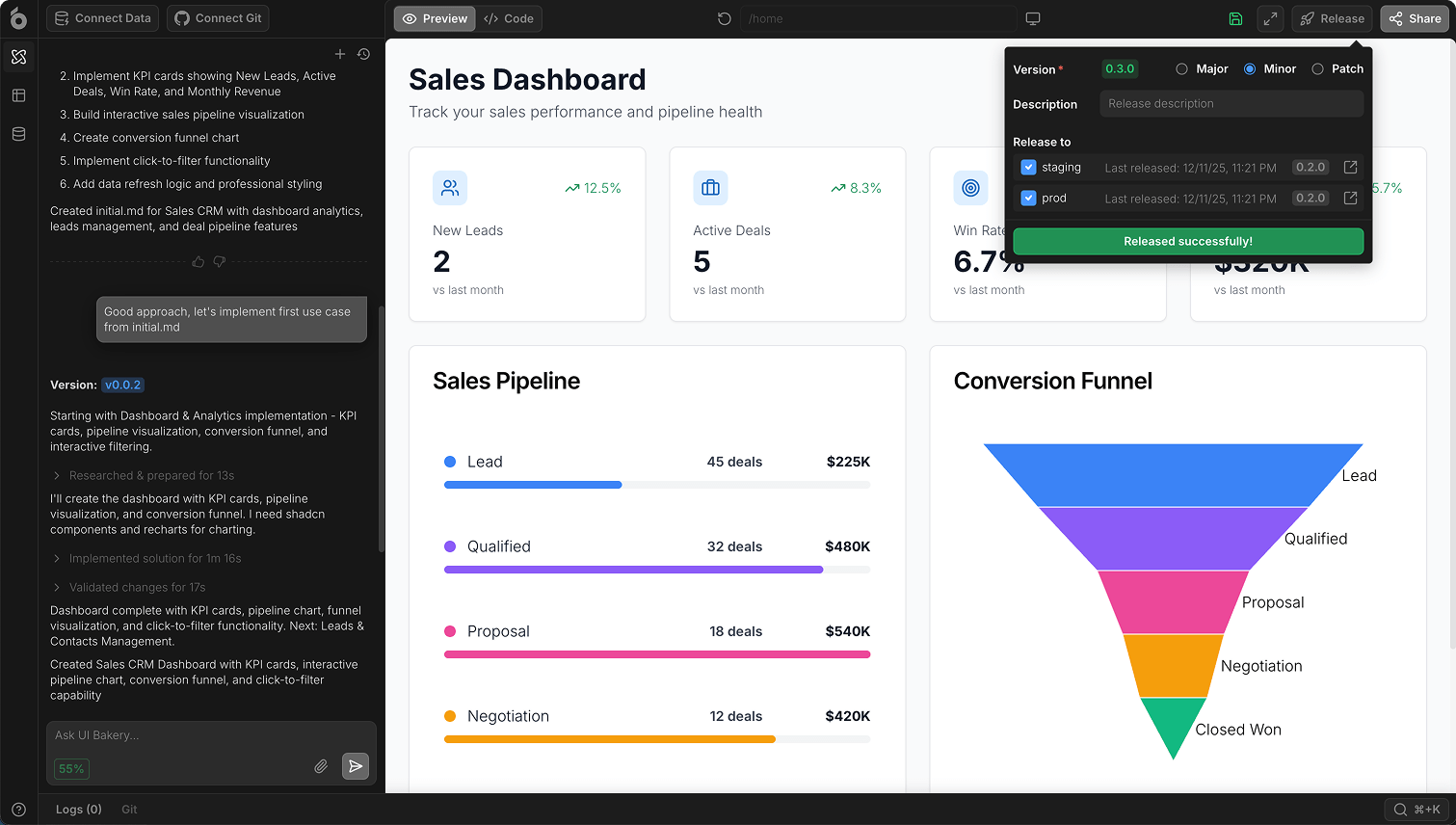
Set up granular roles and permissions so each user sees only what they should.
Invite your team, share URLs, and manage environments (staging / production).
Whether you’re launching an internal tool, a client portal, or something for the App Store, the process in 2025 looks different from the “hire a team and wait 6 months” playbook. Here’s the updated, practical flow.
1
Before tools and tech, answer:
Use that to decide between:
Web/browser app
App Store / Play Store app
2
1. Frontend (what users see)
In 2025, you don’t have to hand-craft every screen:
Use an AI-driven platform to generate the initial UI from a prompt.
Refine layouts visually instead of managing raw HTML/CSS for every change.
Keep the option to extend with custom JavaScript or integrate existing APIs.
2. Backend (logic and APIs)
You have three typical choices:
Use an existing backend
Use a modern backend platform
Hybrid approach
3. Data layer (database and external services)
Think through:
What entities you need (users, customers, orders, tickets, etc.)
How they relate (one-to-many, many-to-many)
Which system is the “source of truth” (your DB vs third-party tool)
In UI Bakery, you simply connect:
SQL / NoSQL databases
REST & GraphQL APIs
SaaS tools like CRMs, support systems, analytics platforms
…then bind them to tables, forms, and charts in the UI.
3
Map screens and user journeys
Instead of starting with isolated features, map:
Entry points: login, invite link, public page.
Key screens: dashboard, list views, detail views, settings, admin panel.
User roles: admin, manager, regular user, viewer.
Main actions: create/update data, approvals, exports, notifications.
In UI Bakery, you can:
Ask the AI Agent to generate these screens from your description.
Rename and reorganize pages, navigation, and sections visually.
Add or remove components without diving into routing and boilerplate.
4
If your question is “how do I create an app for my business?” – here’s a focused flow tailored to that use case.
1. Capture your current process
What’s happening today in spreadsheets, email threads, or chat?
Which steps are repetitive, manual, or error-prone?
2. Translate it into an app brief
“I want a simple app where sales reps can log deals, managers can update status, and finance can see closed-won deals in one place.”
3. Generate the first version with UI Bakery
Paste that brief into the prompt input.
Get a basic app: deals list, deal details page, forms, and simple status flow.
4. Connect to live data
Hook up your existing database or SaaS tools.
Or start with a fresh database UI Bakery connects to.
5. Refine permissions and views
The sales team sees their own pipeline.
Managers see team-wide dashboards.
Leadership sees high-level metrics.
6. Roll out gradually
Start with a single team or department.
Start with a single team or department.
Iterate on fields, filters, and workflows in the visual editor.
5
Even if you’re ultimately aiming for App Store / Play Store, the fastest path in 2025 is usually:
1. Start with a solid web app
Use UI Bakery to create the core product logic, data model, and UI.
Make it responsive so it works well in mobile browsers.
2. Decide how “native” you need to be
For internal tools and B2B portals: a responsive web app is often enough. Users can “Add to Home Screen” and treat it like an app.
For consumer apps needing push notifications, deep device access, or store presence:
Use your backend and APIs (the same ones your UI Bakery app talks to).
Pair them with a dedicated mobile front end (e.g., React Native / Flutter).
3. Reuse your investment
You’ve already validated flows, data structures, and copy in the browser.
Mobile UI becomes a new layer on top of the same data and logic.
UI Bakery’s role: nail the core experience quickly in the browser, then expand to native if and when it’s worth it.
6
What does it cost to create an app in 2025? Cost depends on three things:
Scope – how many screens, roles, and workflows you really need for V1.
Team – agency vs in-house vs solo builder.
Stack – from-scratch code vs AI-assisted platforms.
Roughly:
Hand-coded from scratch with a traditional team can climb into tens or hundreds of thousands of dollars for a full product.
A hybrid AI + visual-editing approach like UI Bakery significantly reduces:
Time spent on scaffolding and boilerplate.
Hours needed from senior developers.
Long-term maintenance on low-value repetitive code.
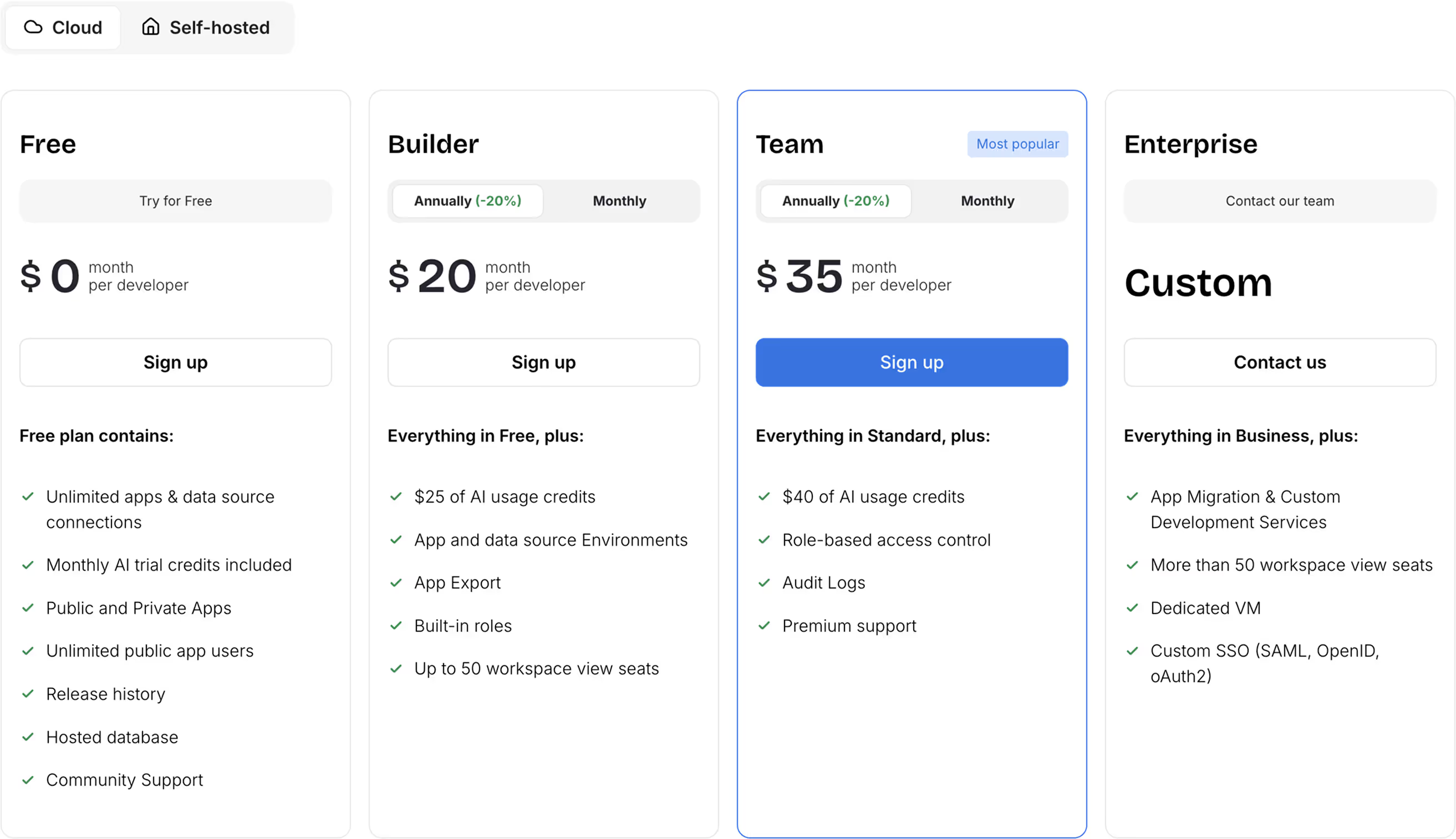
With UI Bakery, you typically pay:
A per-developer seat for building and editing apps.
Optional AI usage credits, depending on how heavily you rely on automated generation.
Viewers and end-users can scale without linear developer cost.
The result: you can validate more ideas and deliver more apps for the same budget.
7
In 2025, the question is less “can I learn to code?” and more “what should I still hand-code?”
When you hand-code everything:
You maintain full control over every line…
…but you spend huge chunks of time on scaffolding, forms, CRUD operations, and UI wiring.
You repeat patterns across apps and teams.
When you create apps with UI Bakery AI Agent:
You describe what you want, the agent proposes how it works.
You get data-aware screens, actions, and workflows in minutes.
You keep control where it matters: data model, business rules, and integrations.
You still own your logic and connections; UI Bakery becomes your fast execution layer.
Typical use cases UI Bakery is ideal for:
Internal admin panels and dashboards
Customer / partner portals
Operational CRMs and booking systems
Approval flows and back-office workflows
Multi-step forms and data review screens
8
Yes. Many teams use UI Bakery primarily through the visual interface and natural-language prompts. Basic technical understanding helps, but you don’t need to be a full-time developer to create useful apps, especially internal tools and portals.
AI can handle a lot of scaffolding: layouts, data binding, and standard flows. For many internal tools, that’s enough to get a fully usable app. For more complex logic, security requirements, or integrations, developers can step in to refine what the agent generated instead of starting from zero.
UI Bakery shines for browser-based apps: internal tools, dashboards, admin panels, CRMs, and customer/partner portals. It’s perfect whenever your users are comfortable working in a web app and you want to move fast without sacrificing structure and security.
Yes. You can connect existing databases and services, then use UI Bakery to design screens and workflows on top of them. You don’t have to migrate everything into a new system just to create an app.
Absolutely. The data model, workflows, and backend you use with UI Bakery can also power native mobile clients. Many teams start with a web app to prove value, then reuse the same APIs and logic for an iOS/Android front end once they’re ready for the app stores.
1. Write a short description of the app you want to create.
2. Paste it into the prompt input on this page.
3. Let the AI Agent generate your first version.
4. Connect your real data and refine the UI.
5. Share the app with your team or customers.