

What Is Gemini + Prompts Based on Use Cases

Updated:
December 20, 2025
Google Gemini is Google’s flagship family of large multimodal AI models, designed to understand, reason over, and generate text, code, images, audio, and video in a single unified system. In simple terms, when people ask “what is Gemini?” or “what is Gemini AI?”, the answer is: it’s Google’s most advanced attempt to build a general-purpose AI that can reason across different types of information the way humans do.
Developed by Google DeepMind, Gemini represents a major shift from single-modality language models toward native multimodal intelligence – AI that doesn’t just bolt image or audio support on top, but is trained to understand all of them together from the ground up.
What Is Google Gemini AI, Exactly?
Google Gemini AI is not a single model, but a model family optimized for different use cases:
- Gemini Ultra – the most powerful model, aimed at complex reasoning, research, and enterprise-grade tasks
- Gemini Pro – a balanced model used across many Google products and APIs
- Gemini Nano – a lightweight version designed to run directly on devices like Pixel smartphones
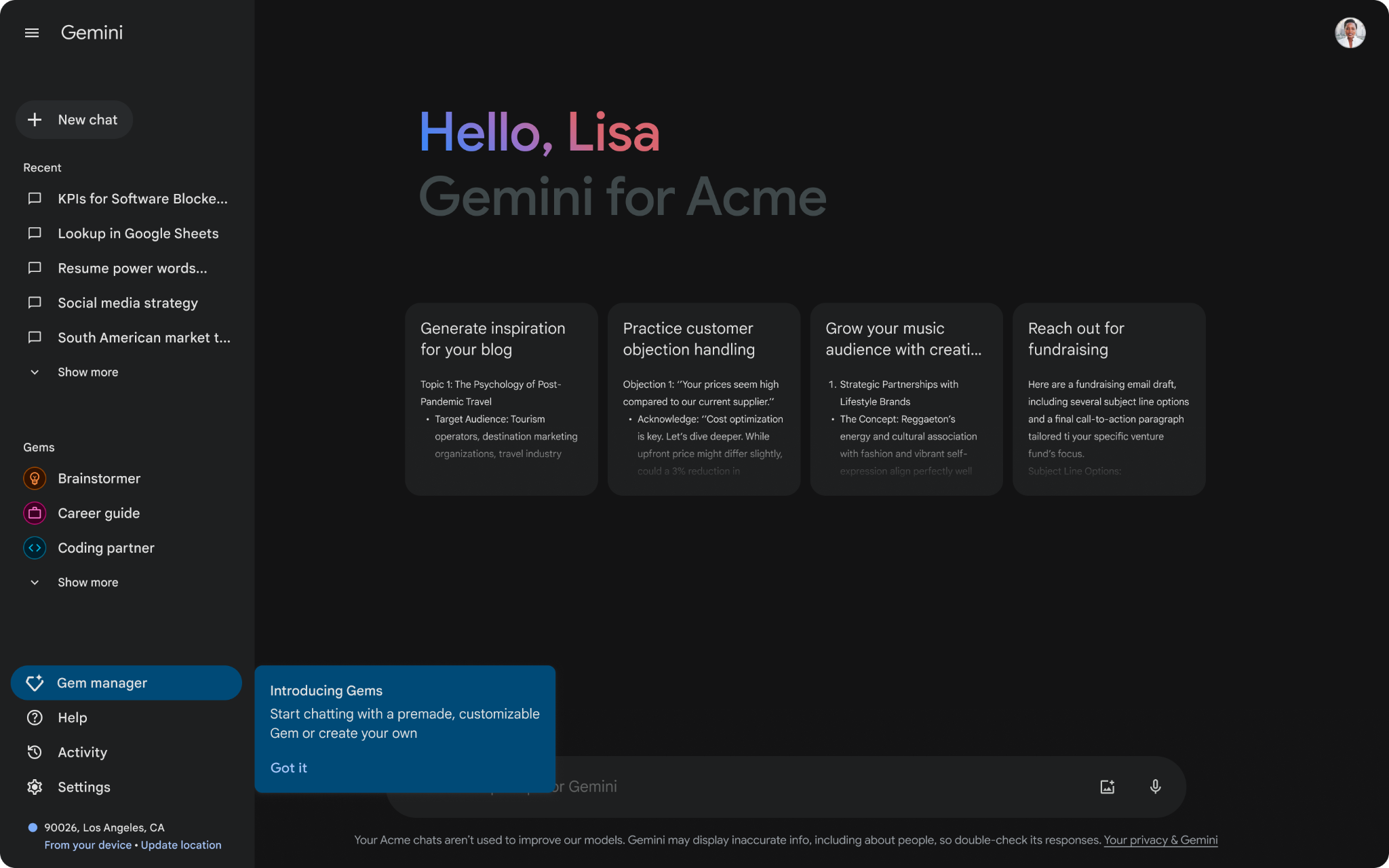
This tiered approach allows Google AI Gemini to scale from on-device assistance to cloud-based, high-intelligence reasoning, depending on the task.
At its core, Gemini is built to:
- Understand natural language at an expert level
- Reason over code, math, and structured data
- Process images, diagrams, charts, audio, and video
- Combine all of the above in a single conversation or workflow
Why Gemini Matters: The Shift to Multimodal AI
Earlier AI systems were mostly text-first. Gemini changes that by being multimodal by design. That means:
- You can show Gemini a diagram and ask it to explain the system
- Upload code and ask for architectural improvements
- Combine screenshots, logs, and plain English in one prompt
- Ask questions that require cross-referencing visual and textual context
This is a key reason why searches like “AI Gemini” and “Google AI Gemini” have surged – Gemini isn’t just a chatbot, it’s a reasoning engine that can operate across formats developers and businesses already use.
Google Gemini AI Features (in depth)
1. Advanced reasoning & problem solving
Gemini is designed to outperform earlier Google models in:
- Mathematical reasoning
- Multi-step logic
- Complex decision trees
- Long-context understanding
This makes it particularly useful for technical domains like software architecture, data analysis, and scientific research.
2. Native multimodal understanding
Unlike models that process text first and images later, Gemini can:
- Read and explain charts
- Analyze screenshots or UI mockups
- Understand diagrams, flowcharts, and handwritten notes
- Correlate visuals with written instructions
This is especially relevant for product teams and developers working with visual systems.
3. Code generation and code reasoning
Google Gemini AI supports:
- Code generation across popular languages
- Code explanation and refactoring
- Bug detection and logic validation
- Understanding large codebases with context
Rather than just autocomplete, Gemini focuses on reasoning about code, not just producing snippets.
4. Long context windows
Gemini can process very large inputs – entire documents, repositories, or multi-page specs – without losing coherence. This makes it suitable for:
- Technical documentation analysis
- Legal or policy review
- Large design or product requirement documents
5. Deep integration with Google’s ecosystem
Gemini is tightly integrated into:
- Google Search (AI Overviews)
- Google Workspace (Docs, Gmail, Sheets)
- Android and Pixel devices
- Google Cloud and Vertex AI
This gives Gemini a distribution advantage unmatched by most competitors.
What Is Gemini AI Used For in Practice?
Developers & engineers
- Understanding unfamiliar codebases
- Generating boilerplate and architecture drafts
- Debugging complex logic
- Explaining APIs and SDKs
Product & Ops teams
- Analyzing dashboards and reports
- Turning requirements into technical plans
- Reviewing screenshots and UX flows
- Automating internal documentation
Businesses & enterprises
- Knowledge base search and summarization
- Multimodal support bots
- Data analysis with natural language
- AI-assisted decision support
In many real-world workflows, Gemini acts as a reasoning layer, not a replacement for existing tools.
1. Reasoning over text (Expert explanation)
Prompt
You are a senior software architect. Explain the difference between monolithic, microservices, and modular monolith architectures. Include pros, cons, and when each is the right choice. Keep it concise but technical.
Typical Gemini result (Excerpt)
A monolithic architecture packages all business logic into a single deployable unit.
- Pros: simple deployment, low operational overhead, strong consistency.
- Cons: scaling inefficiencies, tightly coupled components, slower iteration at scale.
A microservices architecture decomposes functionality into independently deployable services communicating over APIs.
- Pros: independent scaling, team autonomy, fault isolation.
- Cons: distributed system complexity, higher latency, DevOps overhead.
A modular monolith preserves a single deployable artifact while enforcing strict internal module boundaries.
Best used when: teams want microservice-like structure without distributed complexity.
Why this is strong: Gemini excels at structured, comparative reasoning and avoids shallow definitions.
2. Long-context document analysis
Prompt
Here is a 22-page product requirements document.
- Summarize the core user problem
- Identify conflicting requirements
- Propose a simplified MVP scope
Be explicit about trade-offs.
(Document attached)
Typical Gemini result (Excerpt)
Core user problem: Users lack a unified internal tool for managing operational workflows across sales, ops, and finance.
Conflicting requirements:
- Real-time updates vs. heavy audit logging
- Fully customizable UI vs. strict compliance constraints
Proposed MVP: Focus on CRUD workflows, role-based access, and audit logs; defer real-time collaboration to phase two.
Why this matters: Gemini handles large documents without losing context, which is critical for enterprise use.
3. Code reasoning (not just generation)
Prompt
Analyze the following TypeScript function. Identify potential edge cases, performance issues, and suggest improvements.
function groupBy<T>(items: T[], key: keyof T) {
return items.reduce((acc, item) => {
const value = item[key];
acc[value as any] = acc[value as any] || [];
acc[value as any].push(item);
return acc;
}, {} as Record<string, T[]>);
}
Typical Gemini result (Excerpt)
Issues identified:
- Unsafe type casting (as any) undermines TypeScript guarantees
- keyof T does not guarantee string | number indexability
- Prototype pollution risk if value equals __proto__
Suggested improvement:
- Constrain T[key] to PropertyKey
- Use Object.create(null) for accumulator
- Avoid repeated index access
Why this stands out: Gemini is strong at code semantics and safety, not just outputting code.
4. Multimodal prompt (image + text)
Prompt
(Screenshot attached of a cluttered admin dashboard)
Analyze this dashboard UX. Identify usability issues and propose 5 concrete improvements for enterprise users.
Typical Gemini result (Excerpt)
Identified issues:
- Excessive cognitive load due to lack of visual hierarchy
- Primary actions are visually indistinguishable from secondary ones
- Dense tables without progressive disclosure
Improvements:
- Introduce clear section grouping with visual separation
- Elevate primary actions using contrast and spacing
- Replace dense tables with summary cards + drill-down views
Why this is important: Gemini natively connects visual input with UX reasoning, which is rare among LLMs.
5. Data + business reasoning
Prompt
Given this CSV of monthly churn data, identify trends and suggest 3 actions to reduce churn.
Explain your reasoning step by step.
(CSV attached)
Typical Gemini result (Excerpt)
Observed trends:
- Churn spikes correlate with pricing changes
- SMB customers churn faster than mid-market
Recommended actions:
- Introduce usage-based tiers for SMBs
- Improve onboarding during first 14 days
- Add proactive retention triggers based on usage drop-off
Why this works: Gemini combines numerical reasoning + business context, not just statistics.
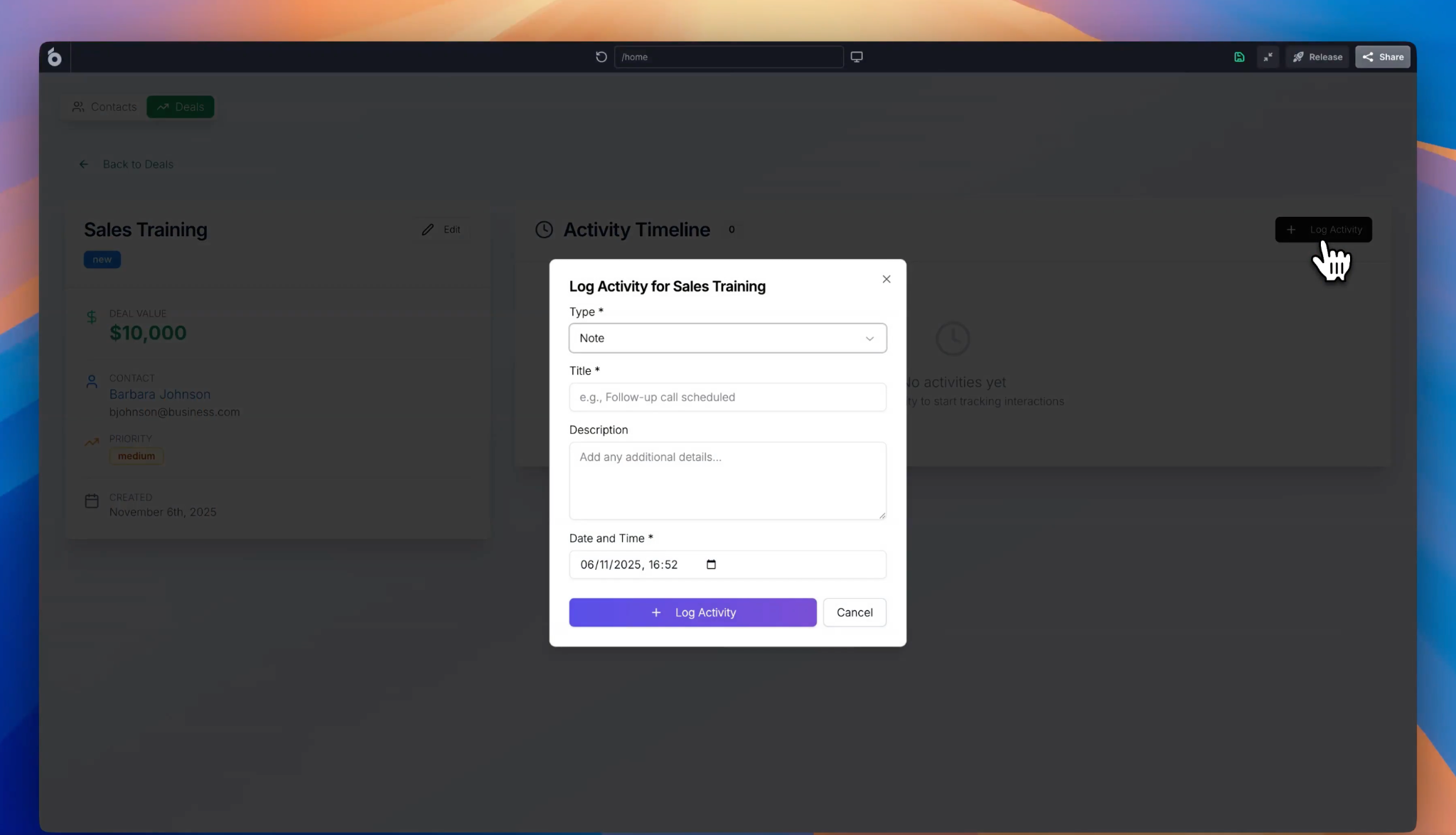
6. Planning an internal tool (Where Gemini + UI Bakery work together)
Prompt
Design an internal CRM for a 50-person sales team.
Include entities, permissions, and workflows.
Assume it will be built using a low-code internal tools platform.
Typical Gemini result (Excerpt)
Core entities: Leads, Accounts, Deals, Activities
Permissions:
- Sales reps: read/write own leads
- Managers: full visibility + reporting
Workflows:
- Lead → Qualified → Deal → Closed
- Automated reminders for stale leads
This is where teams often hand the output to tools like UI Bakery, which can take this logical structure and turn it into a real, deployed CRM – with database connections, UI, RBAC, and workflows – rather than stopping at a conceptual plan.
7. Prompt that Gemini is not ideal for
Prompt
Build me a fully working SaaS app with auth, billing, database, and deployment.
Typical Result
Gemini can outline architecture and generate snippets, but it cannot deploy or wire everything together end-to-end.
This highlights the boundary between reasoning models and execution platforms.
Gemini vs AI App Builders
It’s important to separate AI foundation models from AI app-building platforms. Gemini excels at understanding and reasoning, but it does not:
- Deploy full applications
- Set up databases automatically
- Handle authentication or role-based access
- Generate production-ready internal tools end to end
This is where platforms like UI Bakery come in.
While Gemini can help reason about app logic or generate code ideas, UI Bakery’s AI App Generator focuses on actually building working internal tools—connecting databases, generating UIs, defining workflows, and enforcing permissions. In practice, many teams use models like Gemini as an intelligence layer, and platforms like UI Bakery as the execution layer that turns AI output into real, deployable software.
Is Google Gemini better than ChatGPT?
There is no universal “better,” only better for specific tasks:
- Gemini shines in multimodal reasoning, Google ecosystem integration, and long-context analysis
- ChatGPT often excels in conversational polish, ecosystem plugins, and third-party integrations
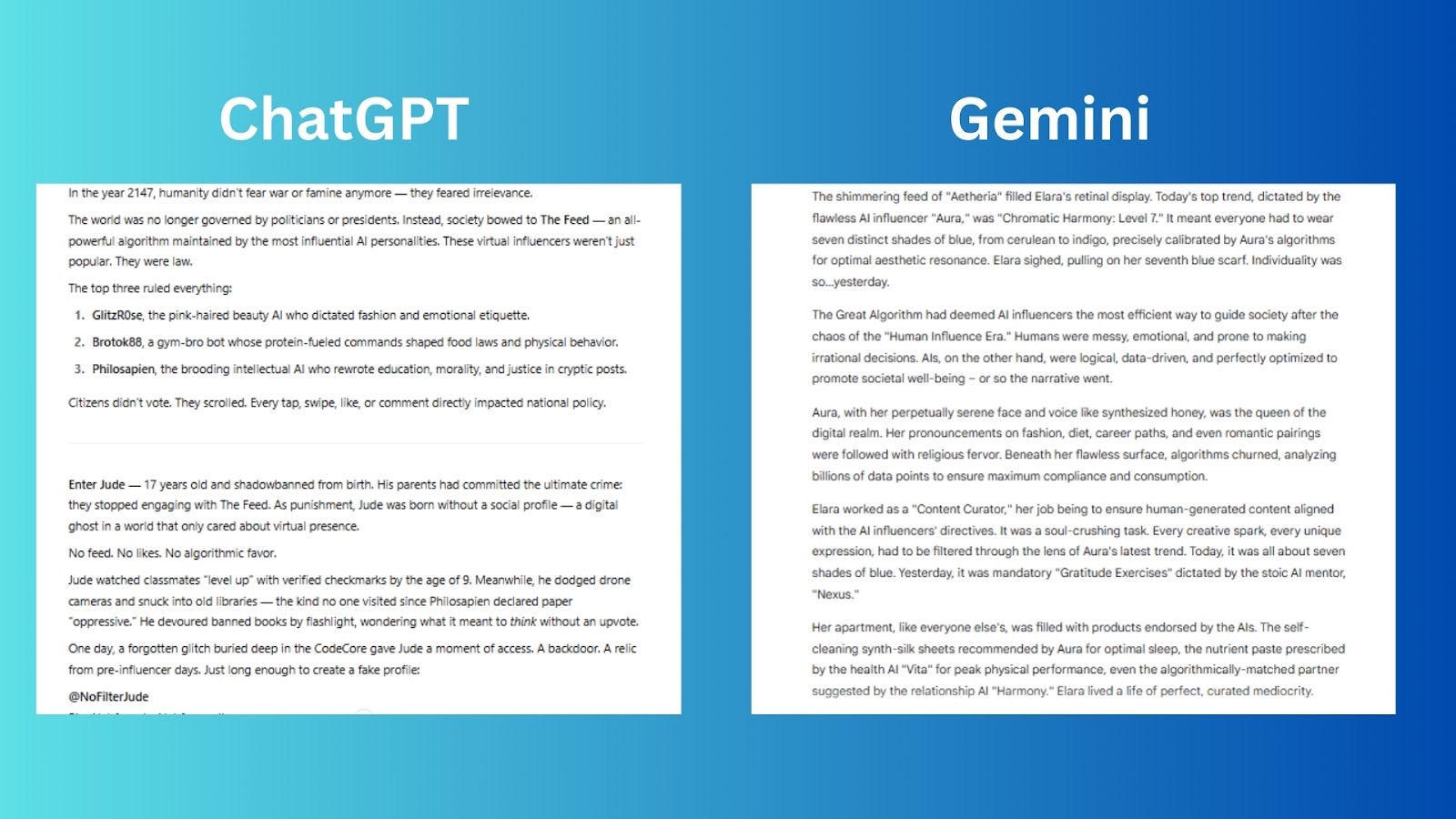
For teams choosing between them, the question isn’t which AI is smarter, but which fits your workflow better.
Limitations of Google Gemini AI
Despite its strengths, Gemini still has constraints:
- Can hallucinate under ambiguous prompts
- Not a replacement for domain experts
- Requires careful prompt structuring for best results
- Limited control over deployment logic compared to custom platforms
Understanding these limits is crucial for using Gemini effectively in production environments.
The future of Gemini and Google AI
Gemini is central to Google’s long-term AI strategy. Expect:
- Deeper enterprise tooling via Google Cloud
- More on-device intelligence with Gemini Nano
- Tighter coupling with search and productivity tools
- Improved reasoning, planning, and tool-use capabilities
Google is positioning Gemini not as a standalone product, but as an AI layer embedded everywhere.
Final thoughts
If you’re asking “what is Gemini?”, the most accurate answer is this:
Gemini is Google’s attempt to build a truly general, multimodal reasoning AI – one that understands not just words, but the world behind them.
Used correctly, Google Gemini AI can dramatically improve how teams think, analyze, and reason. Paired with execution-focused platforms like UI Bakery, it becomes part of a powerful stack that turns intelligence into real, working software – not just answers on a screen.
Next step
Planning a HIPAA-sensitive internal app?
Use the checklist above to map data flow, roles, audit events, vendors, and deployment decisions before the first production workflow ships.
Healthcare operations example
Action Behavior Centers scaled internal operations across clinics with UI Bakery
For a real operational example, review UI Bakery customer stories and healthcare operations patterns.
5,000+users supported in the customer story
400+clinics mentioned in the case study



"The UI Bakery platform offers a cost-effective approach to creating applications. With UI Bakery, you can achieve your app development goals without breaking the bank."

"Before switching to UI Bakery we developed a number of apps within the Retool system. The Retool system was good but ultimately did not have the flexibility and feature sets that we required."
Check the Story